No license fee
Protect licensing carries no license fee at any camera count, running AI detection and recording on local hardware instead of paid cloud subscriptions.
Managed IT services
One sign-in covers cameras, door entry, Wi-Fi, and phones for your entire building.
Setup begins by choosing systems based on your layout and daily operations.
Stores usually start with security cameras, door entry, and Wi-Fi to cover entrances and sales floors.
Installs usually start here, and each system remains completely optional.
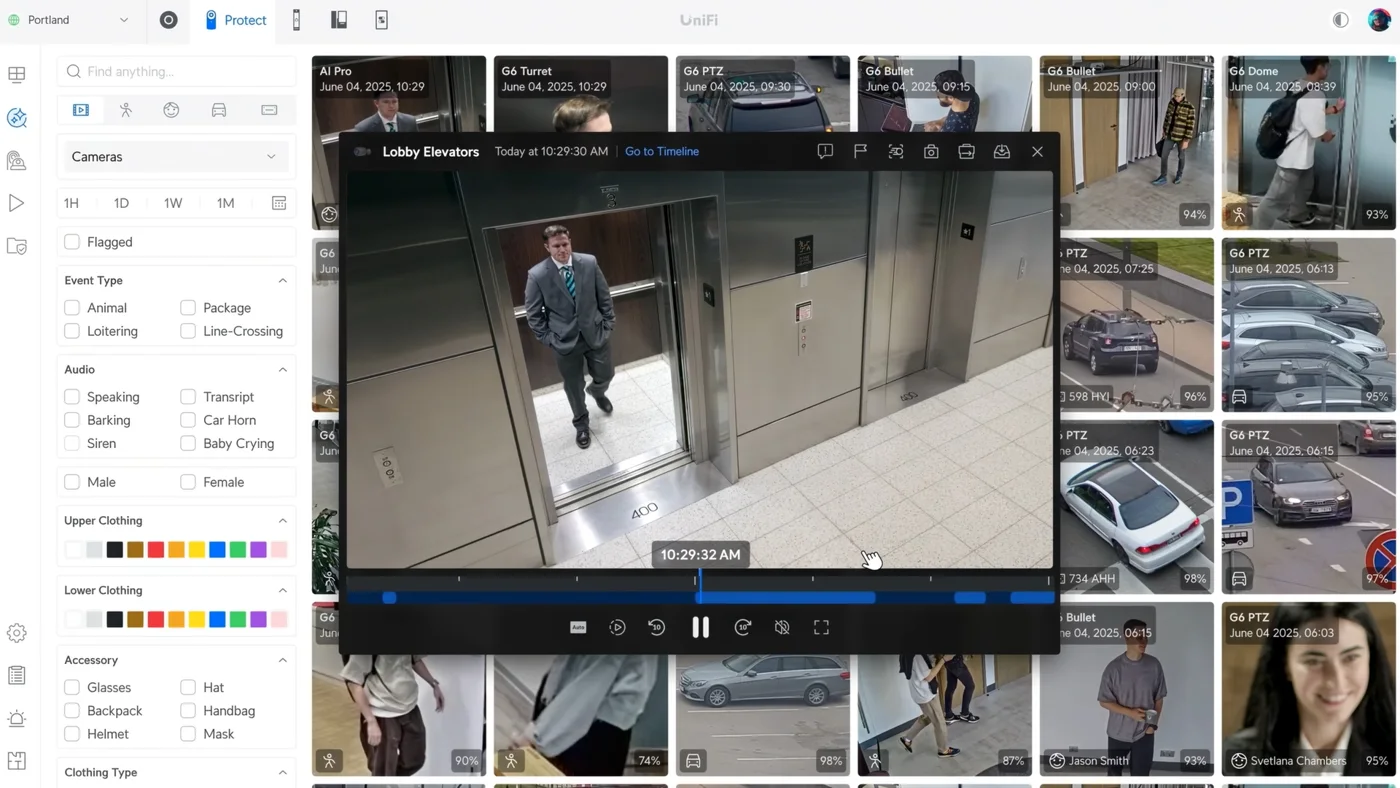
Offices typically pair business Wi-Fi, network switches, and desk phones on one network.
Installs usually start here, and each system remains completely optional.
Dining rooms often begin with cameras, guest Wi-Fi, and alarm sensors.
Installs usually start here, and each system remains completely optional.
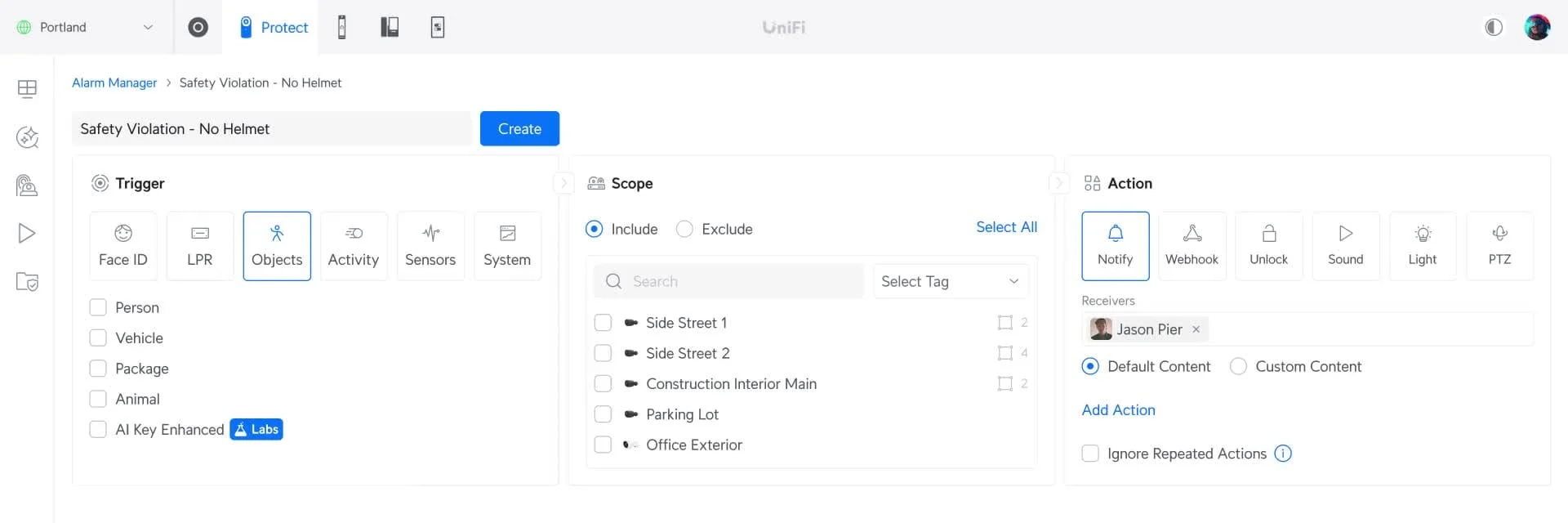
Clinics usually start setups with Wi-Fi, desk phones, and door entry for staff rooms.
Installs usually start here, and each system remains completely optional.
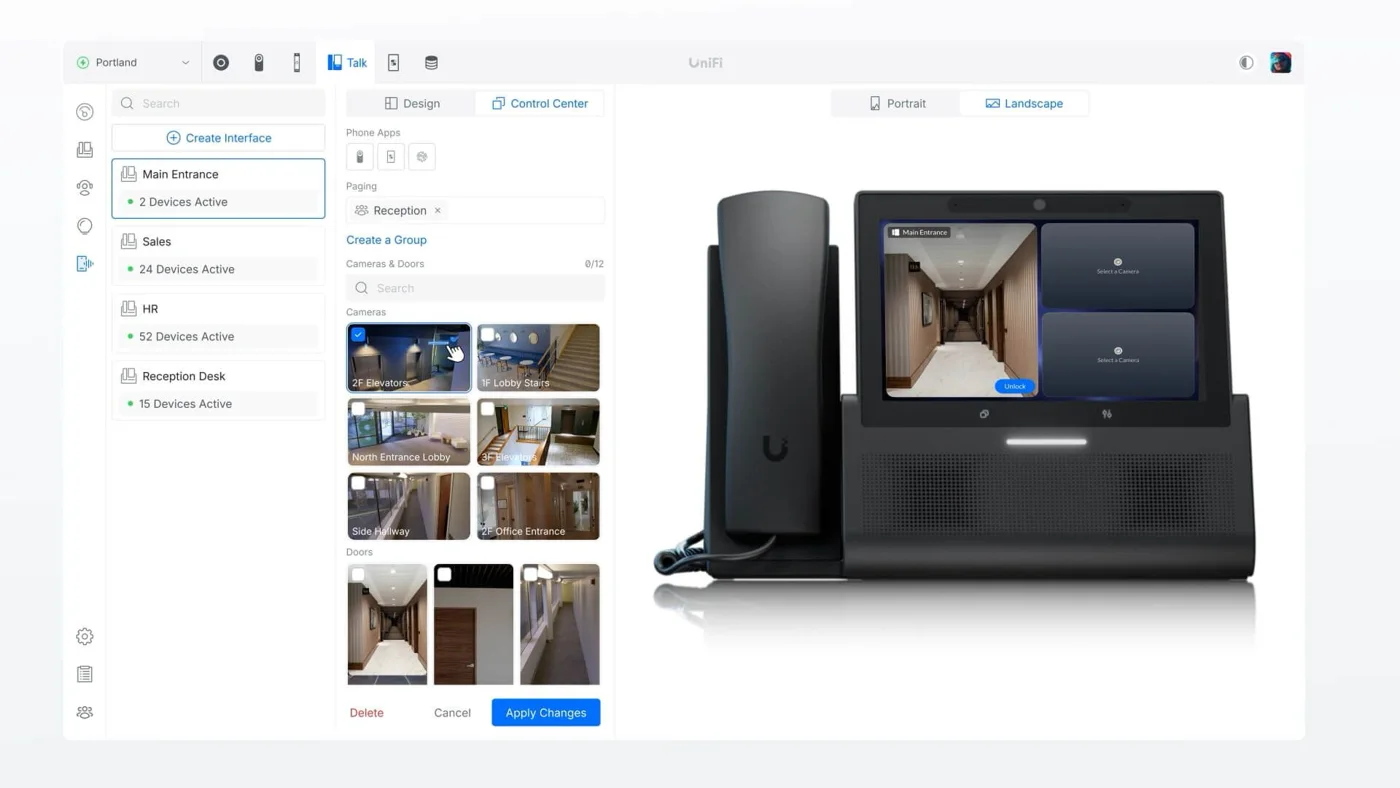
Yards and warehouses rely first on cameras, gate controls, and alarm sensors.
Installs usually start here, and each system remains completely optional.
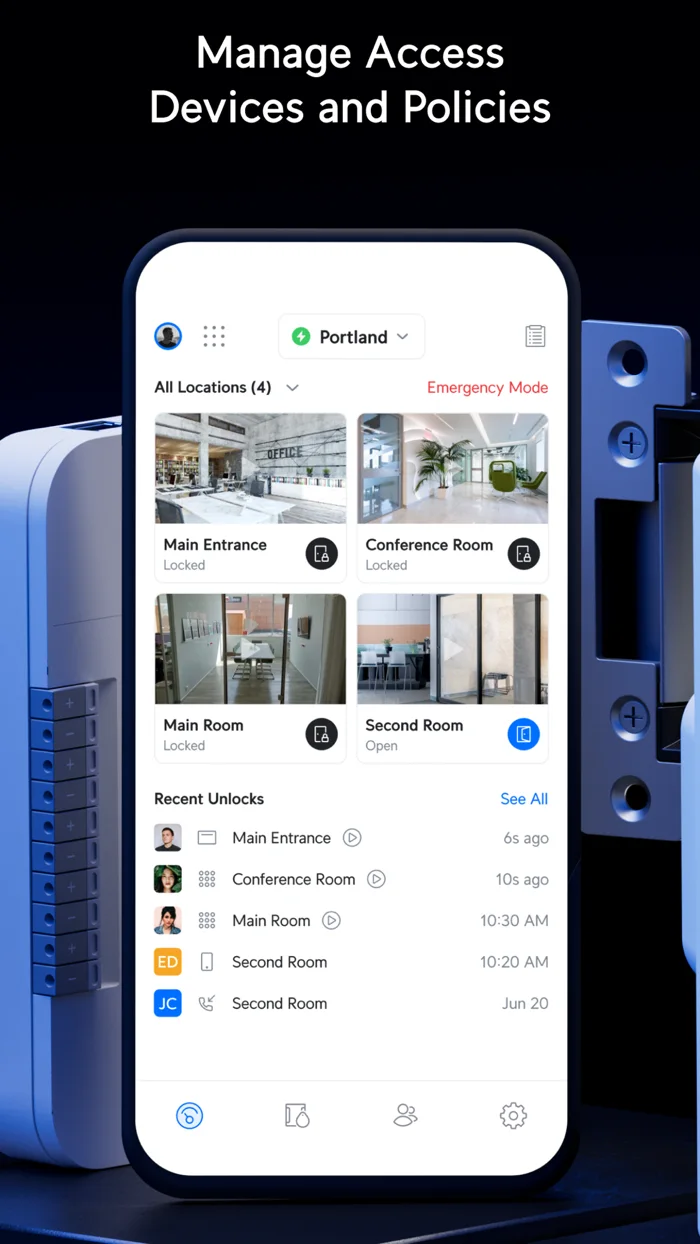
Multi-location businesses run cameras across branches recording to recorders at main offices, monitored from one dashboard.
Installs usually start here, and each system remains completely optional.
Everything runs through a single sign-in, removing separate vendor portals and extra passwords from daily management.
Wi-Fi and switching
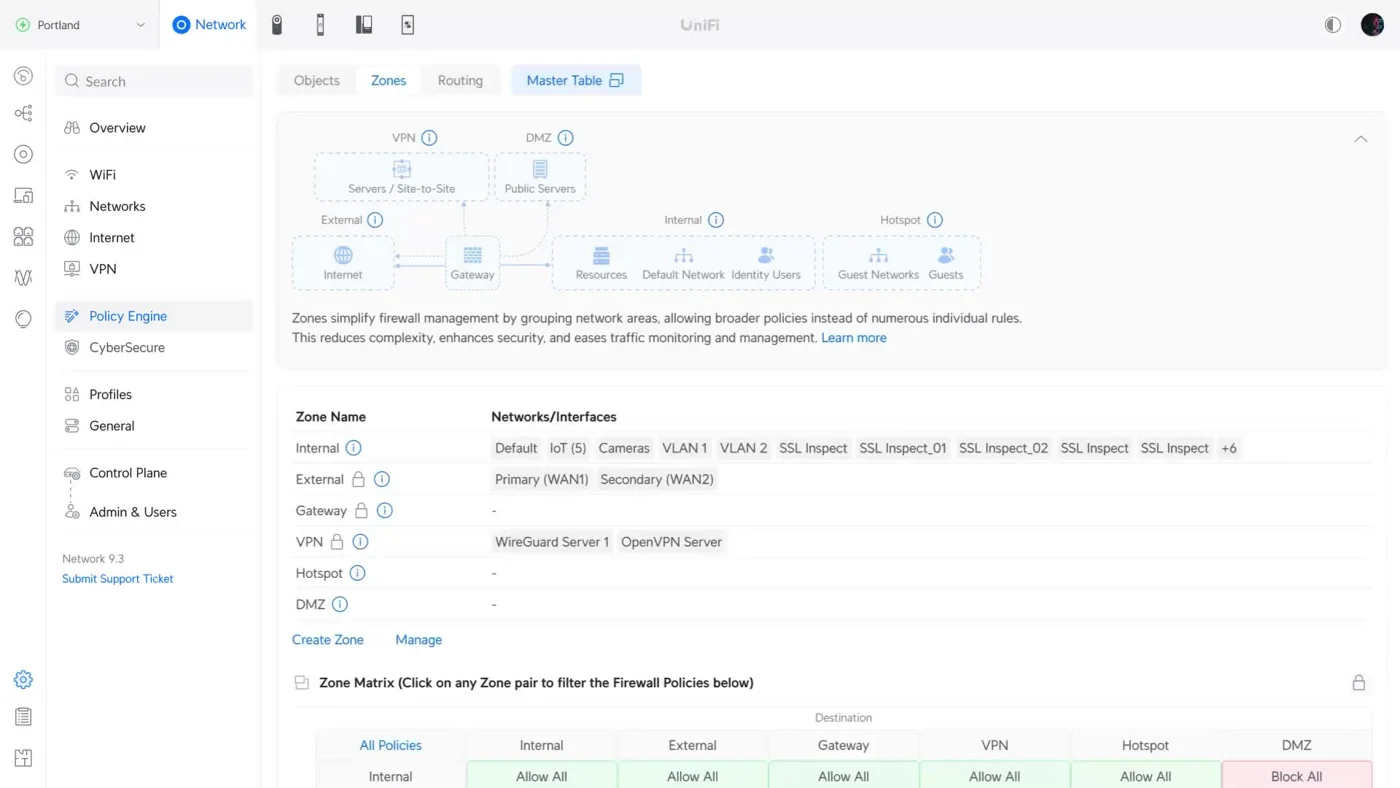
Policy Engine builds firewall zones for internal, external, hotspot, and VPN traffic.
Cameras and alarm sensors
Event timelines filter footage by animal, package, vehicle, and line-crossing detections.
Doors and gates
Mobile apps show locked status, system logs, visitor passes, and Touch Pass for Apple Wallet.
Phones and intercoms
Control Center assigns cameras and doors to desk phones, and Smart Attendant builds business hours routing.
Signage and EV charging
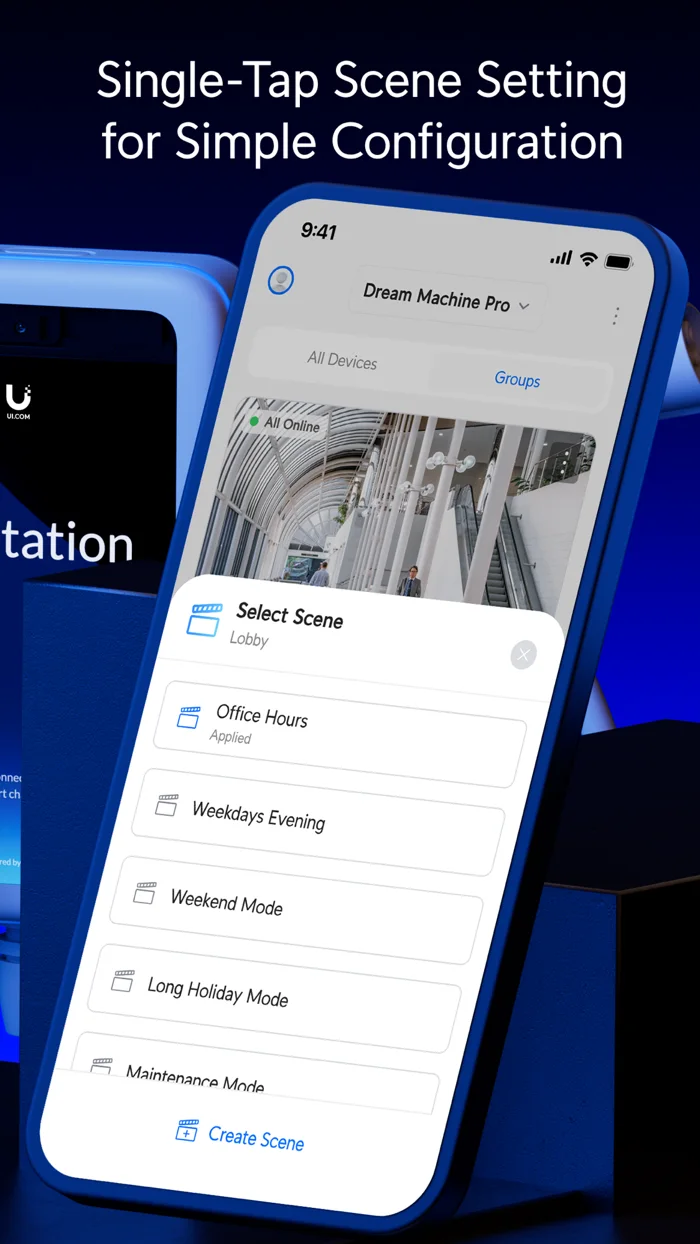
Displays show assigned content and group together into scenes for office hours or weekday evenings.
File storage
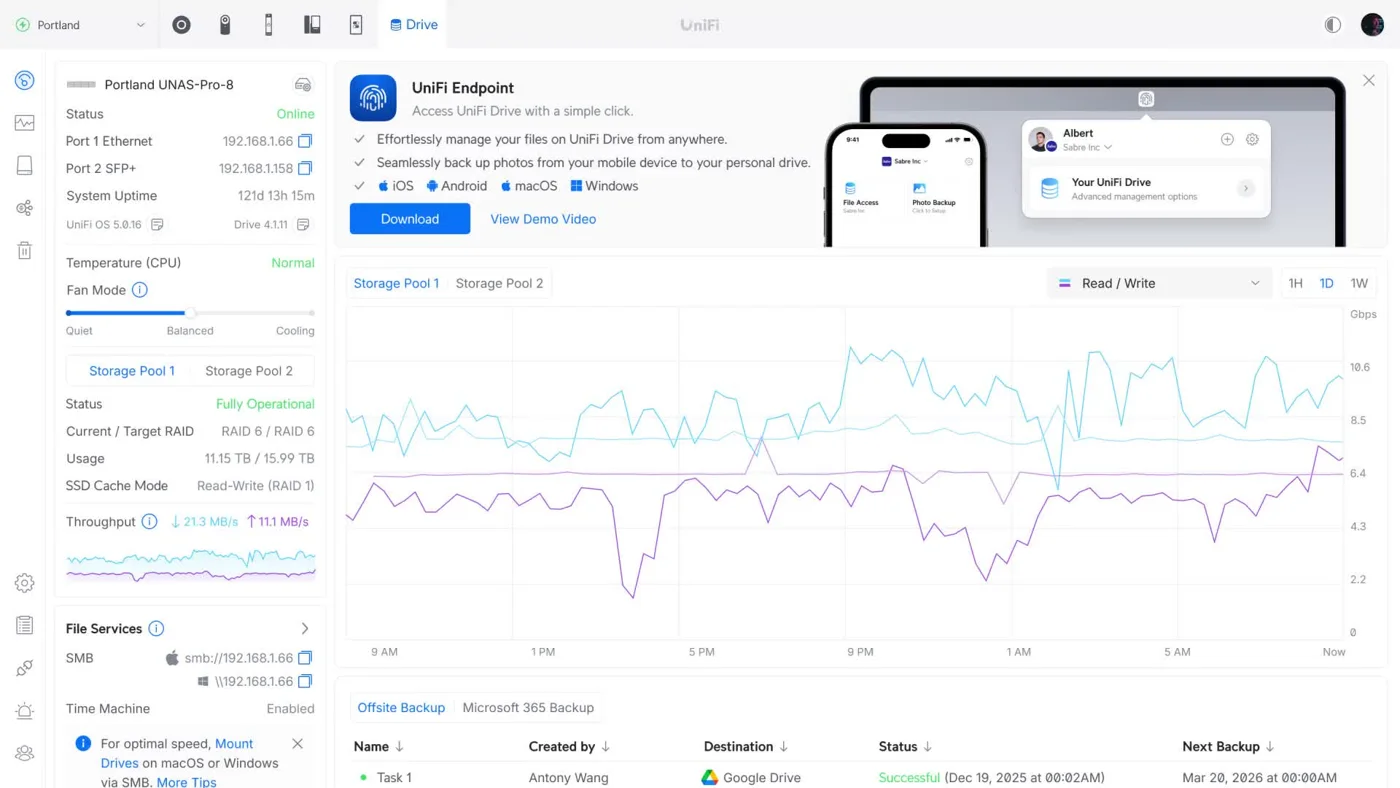
Network storage displays pool status, RAID level, and shares files while keeping off-site backups.
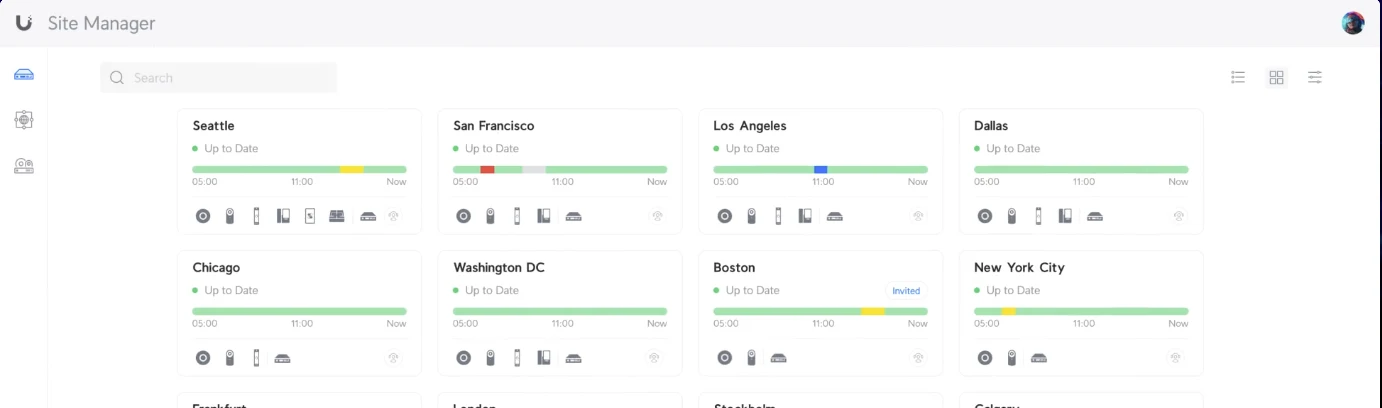
Site Manager lists every site in one view. Branch cameras can record to main office recorders without needing local consoles at smaller branches.
Multi-location managementAlarm Manager links applications together. Door unlocks pair with camera clips of whoever stands at your door.
Self-hosted systems keep ongoing costs low. Integrations and cloud management carry zero fees.
Protect licensing carries no license fee at any camera count, running AI detection and recording on local hardware instead of paid cloud subscriptions.
Phone numbers carry monthly subscriptions. Touch Pass wallet credentials require yearly payments per user after free trials, and some identity or hosting plans are paid.
Camera footage stores on recorders in your building by default, continuing to record if internet drops. Off-site copies are set up during system design.
Setup requires careful network design, cable runs, and configuration.
CloudCentric maps cable routes, equipment racks, power points, and requirements for every door, camera, and desk.
Cabling, switches, and internet lines come first because cameras, readers, phones, and access points depend on network capacity.
Existing data cables are tested and kept where possible. Old analog coax, existing card readers, and two-wire runs can often be reused using adapters.
Cameras, readers, and access points take power and data over single cables. Every device is mounted, aimed, labeled, and tested before handover.
CloudCentric delivers an inventory alongside labeled ports, providing system logins held strictly in your business name.
CloudCentric manages updates, watches for offline devices, and handles changes like adding new doors or cameras to your console.
Hardware can be bought outright or supplied inside a monthly managed service where equipment comes packaged with support.
UniFi Talk or Microsoft Teams Phone are both installed without preference, depending entirely on how your office uses phones.
Start with two or three systems and expand later on your existing console.
Compare side by side
Businesses benefit from having cameras, doors, and Wi-Fi on one login. Savings grow with device count over years because core products lack renewing per-device licenses.
Core products carry zero cloud fees or subscriptions. Phone numbers and some identity plans have monthly or yearly costs, while camera storage runs entirely on local recorders.
Existing data cables are tested and kept wherever they pass. Old analog coax, existing card readers, and two-wire runs can often be reused with adapters.
Camera footage stores on a recorder inside your building by default, so recording continues if your internet connection drops.
UniFi is not a fire alarm panel, nor is it a professionally monitored alarm, and it does not provide UL alarm certificates.
Emergency calls from mobile apps cannot send precise locations, so staff make emergency calls from desk phones or personal mobile devices.
Site Manager dashboards let managers oversee multiple branches from one screen. Second site cameras can even record directly to main office recorders.
Call or book a walkthrough to survey your building.