Local managed IT
Reliable restaurant technology for coastal dining rooms
One local team runs your restaurant Wi-Fi, card terminals, cameras, doors and cooler alerts from Charleston down to Savannah.
Friday dinner service
Background systems keep your shift running
Systems run quietly behind the scenes while your staff serves guests. Card taps go through, digital menus switch to dinner automatically, and managers track cooler temperatures without leaving the floor.
On the floor
- Card taps process over their own network
- Guest Wi-Fi reaches the patio
- Phone alerts warn if a cooler warms up
Behind the scenes
- Card terminals sit on their own network
- Cellular backup internet takes over during outages
- Cameras, door codes and sensors run from one console
Technology tailored to your concept
Different dining rooms need different controls. Card terminals sit on their own network, cooler sensors report temperatures, and individual door codes limit staff access to scheduled shifts.
Technology by concept
Restaurant Wi-Fi, payments, cameras and controls
Controls cover the dining room, kitchen and office. Sensors monitor coolers, networks keep card terminals separate from staff devices, and managers track entry logs.
Installed equipment depends on your building materials and restaurant layout.
Manage your restaurant systems remotely
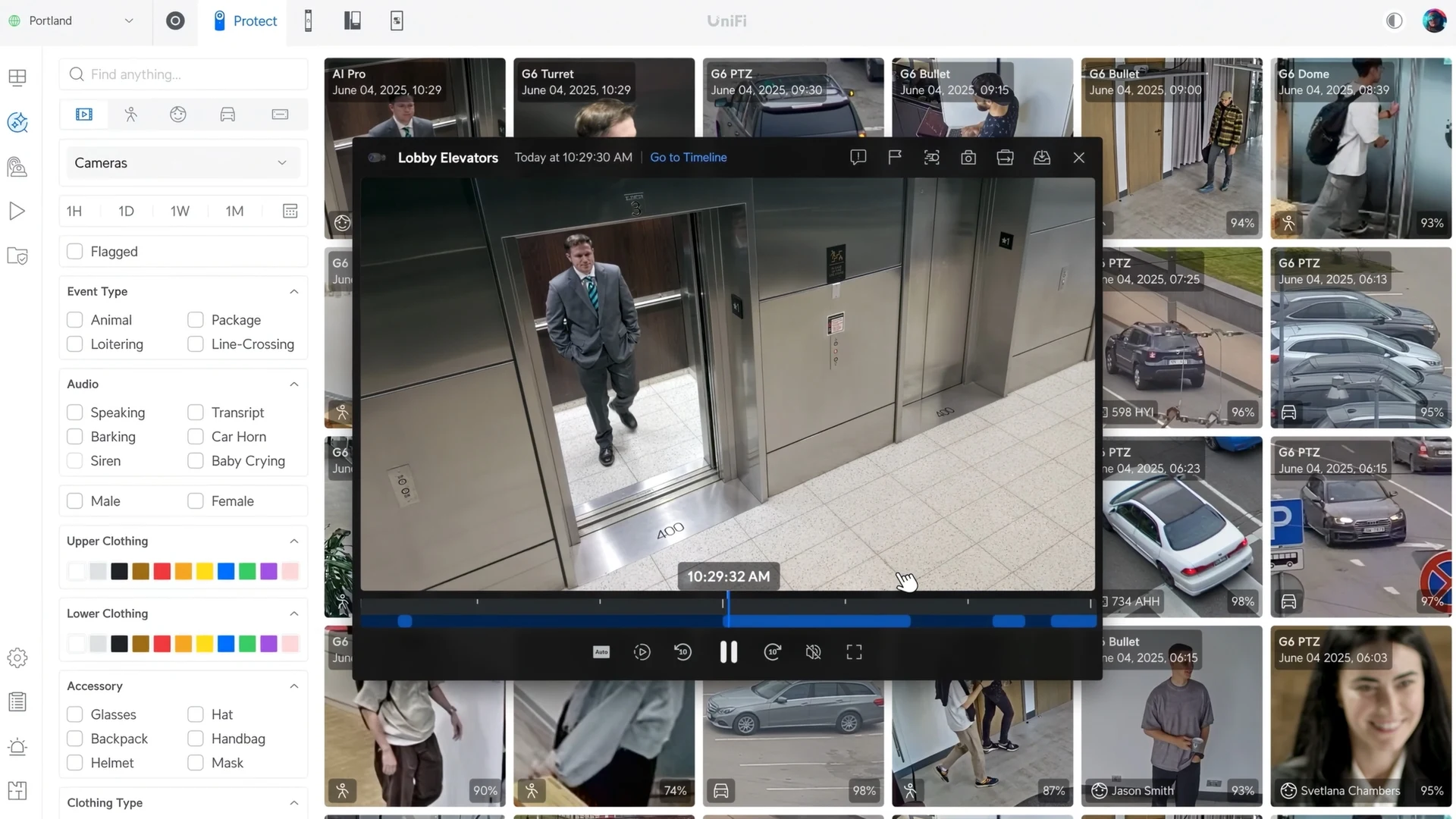
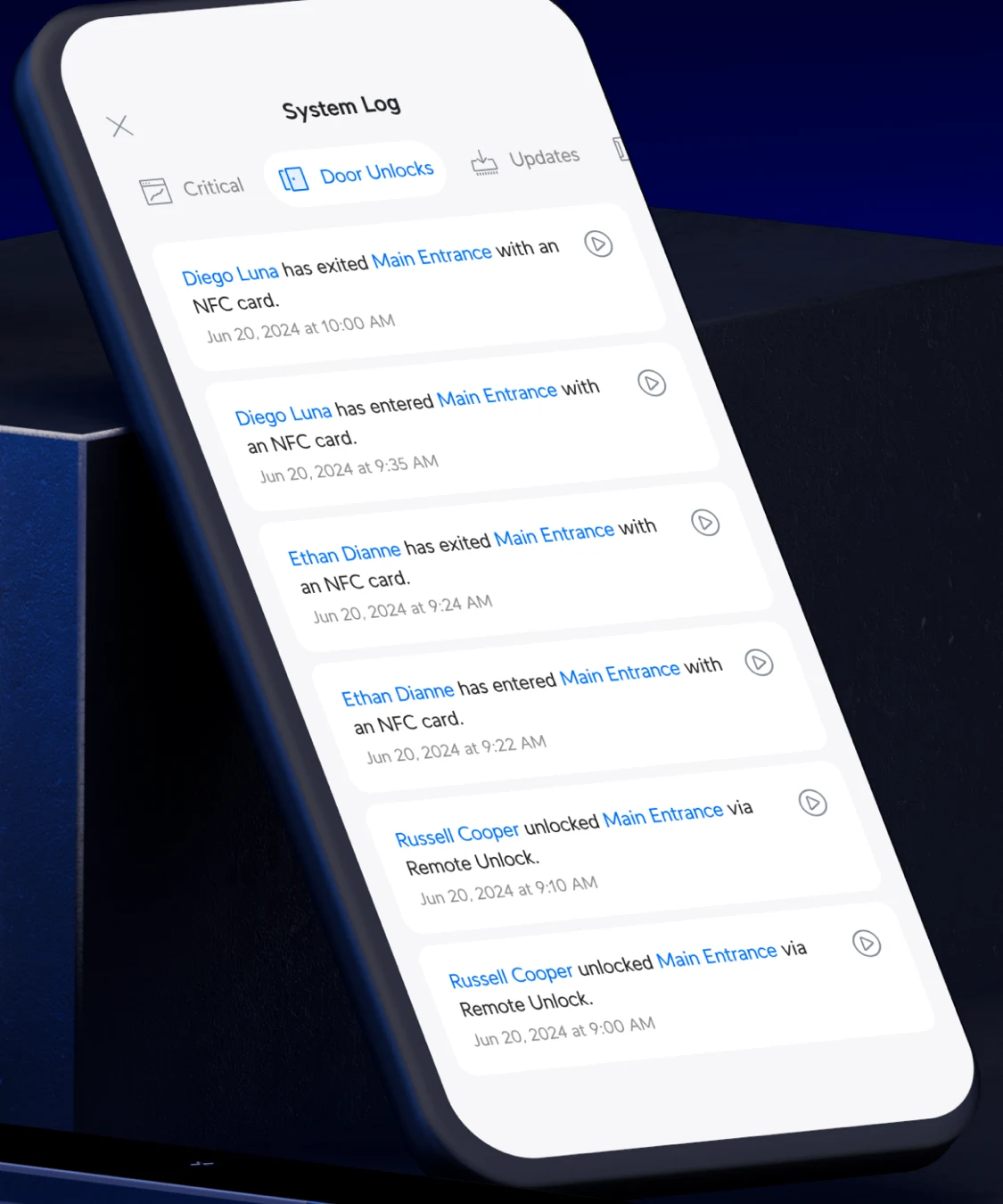
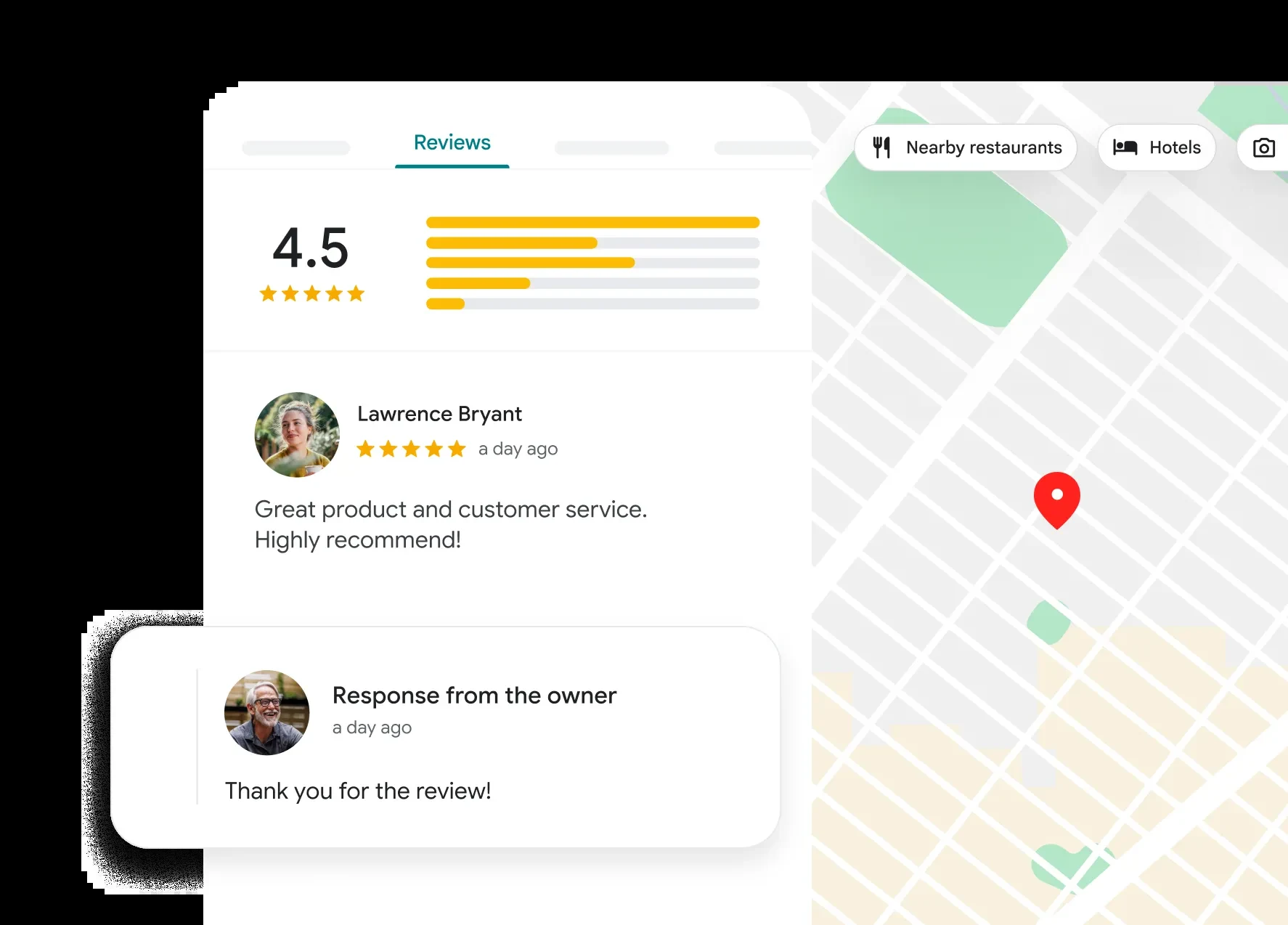
Camera footage, entry logs and review replies open on a phone or browser. Managers find transactions, track cooler temperatures and answer guest feedback without visiting the back office.
Web screens feature filters for events next to a clip grid, while individual clips open directly over a timeline.
Log screens in the mobile app feature a tab listing exact entry times, showing who entered or exited each specific door and when.
Dashboard screens display a Google reviews tab with a rating breakdown and a published reply from the owner.
Dashboard screens reflect official vendor documentation and application listing images.
Steps for your restaurant installation
Installation plans map out building materials and peak device counts. Equipment choices depend on your layout, and networks separate guest traffic from card readers.
- 1
Walk the building
Technicians walk your dining room and kitchen with a meter, reading signals at the far corners of each room to find where block walls or metal lath reduce coverage.
- 2
Separate card terminals
Card terminals and registers run on their own network, separate from guest Wi-Fi and staff laptops, testing separation from the guest side before launch.
- 3
Add cameras and sensors
Installers mount cameras, fit walk-in coolers with temperature sensors, and set up individual door access codes for scheduled shifts.
- 4
Test at handover
Technicians disconnect the main internet line on purpose to observe the cellular backup taking over, verifying registers and card terminals stay online during the changeover.
- 5
Help desk and monitoring
Computers and servers receive around-the-clock monitoring. Staff request help desk support by phone, email or Teams, turning every request into a ticket.
Restaurant IT support and technology questions
- What does day-to-day restaurant IT support cover?
Restaurant IT support handles help desk tickets by phone, email or Teams. Systems receive constant monitoring, and technicians visit your building when network, Wi-Fi or printer issues require hands on site.
- How are card terminals kept apart from guest Wi-Fi?
Card terminals sit on their own network over the same cables, separate from guest Wi-Fi and staff laptops. Guest connections reach the internet only, keeping staff devices and registers hidden.
- What happens when the internet goes down during service?
Cellular backup lines from a second carrier switch in automatically. Registers, phones and card terminals keep operating, while guest Wi-Fi can stay off the cellular connection entirely.
- Can security cameras show a void or refund from the sale?
Camera software can link point-of-sale transactions to video. Managers search for specific voids or refunds on the console to find the footage associated with that transaction.
- Can a walk-in cooler alert go to a phone?
Battery-powered sensors monitor cooler temperatures. Sensors send automated push, email or webhook alerts directly to a manager's phone if a freezer falls out of range.
- Can we text our regulars about daily specials?
Regulars receive text messages only after giving express written consent. Campaigns respect local time zones and require registration with carriers. CloudCentric provides general information; a restaurant's own attorney answers legal questions.
Run your next shift smoothly
Call us today or book a walkthrough to update your restaurant systems.