Arrival pages
Reports list initial landing points for each visitor session.
Managed web reporting
Track arriving visitors, their source links and their site actions, using private reports where your data remains entirely yours.

Answers for owners
Business owners frequently ask whether their marketing efforts work. Website traffic statistics show where visitors come from, which pages they read and what they do on the site.
Landing page reports show the pages people arrive on during each visitor session.
Departure statistics indicate the pages visitors leave from when closing their browsers.
Referrer tracking displays the links that bring people to the site from websites, texts and emails.
Owners across different industries use website analytics to measure marketing efforts. Reports show pages people arrive on, pages they leave from, links that bring people to the site and campaign tags on links in emails, texts and ads.
Ask a question
See report details
Standard website statistics answer marketing questions directly from your own data records.
Reports list initial landing points for each visitor session.
Statistics show the pages visitors leave from before closing your site.
Referrer data reveals the links that bring people to the site.
Tags on a link in an email, text or ad show which campaign each visit came from.
Google Search Console lists actual searches showing your pages in Google.
Search Console ownership requires a DNS record on your domain.
Google Analytics 4 standard properties delete user data after two or fourteen months.
One person visiting on a phone and a laptop counts as two visits.
Tags on a link show which campaign each visit came from. Google documentation states you should always use source, medium and campaign parameters.
Where the link goes
Tagged link
Traffic acquisition report rows name the source, medium and campaign of the tagged visits.
Shown links and campaign names are examples.
Google Search Console data shows what people searched before arriving. Website analytics show what they did after.
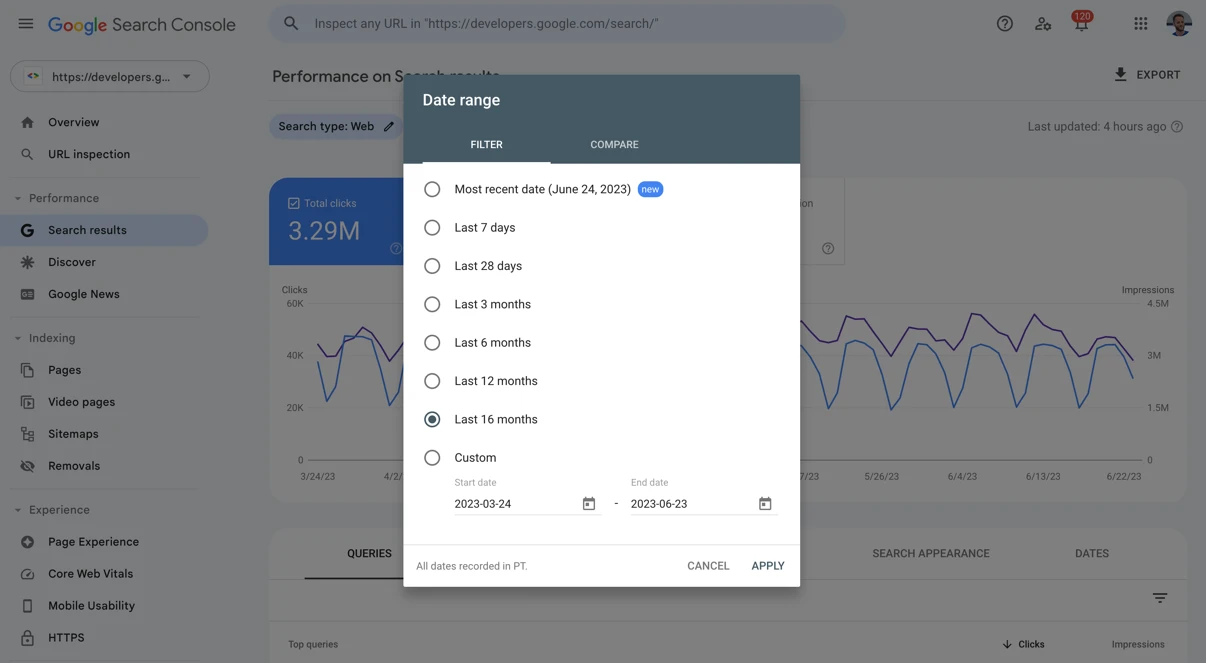
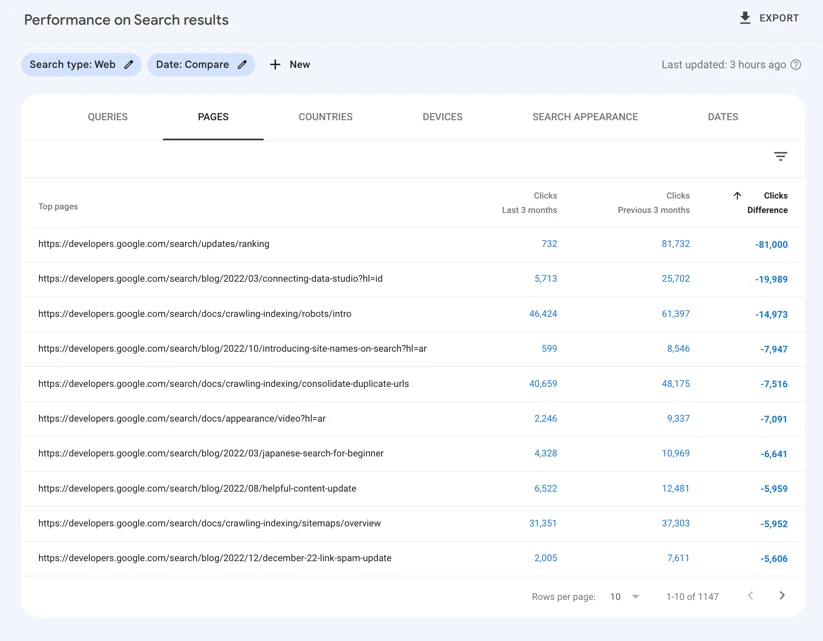
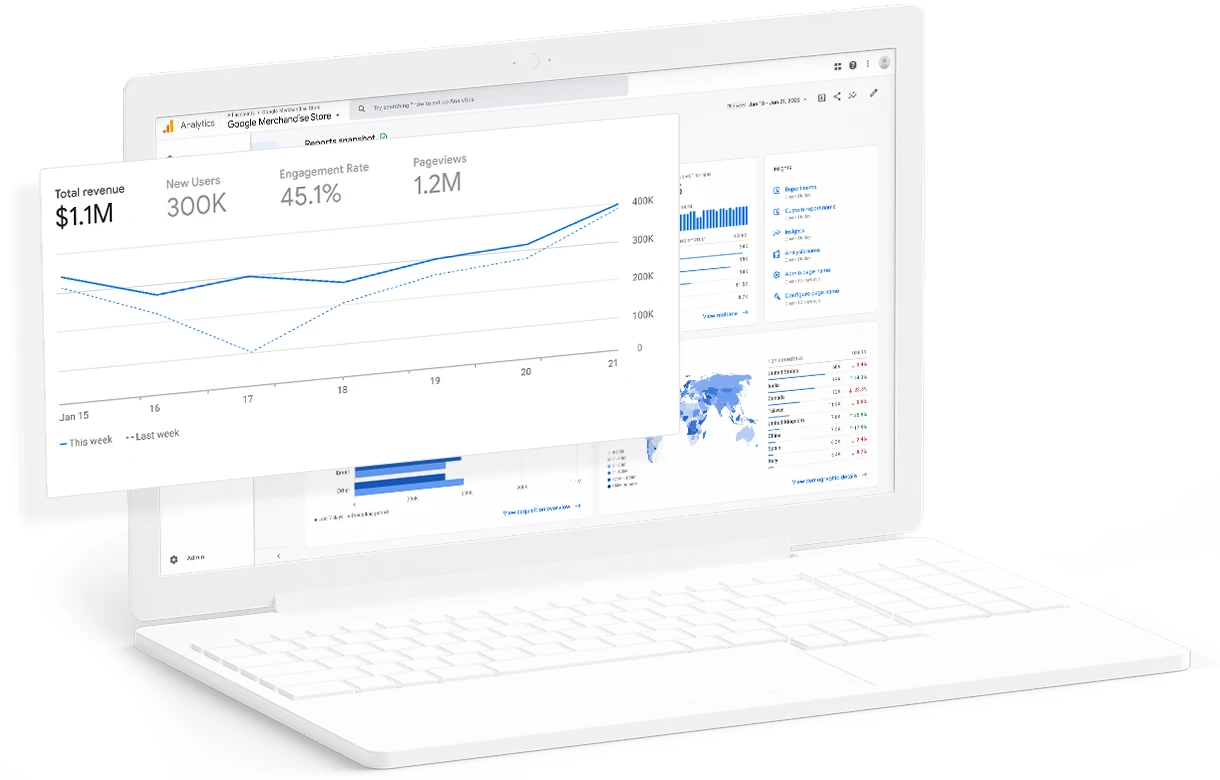
Screenshots are Google documentation images containing Google sample data.
Standard Google Analytics 4 properties keep user data for two or fourteen months. Standard aggregated reports remain unaffected, while explorations cannot show data older than your setting.
Raising limits applies to data not yet deleted. Lowering limits deletes older data at the next monthly deletion run.
Analytics software counts browsers. One person on a phone and a laptop counts twice.
One person on a phone and a laptop counts twice.
CloudCentric handles setup tasks, leaving you ready to review statistics from your own private reports.
Domain ownership requires a DNS record setup in Google Search Console.
Add UTM parameters to links placed in your marketing emails, texts and advertisements.
Check your reports for pages people arrive on, pages they leave from and links that bring people to the site.
Choose whether user data remains active for two or fourteen months.
Website visitor statistics show where visitors come from, which pages they read and what they do on the site.
Analytics run privately and your data stays completely your own, rather than being shared with an advertising network.
Campaign tags added to your links show up in the Google Analytics Traffic acquisition report, revealing which campaign each visit came from.
Google Search Console is a separate free tool showing Google searches your site appeared for, complete with clicks, impressions, click-through rates and average positions.
Visitor counts represent browsers, not people. Someone checking your site on a phone and later on a laptop counts twice.
Google Analytics 4 standard properties keep user-level data for two or fourteen months. Google Search Console keeps sixteen months of search performance data.
Call (844) 422-7000 or book a walkthrough to begin tracking your website arrivals.