Connect migration endpoints
Microsoft 365 connects directly to old mail systems using secure migration endpoints.

Managed IT services
Email, files and servers moved into Microsoft 365, Google Workspace or Azure, for businesses from Charleston to Savannah.

Cloud migration services
Migration plans list what moves, in what order, and when the switch happens.
Scanning shared files before moving identifies excluded characters or paths exceeding 400 characters.
Email sent to old systems keeps arriving there until MX records change.
Cut-over schedules occur outside business hours, providing staff support during first days.
Different business offices follow specific paths during moves. Moving schedules separate large file archives from primary daily operations.
Select an industry
Expected moving order
Example order. Each business gets its own written list.
Different old systems require specific migration tools. Files and mailboxes arrive intact using methods designed for each platform.
Tool
Moves across
Moved separately
Limit
Switching mail involves careful steps sequenced outside business hours.
Steps and the 72-hour guidance: Microsoft Learn, cutover migration.
Microsoft administration interfaces provide direct controls over migration types. Setting up endpoints ensures secure data connections between servers.
Microsoft 365 connects directly to old mail systems using secure migration endpoints.
Cutover methods move all mailboxes together in one batch. Microsoft considers 150 or fewer reasonable, supporting 2000 maximum.
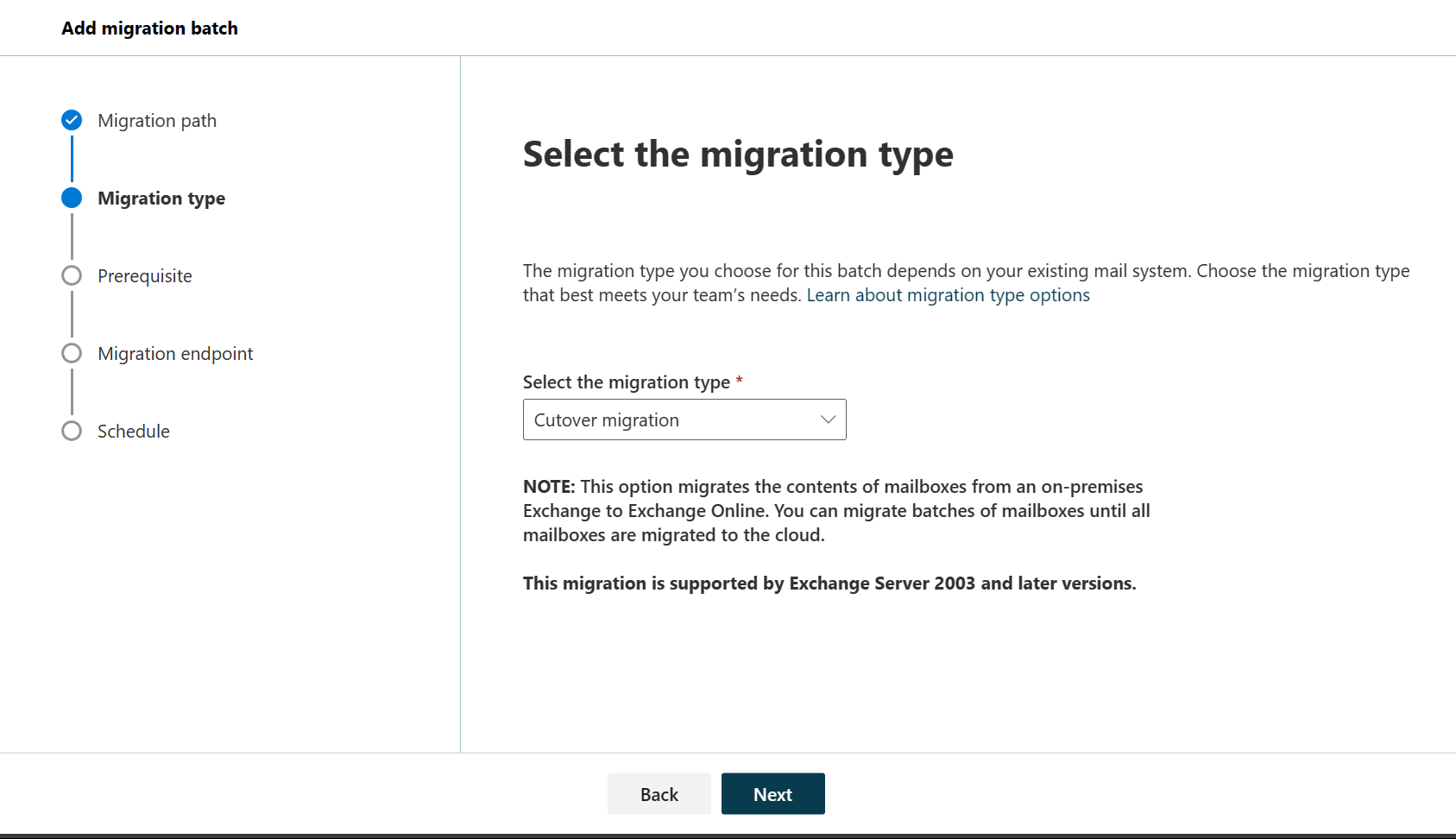
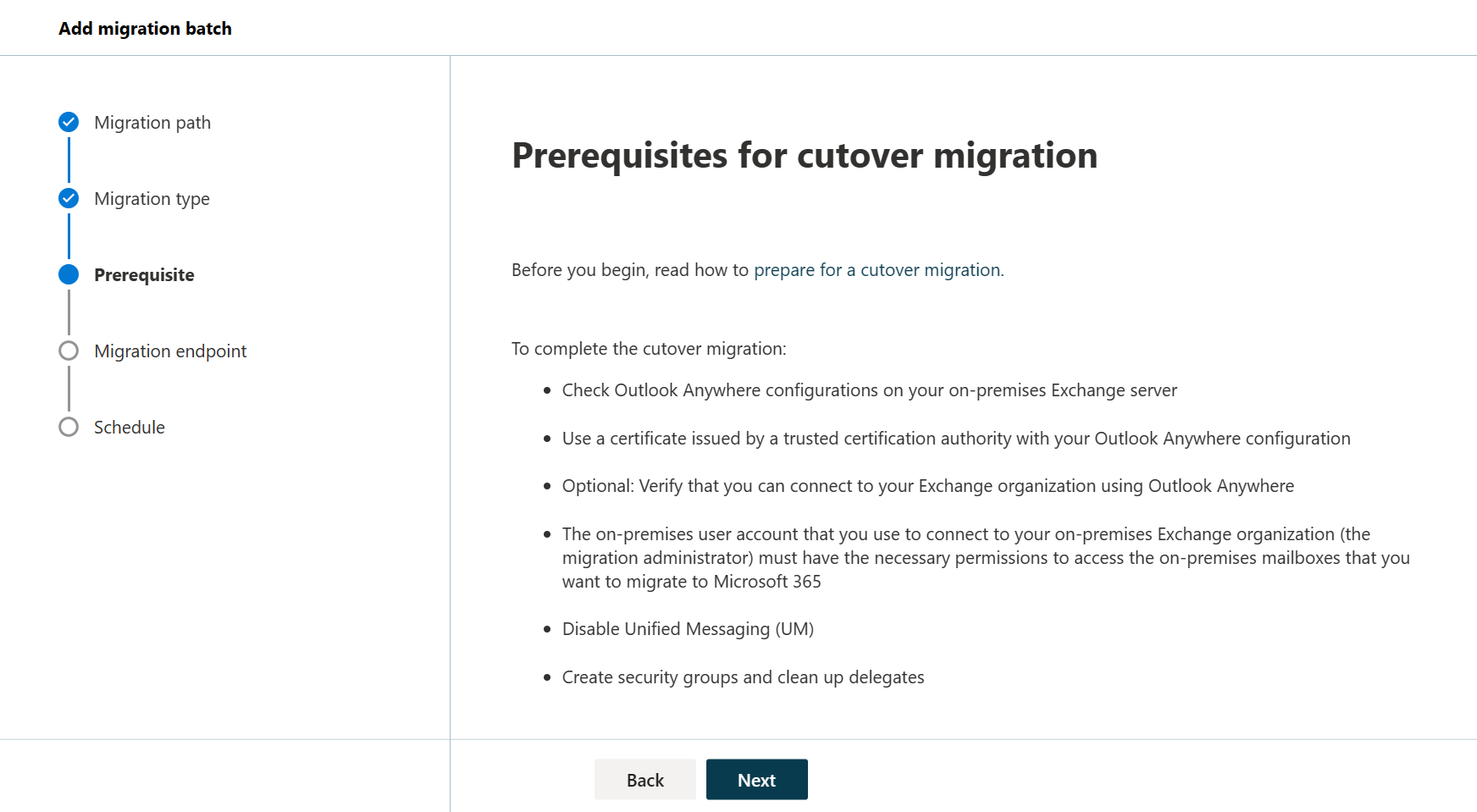
Credit Microsoft Learn, cutover migration article.
Scanning shared drives produces written findings detailing names and paths SharePoint will not accept before any files move.

Azure Migrate operates as a free Microsoft service designed for deciding on, planning and executing cloud moves.
Tools discover existing servers operating across network environments.
Assessing reviews Azure readiness, cost, right-sizing and dependencies between active servers.
Migrating moves VMware VMs, Hyper-V VMs, physical servers, databases and active web apps.
Mailboxes moved from Exchange Server arrive containing existing email, calendars and contacts intact.
IMAP moves carry email inside inboxes and other mail folders. Contacts, calendar items and tasks cannot migrate using IMAP.
Email sent toward old systems keeps arriving there until MX records change.
Migrated Microsoft 365 mailboxes need assigned licenses before 30-day grace periods end, otherwise mailboxes get disabled.
Read becomes Read, Write becomes Contribute, and Full control stays Full control. Special permissions like Deny never carry over.
Move durations are not stated here. Call (844) 422-7000 for specific timeline planning.
Moving into cloud storage changes where files live. Backup planning happens simultaneously because Microsoft 365 retention provides deletion windows, not backups.
Call (844) 422-7000 or book a walkthrough today.