
Monthly service review
Monthly IT report covering tickets, patching, backups, and security
One report a month shows what was done and what needs attention across your computers and software.
Report sections and example figures
Monthly data covers help desk tickets, computer patching, data backups, security alerts, and software licenses in your monthly IT report.
Pick a section

Regular reviews
Service review meetings using monthly data
Regular review meetings use service data to show what was done and what needs attention. One place for all service information allows for clear decisions on system changes and security improvements.
- 1
Automated monitoring and ticket history
Monitoring systems raise tickets automatically when a threshold is crossed, logging hardware and software issues often before staff notice a problem.
- 2
Security metrics and score comparison
Alerts and Secure Score metrics compare your security posture against similar organizations using anonymized data from Microsoft.
- 3
License auditing and cost management
Reviewing license usage identifies accounts no longer needed, such as those for departed employees or shared mailboxes under 50 GB.
Key report sections by business type
Different organizations focus on specific report sections to manage staff needs and software costs effectively.
Select your business
Microsoft security and device management reports
Security, patching, and device figures draw on official Microsoft reports. Documentation screens below show how Microsoft presents this data using their own sample figures.
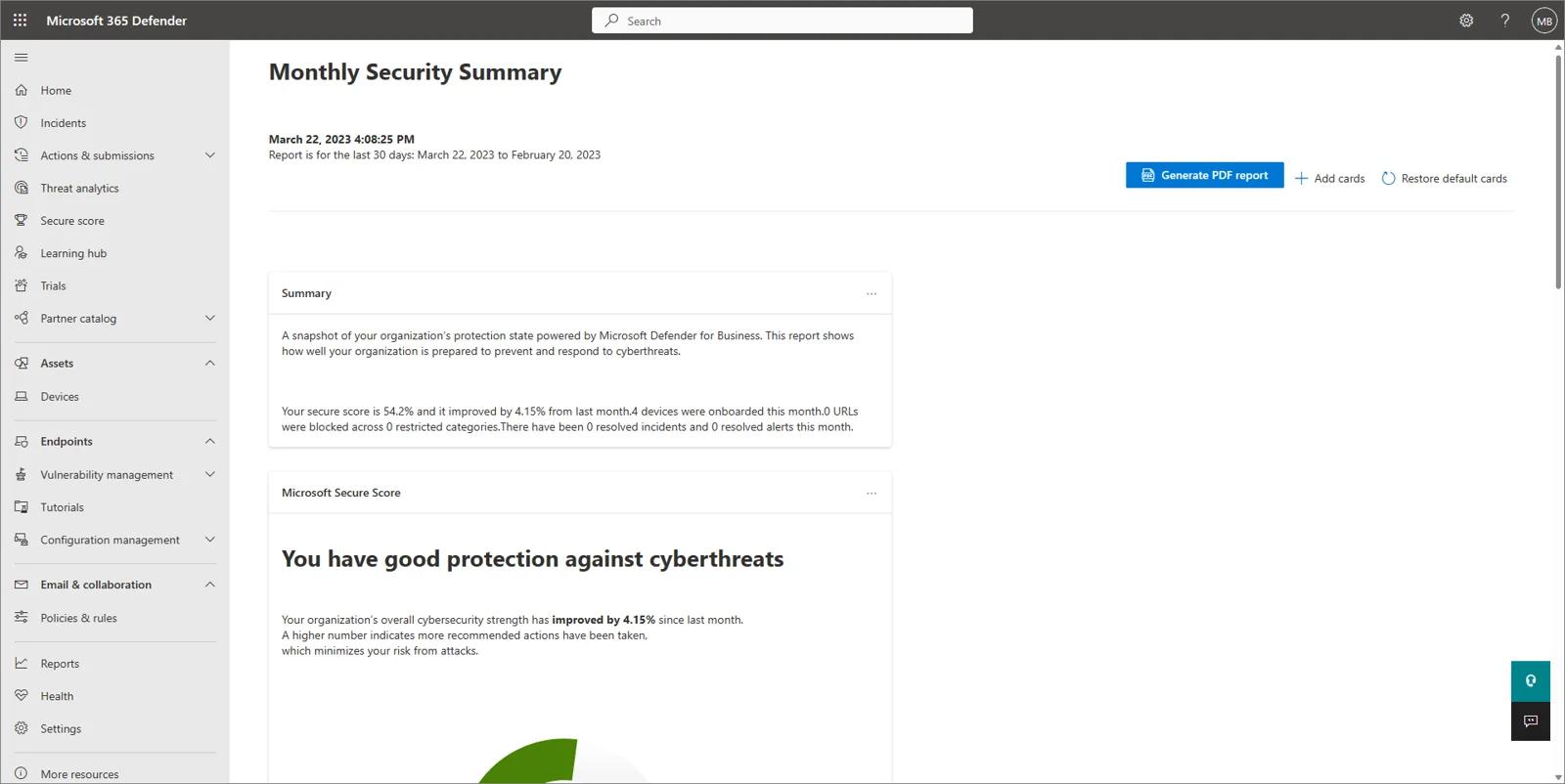
Screens show Microsoft documentation screenshots with sample data, not customer information or a CloudCentric report.
Building your report each month
Service data is collected throughout the month to create a complete picture of your IT environment.
- 1
Data collection
Monitoring systems and help desk requests collect data on every ticket and system change during the month.
- 2
Report generation
Monthly reports consolidate tickets, patching, backups, security, licenses, and billing into a single document for review.
- 3
Service review
Regular meetings cover what was done and identify any items that require attention or configuration changes.

Frequently asked questions
- What does the monthly IT report cover?
Monthly reports cover tickets, patching, backups, security, licenses, and billing in one place. Reviewing service data during regular meetings allows for clear decisions on system changes and security improvements.
- How does the ticket section treat problems monitoring caught first?
Monitoring systems raise tickets automatically when a condition crosses a threshold, often before staff notice a problem, and these appear in the ticket list.
- What does the patching section list, including machines on Windows 10?
Patching lists computers that are up to date, waiting for a restart, or running unsupported systems like Windows 10, which stopped receiving updates on October 14, 2025.
- What does the backup section show, including a failed backup?
Backup data shows which jobs succeeded, which failed and were fixed, and whether every computer has a backup assigned. A backup that fails raises a ticket instead of failing silently.
- What do the security section and Secure Score comparison show?
Security reports list Defender alerts and compare your Secure Score against anonymized data from organizations with a similar seat count.
- Why do licenses appear in it?
License auditing identifies accounts that can be released, such as those for departed employees or shared mailboxes under 50 GB. Employee mailboxes and OneDrive files are backed up before license removal to prevent data loss.
Review your monthly service data
Call (844) 422-7000 to discuss your managed IT needs.
CharlestonMount PleasantNorth CharlestonIsle of PalmsFolly BeachKiawahBeaufortBlufftonHilton HeadSavannah