Local shared network drive
Shared office storage with snapshots and an offsite copy
Your entire office works from one local box paid for once, while copies run outside the building on a schedule.
Local shared network drives
Pick your kind of office to see a common setup. Every building runs slightly differently, so your permissions follow your staff directory.
Click a person to check their drive access.
Office directory
Storage box
Shared drives
Personal drives
- Sign-in can use your existing Active Directory accounts once an administrator connects the box to your directory.
- Every person gets a personal drive automatically, and only that person can open it.
- Defined permissions govern each shared drive, and a drive can carry a storage limit set during creation.
- Everyone with a personal drive can back up a Mac using their own Time Machine credentials, and the backup can be encrypted.
People and drives drawn are just an example.
Three copies for a bad day
Files sit on the office drive for everyone to use. Snapshots save older versions on that same box. A separate task sends a copy outside the building on a schedule.
Office
Same storage box
Outside the building
Drawing shows an example setup.
Replacing loose drives and old PCs
Staff share files from one central storage box sitting on a shelf. Old computers and scattered external drives leave the floor.
 Old PCs and external drives on floorOne shared storage box
Console for drives and copies
Offices see shared drives and copy schedules in a single pane. Storage health appears in the same console as switches and cameras.
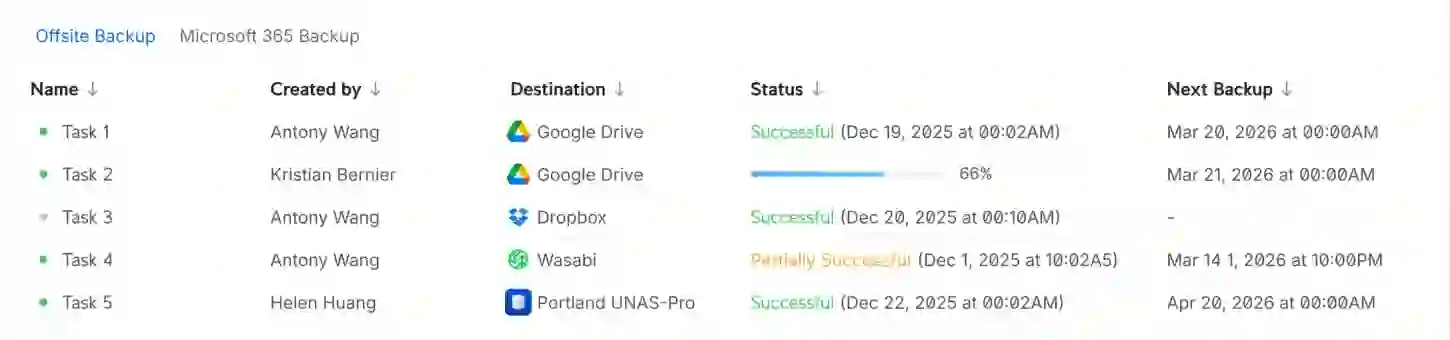
Copy tasks list their destination, the result of the last run, and the next scheduled run.
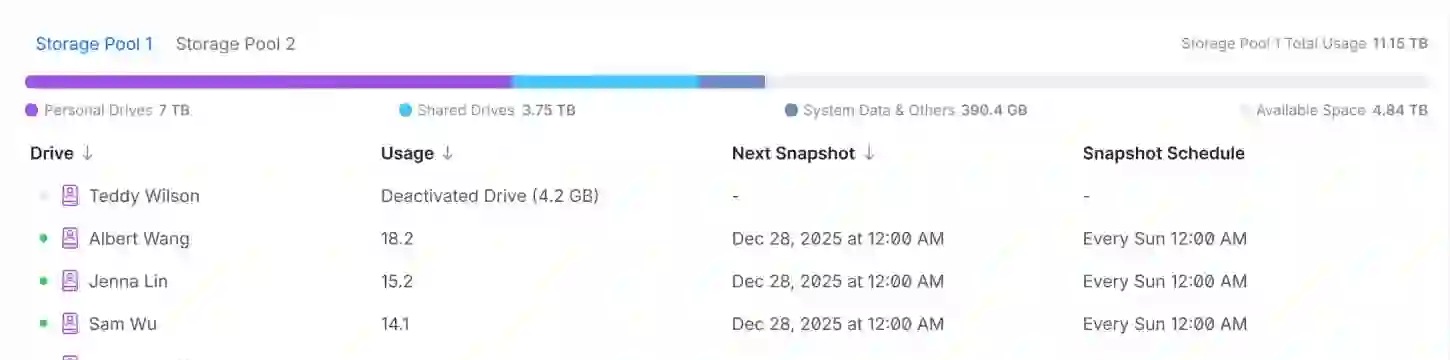
Drives show their snapshot schedule and when the next snapshot will run.
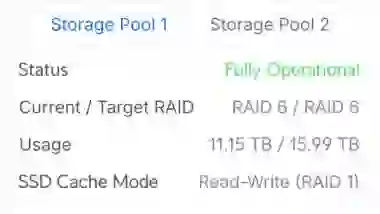
Storage pools display current health, RAID level, and how much space is full.
UniFi Drive, vendor demo data. Names and dates are the vendor's example.
Desktop and rack models
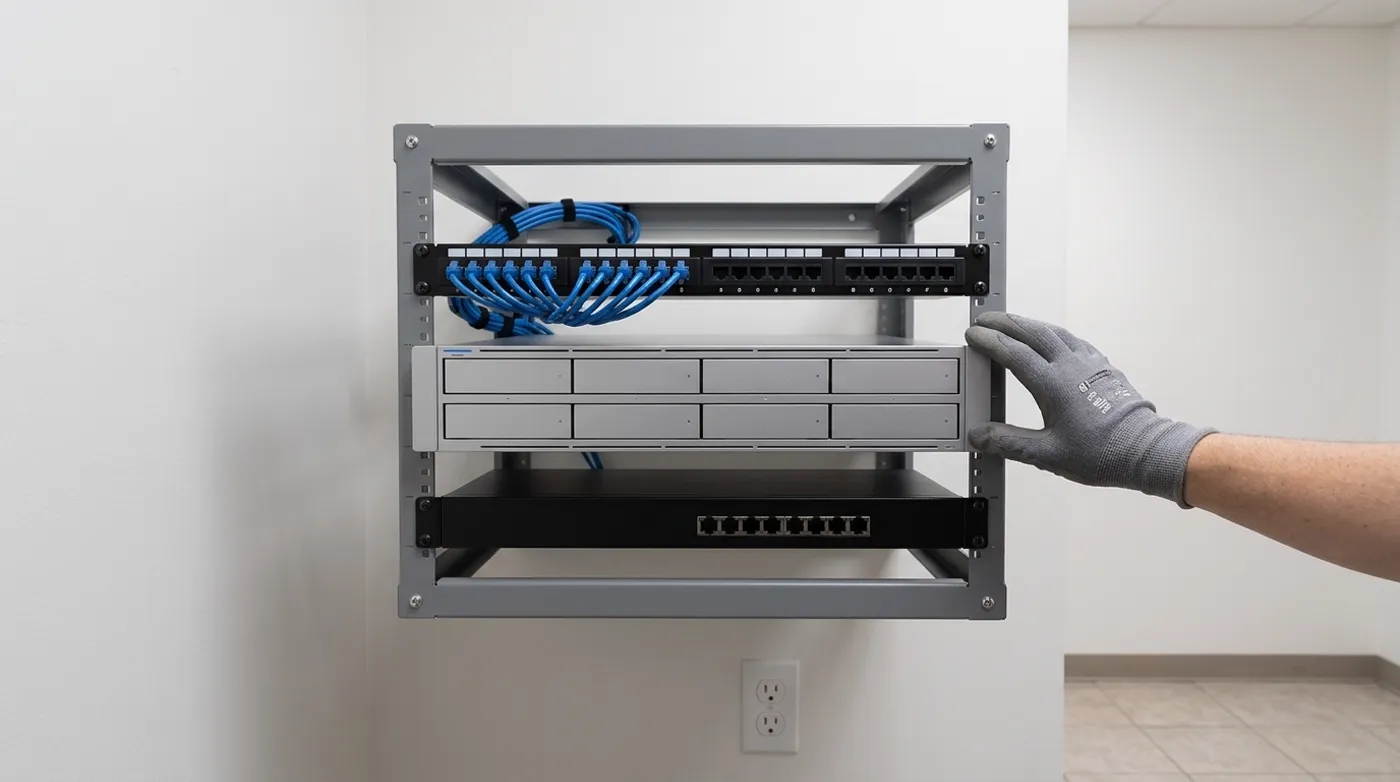
Desktop units offer two or four bays, while rack models hold up to sixteen drives for large shares and camera footage.
Setup from call to handover
- 1
Survey of your files
We count your file kinds, file sizes, and the number of people opening files at the same time.
- 2
Configuration and network setup
Permissions match your existing staff directory, giving each person their own personal drive and access to designated shared folders.
- 3
Schedules and offsite copies
Snapshot schedules run for each drive, and we configure regular copy tasks to another place outside the building.
- 4
Handover and proof
Our team mounts network drives on your computers, then restores a file from the box to prove your backup works.
Answers to common questions
- How does everyone in the office reach the shared drive?
Staff open the drive natively on Windows or Mac computers, through a web browser, or via a phone app. Everyone connects over the local network to open large files quickly.
- What is a snapshot and how does it differ from a backup?
Snapshots keep older versions of files on the exact same box. A backup requires a second copy sent to another location, so your files survive if a building goes down.
- Where can a copy outside the building go?
Copies run on a schedule to Google Drive, OneDrive, Dropbox, Amazon S3, Backblaze B2, Wasabi, another storage box, or a standard file server.
- Will it back up our Microsoft 365 email and SharePoint?
Storage boxes can pull down copies of Microsoft 365 OneDrive files, but Microsoft 365 email and SharePoint are not listed for backup.
- Do we need a rack and what happens when a drive fails?
Offices without racks use desktop models. Copies are written across more than one drive, so a single drive failure is a replacement rather than data loss. A rack becomes necessary once footage and file shares share the box and the drive count rises.
Next steps for shared office storage.
Call us or book a walkthrough to sort out your local files and backups.