
First morning ready
Complete IT onboarding checklist for new hires
Accounts, access and laptops are set up before the first morning, preparing a new team member to sign in and begin work.
Ready for day one
New employee onboarding for local teams
CloudCentric sets up accounts, email, licenses, phones, and access to shared files before a new employee arrives. Laptops arrive enrolled in device management and ready for first sign-in.
- 1
Accounts and access by role
Microsoft 365 or Google Workspace accounts, licenses and mailboxes are created. Access to shared mailboxes, Teams, SharePoint and shared drives is granted based on role.
- 2
Shared company passwords
Shared logins arrive securely through the company password manager, giving people access to specific team collections and vaults.
- 3
Managed company laptops
Laptops arrive enrolled in device management with your security settings applied. Each new device is recorded in your asset list with its model and serial number.
Setup for local organizations
Organizations from Mount Pleasant to Savannah use our setup process to bring on new staff. Each new hire receives access to systems and shared files based on their role.
Typical first day
Walk through a new hire setup
CloudCentric handles account creation before your new employee arrives. Administrators manage software policies in the background, preparing laptops for their first sign-in.
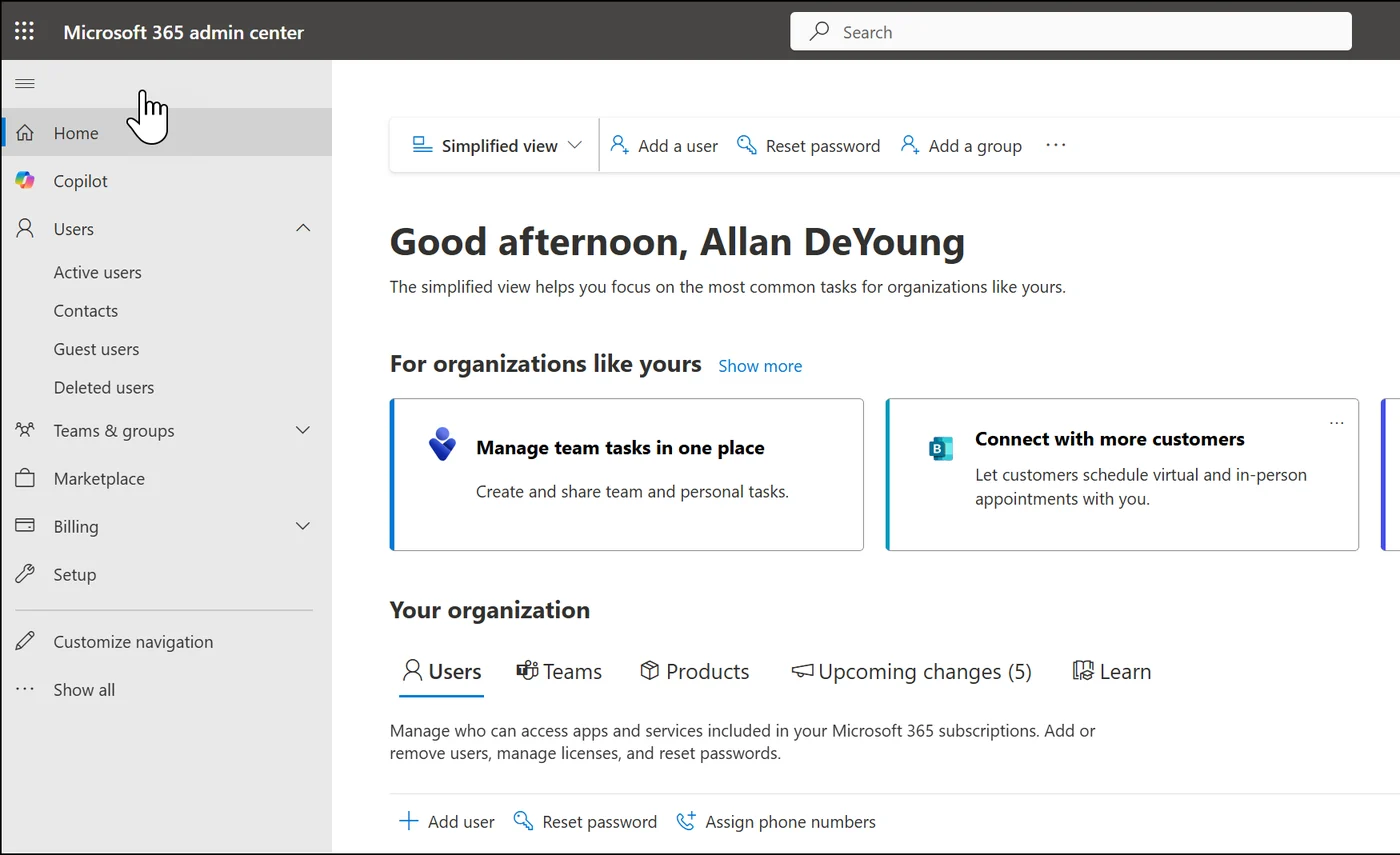
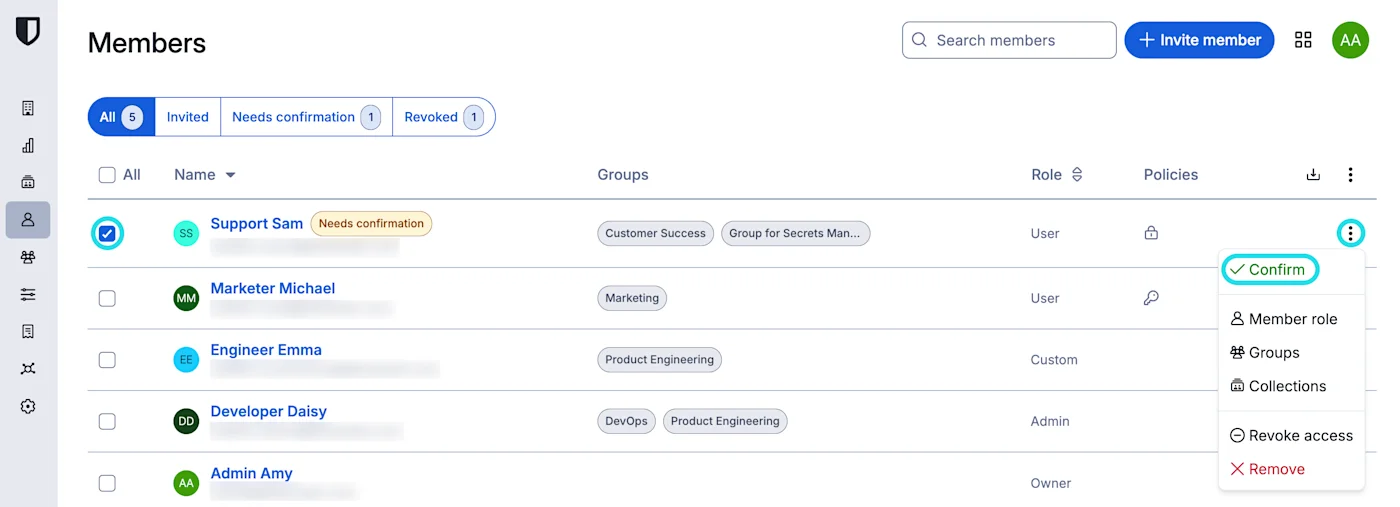
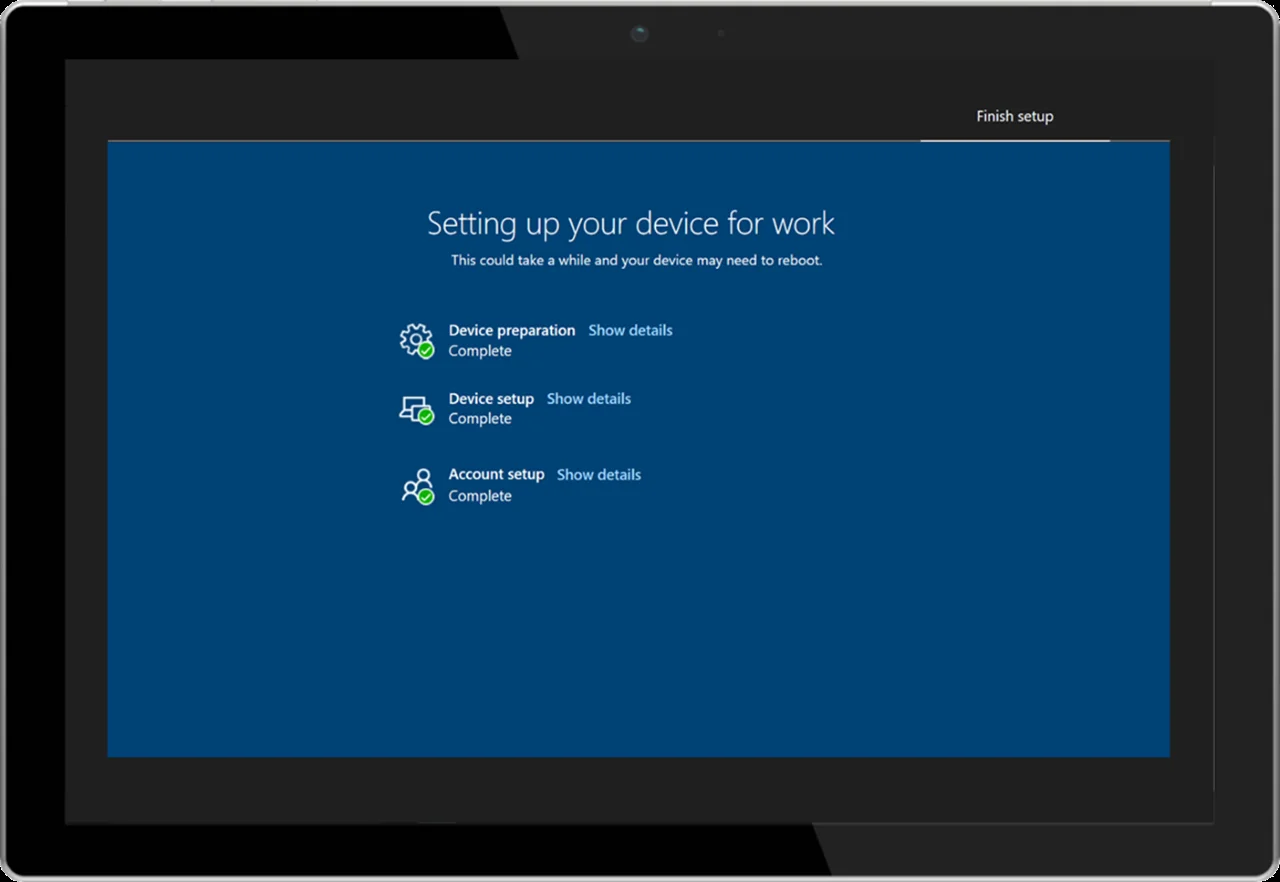
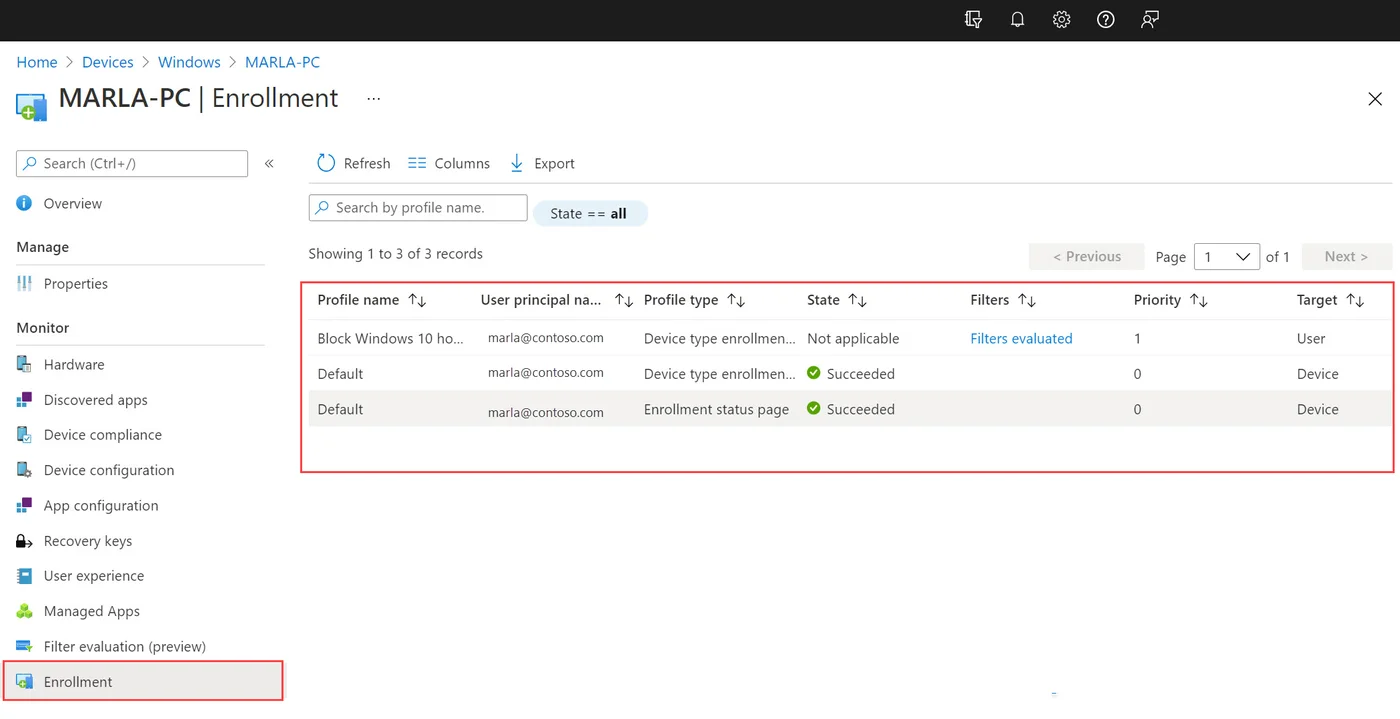
Screenshots show Microsoft and Bitwarden documentation with their sample data. Administrators use these admin centers or Google Workspace equivalents to configure accounts.

Your complete office relocation checklist
CloudCentric handles your office network setup from start to finish. New spaces are surveyed once, cabled, tested and labeled before people arrive, preparing phones, access points and desks for an office move.
Check off your office requirements
Office IT plan 0 of 10
Select items from your checklist to build a plan.
Fire alarm and elevator emergency phone lines stay on a carrier line or a listed cellular communicator. CloudCentric lists these separately and hands them to your fire alarm and elevator contractors.
Common onboarding questions
- What has to be ready before a new hire's first day?
Accounts, email, licenses, phones, and access to shared files and passwords are set up before the first day. Call (844) 422-7000 to discuss your next new hire.
- Who creates the account and licenses?
CloudCentric creates Microsoft 365 or Google Workspace accounts with a person's name and sign-in address, assigns a license, and requires a password change at first sign-in.
- How does a new hire get the right access?
Access to shared mailboxes, Teams, SharePoint sites and shared drives is granted by role. New hires receive access to resources their specific team uses.
- How do shared passwords reach a new hire?
New employees receive an invitation to the company password manager. Administrators confirm the account, granting access to shared collections based on their role.
- What is on the laptop when it arrives and what does the person do?
Laptops arrive enrolled in device management with security policies applied. New hires connect to a network, verify their credentials, and watch the setup screens finish preparing their account.
- What does a new or moved office need?
CloudCentric plans and installs internet, network cabling, Wi-Fi, firewalls, phones, printers and security cameras for new offices. Call (844) 422-7000 to discuss your requirements.
- Can an old laptop from someone who left go to a new hire?
Autopilot Reset prepares an existing laptop for a new user, allowing a departing employee's machine to be reissued to a new hire.
Prepare your new hires for day one
Call (844) 422-7000 to discuss your next employee onboarding or office move.