Backups
Failing backups and machines missing a backup configuration are flagged for attention.

Mount Pleasant managed IT
Every PC and server is watched around the clock and a ticket is raised before staff notice a problem.
Every machine must be working when staff arrive. Monitoring catches full disks, missing updates and failing backups across different work sites.
Watched on every machine
Select a condition to see the machine that shows it.
Select a condition
Monitoring shows
Meaning
Next

Limits trigger action
Monitored conditions crossing a threshold generate a ticket automatically. Issues are worked like any other request, often before staff notice a problem.
Limits are set for your business, and crossing one creates a ticket automatically.
Remote management means most fixes are completed without a visit and without staff handing over machines.
Scanners keep checking devices disconnected from the office network, covering laptops at home or on job sites.
Microsoft Defender Vulnerability Management keeps a live inventory of software, browser extensions, certificates, hardware and firmware on each managed device.
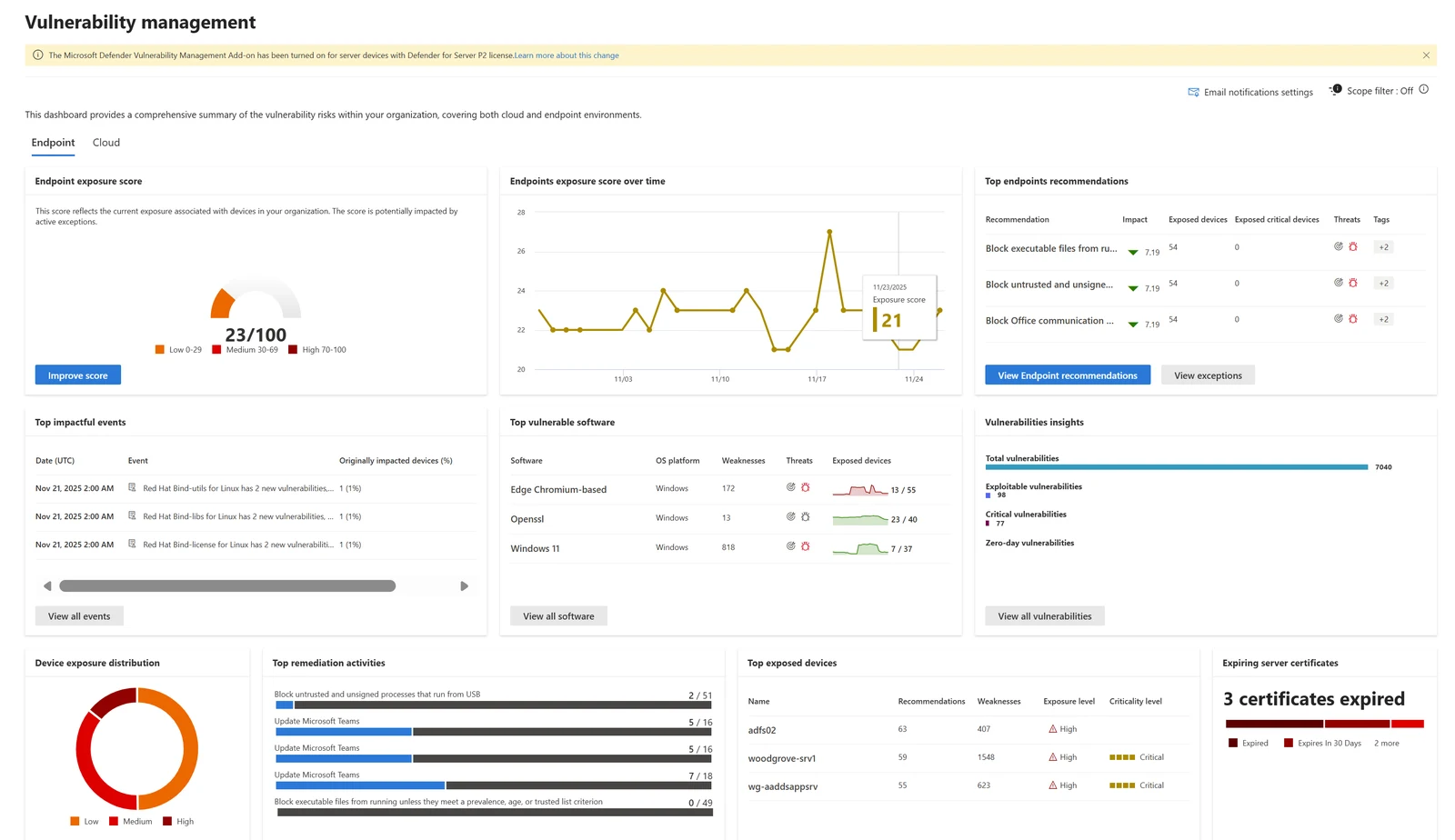
Microsoft documentation screens with sample data, not customer machines.
Every PC and server is monitored around the clock. Remote monitoring and management (RMM) covers these items, catching limits crossed on backups, storage and software.
Failing backups and machines missing a backup configuration are flagged for attention.
Full disks crossing configured thresholds trigger tickets before computers stop working.
Missing patches and failed monthly security installations are caught on every device.
Computers failing to check in are flagged to catch hardware or power failures.
Live inventory tracks applications added or removed from any managed machine.
Installed software and changes are monitored across the organization.
Permissions and risk levels are tracked for add-ons installed in web browsers.
Expiring certificates and weak signature algorithms are flagged before secure connections break.
Inventory is organized by system models, processors and BIOS on all machines.
Windows versions are tracked against specific Microsoft end of support dates.
Scanners keep checking laptops connected from home or remote job sites.
Microsoft Intune handles remote commands such as wiping a lost enrolled laptop.
Operating system versions
Monitoring lists machines still on operating system versions past support. Versions are tracked against end dates to ensure security updates continue.
Support ended October 14, 2025, leaving machines without monthly security updates. Monitoring lists devices still running it.
Versions are tracked against end dates on every machine.
Azure and Microsoft Defender handle monitoring, remediation, security and backup management across your business. Fixes are worked like any request.
All customer computers and servers are inventoried to ensure none are missed.
Microsoft Intune manages settings, apps and updates once devices are enrolled.
Limits are configured per customer to catch disk space and backup issues.
Crossing a threshold creates a ticket, leading to remote fixes by support staff.
Monitoring results feed directly into the monthly IT report for management review.

Monitoring covers PCs and servers. Other services watch networks, printers, patch rollouts, vulnerabilities and server backups.
Network monitoring watches network hardware and internet connections to catch outages.
Printer management covers printers.
Patch management handles pushing patches to machines and verifying installation success.
Vulnerability management handles vulnerability scanning and remediation tracking across all systems.
Server backup covers backups.
Every PC and server a customer owns is monitored around the clock. Scanners keep checking devices disconnected from the office network, covering laptops traveling.
Monitoring covers failing backups, full disks, missing updates, offline machines, installed software and hardware changes. Machines needing a backup but lacking one are flagged.
Tickets are raised automatically and worked like any other request, often before staff notice a problem.
Remote management means most fixes are made without a visit and without users handing over machines.
Laptops traveling are covered exactly like PCs in the office, because scanners keep checking devices off the office network.
Windows 10 reached end of support on October 14, 2025. Machines running it no longer receive monthly security updates from Microsoft. Monitoring lists machines still on it.
Prices are not stated here. Call (844) 422-7000 to discuss costs for your business.
Call (844) 422-7000 or book a walkthrough to see limits tracked before staff notice a problem.