
CloudCentric cybersecurity
Cybersecurity services for small businesses on the coast
Sign-in rules, protected devices, watched alerts, trained staff and backups that restore, for businesses from Charleston to Savannah.

Local cybersecurity company
Security for offices with no technical staff
Local businesses mostly have no security staff of their own. As a cybersecurity company, CloudCentric finds weak spots, watches alerts and restores data for offices from Charleston to Savannah.
- 1
Find weak spots
Secure Score review, vulnerability scanning and penetration testing locate open doors in networks and software before anyone else exploits them.
- 2
Watch and train
Alerts from Microsoft Defender become tracked tickets until closed. Staff receive awareness training and realistic phishing simulations right inside their own inboxes.
- 3
Recover from failure
Backups and disaster recovery plans restore files when hardware fails or ransomware strikes. Emergency on-site help is a phone call away.
Managed security services
Managed security services place technical controls over networks, accounts and hardware. Each piece addresses a specific risk, locking down ordinary daily work against outside threats.
Secure Score review
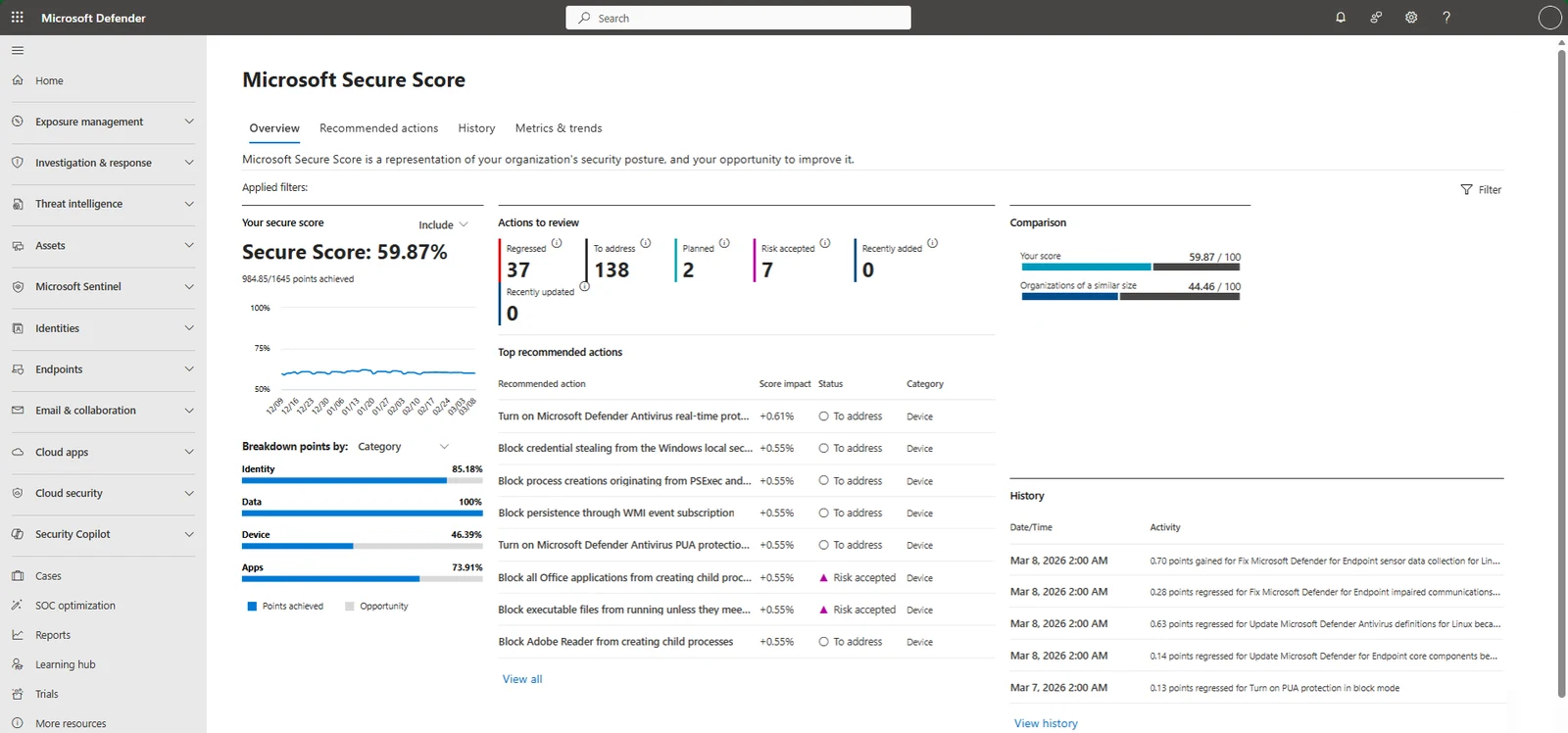
Microsoft Secure Score measures security posture in Defender, ranking recommended actions by impact to show exactly which settings need tightening.
Conditional Access
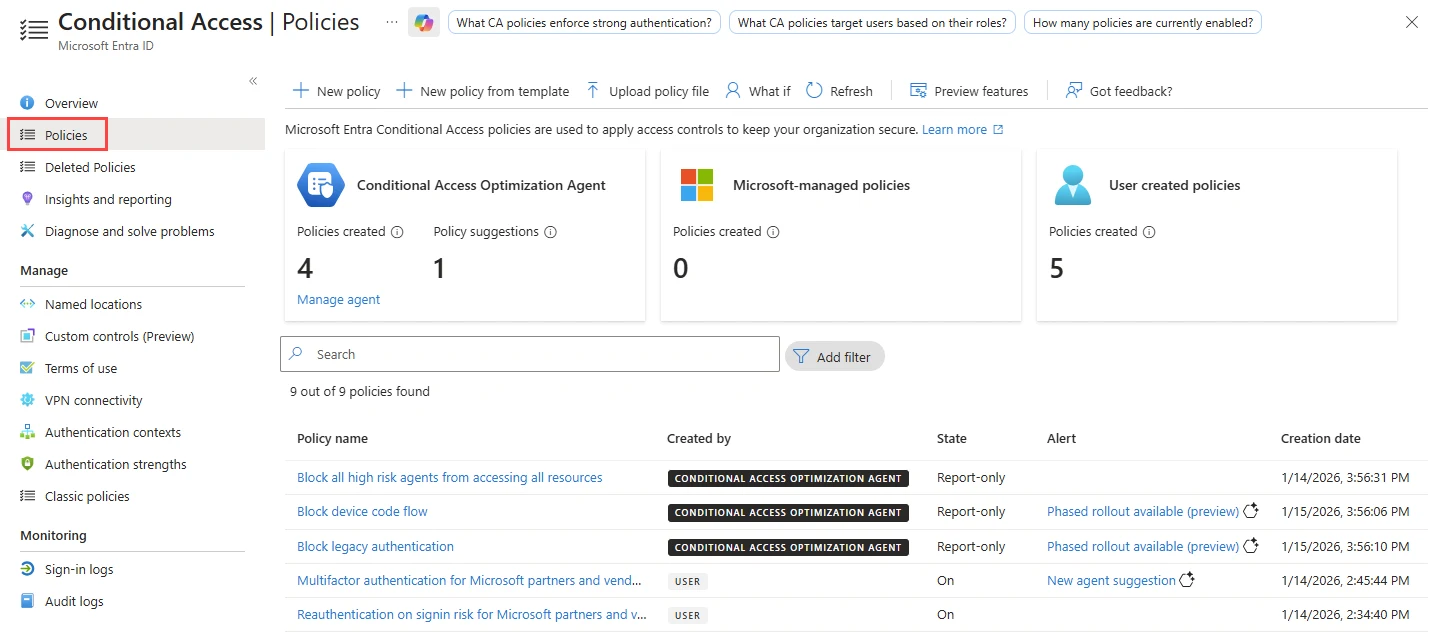
Policies dictate who signs in to Microsoft 365, from what location and on which device.
Endpoint protection
Microsoft Defender for Business protects Windows, Mac, iOS and Android devices against malware and ransomware directly on the machine.
Device management
Microsoft Intune enrolls company laptops and phones, enforcing updates in small pilot groups before rolling out to everyone.
Password management
Staff get Bitwarden shared vaults for team logins, replacing spreadsheets and email. Access is removed the same day someone leaves.
Email domain protection
DMARC, SPF and DKIM records tell receiving servers which senders are allowed to use your domain, keeping legitimate email out of spam.
Data loss prevention
Microsoft Purview rules detect sensitive files and emails, blocking users from accidentally sharing restricted information outside the company.
Vulnerability management
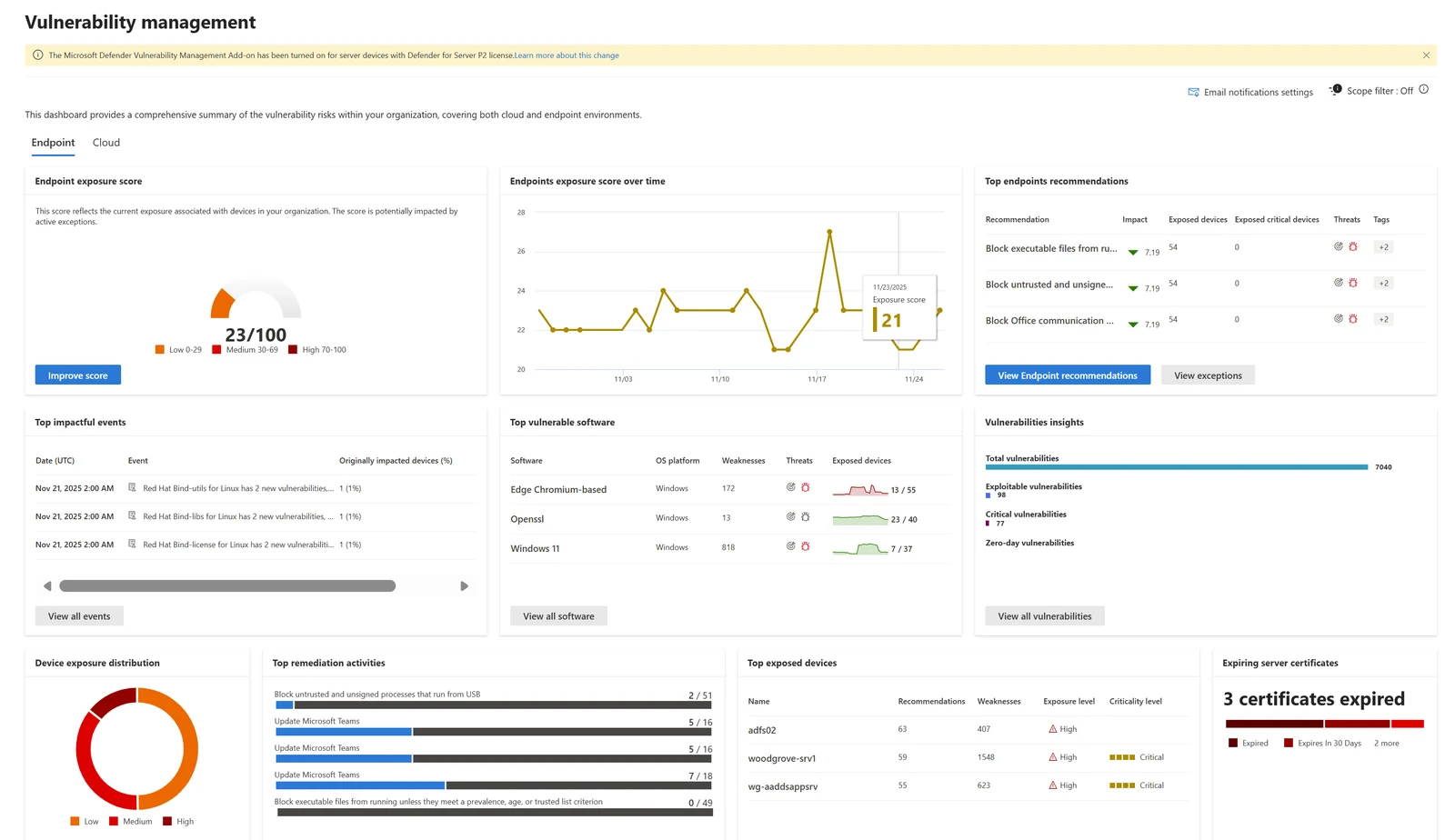
Servers and computers are checked against known vulnerabilities. Flaws currently exploited in the wild are flagged first for immediate patching.
Patch management
Windows and third-party application updates are rolled out on a schedule, showing which computers are current.
Penetration testing
Scanners list possible problems, but a penetration test confirms which flaws are real by attempting to exploit them within an agreed scope.
Security monitoring
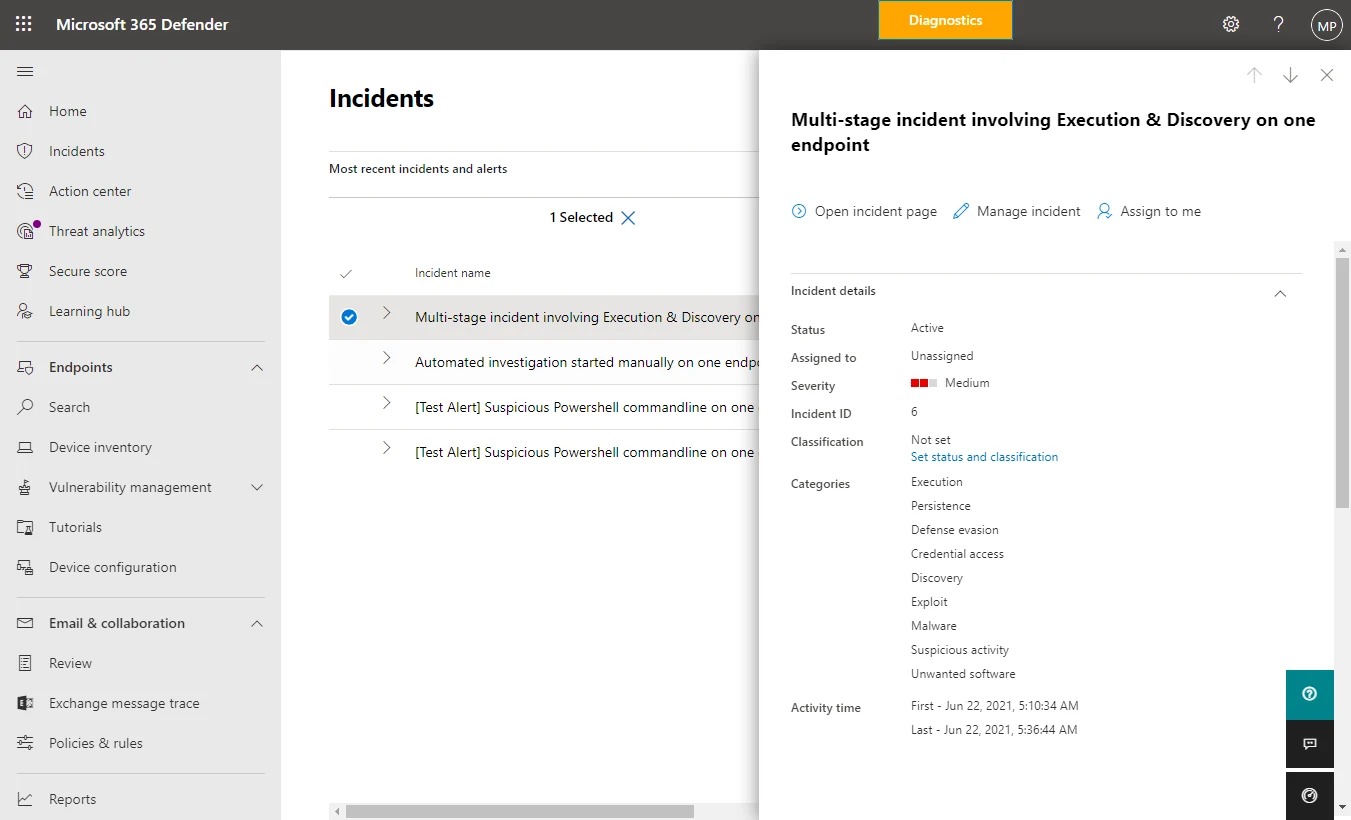
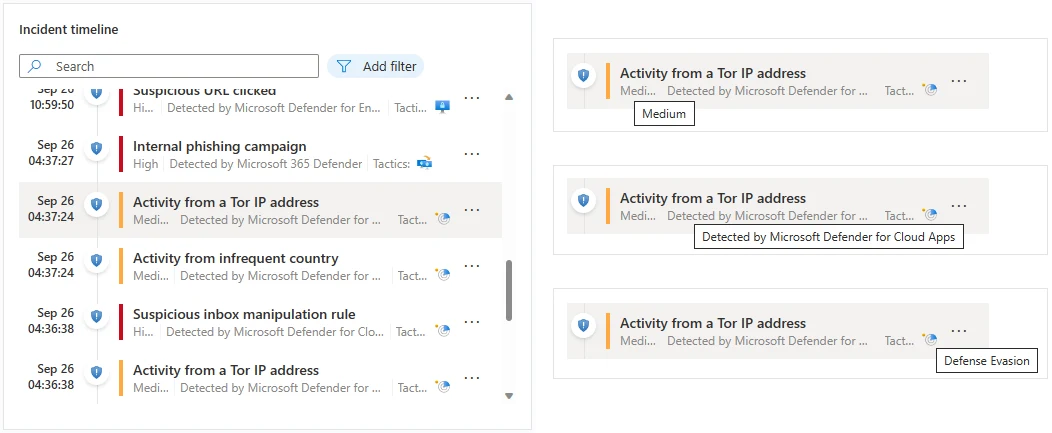
Alerts from Microsoft Defender and Sentinel become tickets followed through to closure. Customers receive clear incident reports explaining what happened.
Security awareness training
Harmless but realistic phishing messages go to users, followed by short training assigned according to what each person clicked.
Microsoft 365 backup
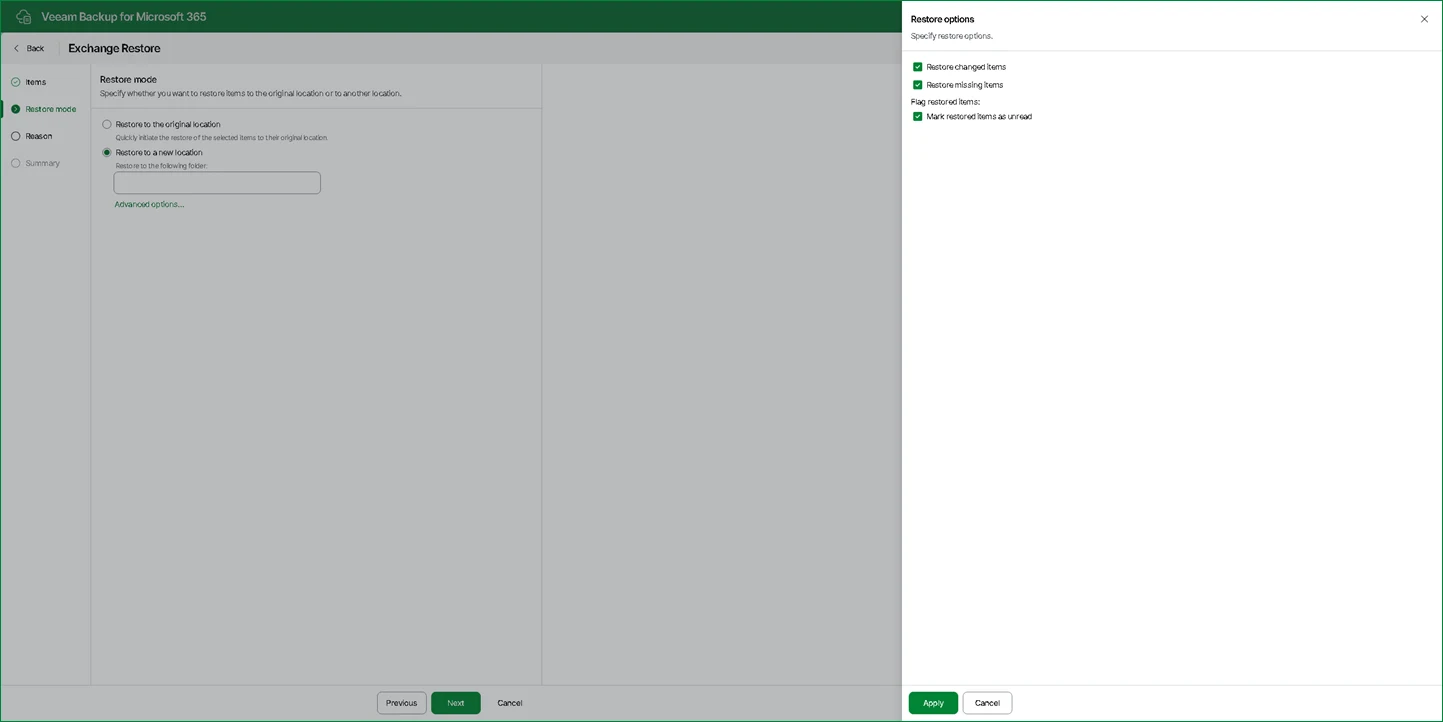
Veeam Backup for Microsoft 365 keeps Exchange mail, SharePoint and Teams data separately, allowing restores long after default retention windows pass.
Disaster recovery
Plans dictate getting running again after a hurricane or hardware failure, determining which systems come back first on Microsoft Azure.
Compliance support
CloudCentric puts technical controls in place and documents how each works, keeping evidence ready for an audit or client questionnaire.
Emergency IT support
Engineers go on site 24/7 when a location goes down, taking charge of the outage to find the failure and fix it.
Real views of daily security work
Software vendors provide screens to manage alerts and track settings. CloudCentric operates inside these actual tools to lock down networks and monitor for trouble.
Screen
Read moreCybersecurity services for small business
Every office runs differently. Pick a business type to see exactly which technical controls and records apply to daily work.
Select a business type
Relevant security controls
Four ways forward
Begin with one specific improvement
Security work starts by addressing one clear problem at a time. Pick an entry point below to read more about a specific approach.
- 1
Secure Score review
Microsoft Secure Score ranks recommended actions by impact, showing a path for tightening up network settings without guessing.
- 2
Sign-in rules
Conditional Access policies set rules for who accesses company email and files, limiting entry to known devices and safe locations.
- 3
Backup that restores
Veeam Backup for Microsoft 365 stores emails and files separately, allowing recovery long after Microsoft empties its own recycle bins.
- 4
Penetration test
Scanners list potential flaws, but attempting to exploit them confirms which vulnerabilities are real and require immediate attention.

Frequently asked questions
- What do cybersecurity services cover?
Technical controls protect devices, limit access and monitor networks. Finding weak spots, watching for alerts and restoring data prevent business interruptions. Most local businesses have no security staff, so CloudCentric manages these tools directly.
- Do I need all of these services?
Every business runs differently. A small business can start with one service, adding endpoint protection or backups before setting up complex access rules. Each managed security service has its own page explaining exactly what it covers.
- Will CloudCentric make my business compliant?
CloudCentric puts the technical controls in place and keeps evidence ready. The business's own rules, such as HIPAA or FTC Safeguards, remain its own obligation to follow.
- Who reads the alerts and what do I receive?
CloudCentric monitors alerts from Microsoft Defender and Sentinel for every customer. Each alert becomes a ticket followed through to closure, and you receive an incident report in plain terms explaining what happened and what was done.
- What is the work built on?
CloudCentric operates mostly on Microsoft products to defend networks. Tools include Microsoft Defender, Sentinel, Entra, Intune, Purview and Azure.
- What should I do if something has already gone wrong?
Call (844) 422-7000 immediately. Emergency on-site IT support brings an engineer to your location 24/7. The engineer takes charge of the outage, works out what failed and fixes it.
- How does this differ from physical security cameras and door systems?
Cybersecurity protects networks and data. Cameras, door entry, alarms and gates fall under physical security, covered on separate pages. Any detail not stated here requires a phone call to (844) 422-7000.
Start securing your daily work.
Call (844) 422-7000 to discuss technical controls or book a walkthrough of the services.