CISA password guidance
CISA recommends passwords of at least 16 characters, a different password for every account, a password manager, and multi-factor authentication especially for email and financial accounts.
CISA guidelines
Managed IT services
Every team gets shared logins in one place, set up and run by CloudCentric for offices from Charleston to Savannah.
CloudCentric shared vaults
Passwords belong in a vault instead of email, chat or spreadsheets. Staff get a way to sign in without being told passwords directly.
Collections hold the specific logins a team needs to work.
Staff sign in using the password manager without passing sensitive credentials around the office.
Leavers lose their access to shared logins the same day, ending their ability to sign in.
Different offices rely on different systems. CloudCentric sets up collections for the tools your staff use every day.
Examples of shared logins
Teams needing a collection
Administrators view access and settings in the admin console. Bitwarden provides screens showing collections, groups, security reports and event logs.
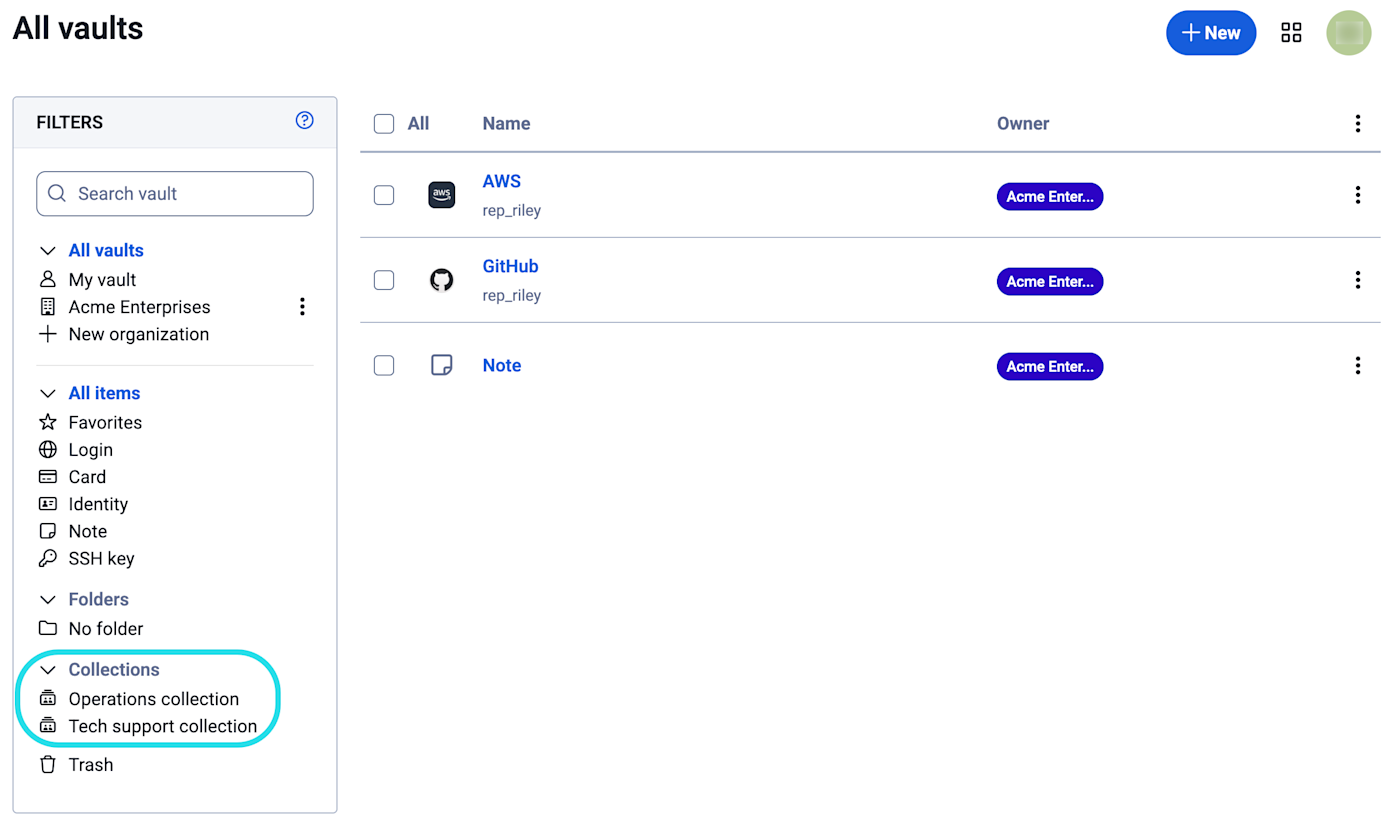
Bitwarden organizes shared logins into collections. Collections work like shared folders for keeping specific accounts together.
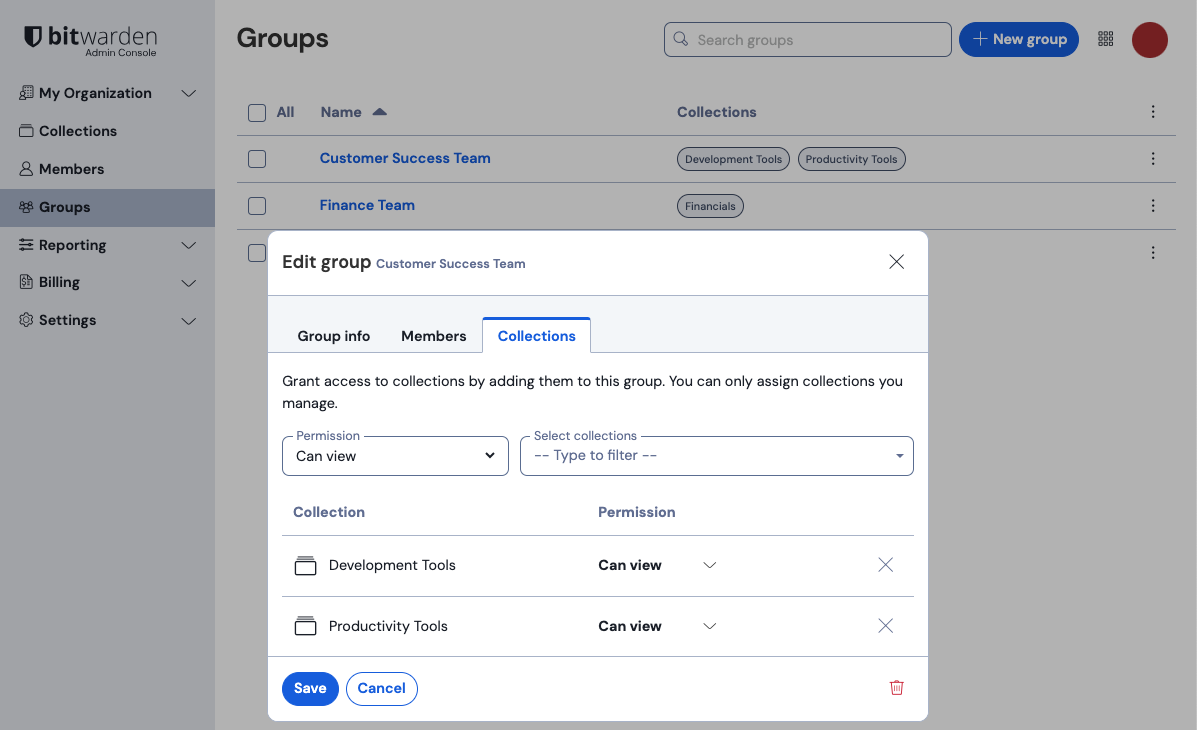
Groups can mirror company directories. Giving a group a permission such as Can view grants or removes access for a whole team at once.
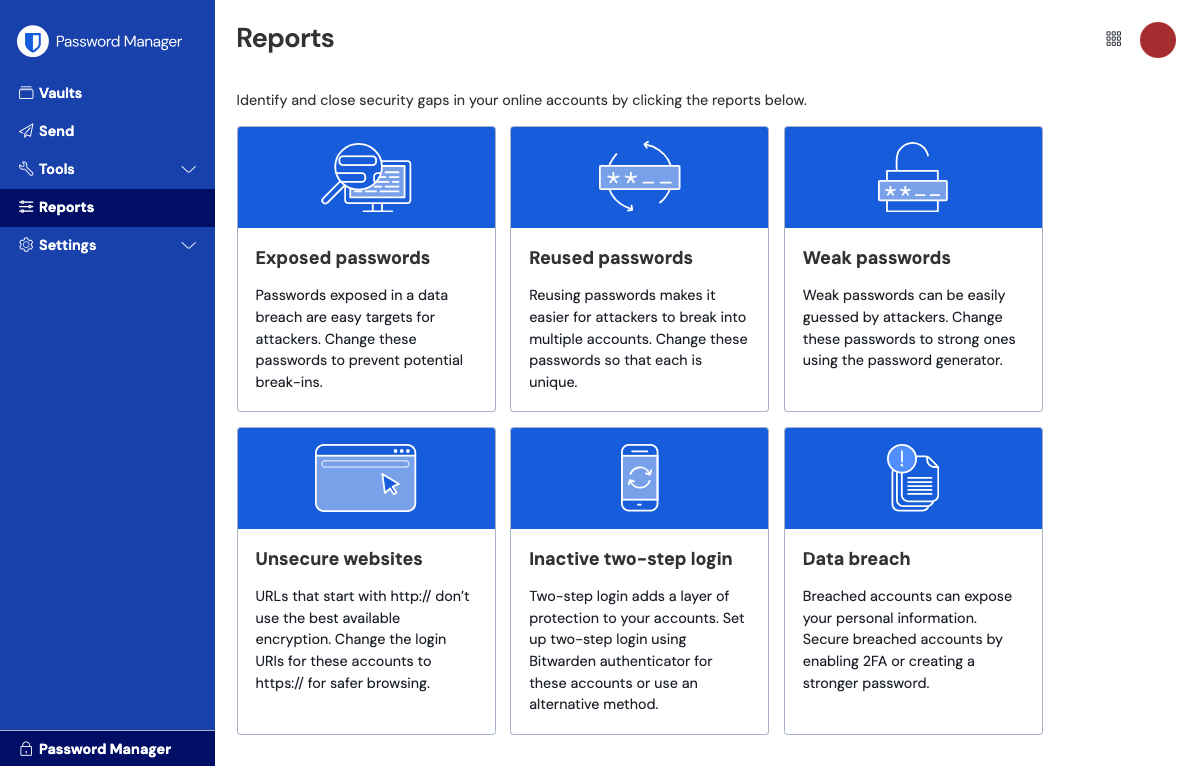
Bitwarden reports cover exposed passwords, reused passwords, weak passwords, unsecure websites, inactive two-step login and data breaches.
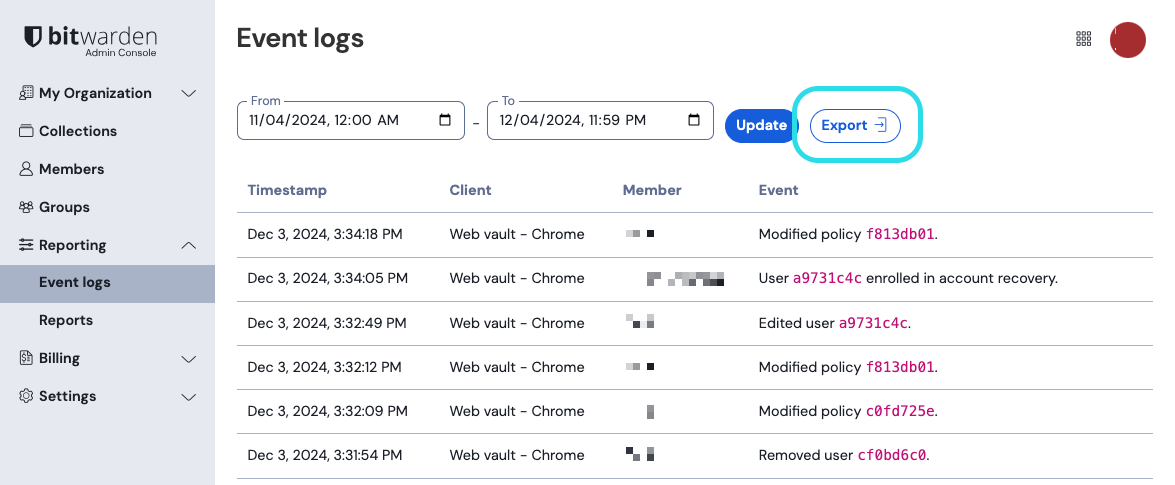
Bitwarden event logs record logins, failed logins, edits and deletions. Owners can view up to 367 days and export them.
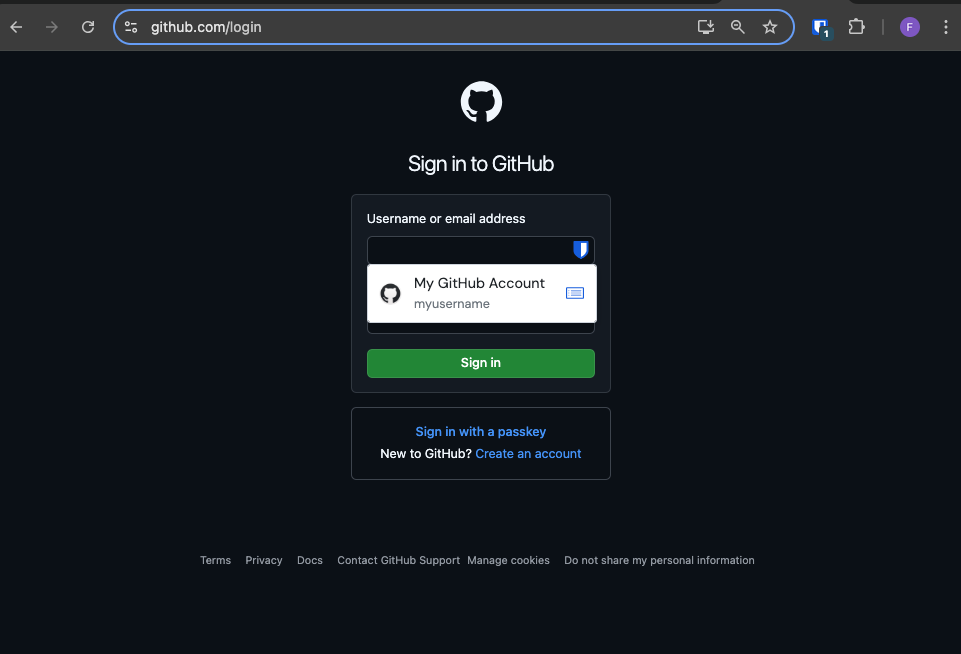
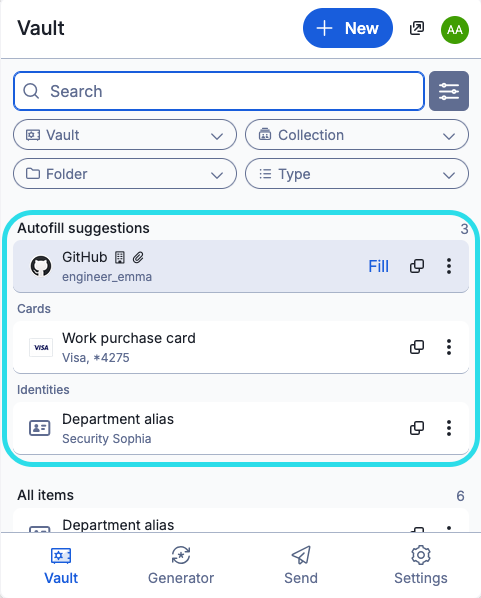
Bitwarden provides a browser extension that offers a saved login inline on a sign-in page and fills it. Mobile and desktop apps are also available.
Navigate to a website or portal exactly as usual in a browser.
Bitwarden offers the correct saved login right on the screen.
Bitwarden browser extensions offer a saved login inline on a sign-in page and fill it.
People move on from their jobs. Access to shared logins is removed the same day. Owners check the Members page to view each person with their groups and role.
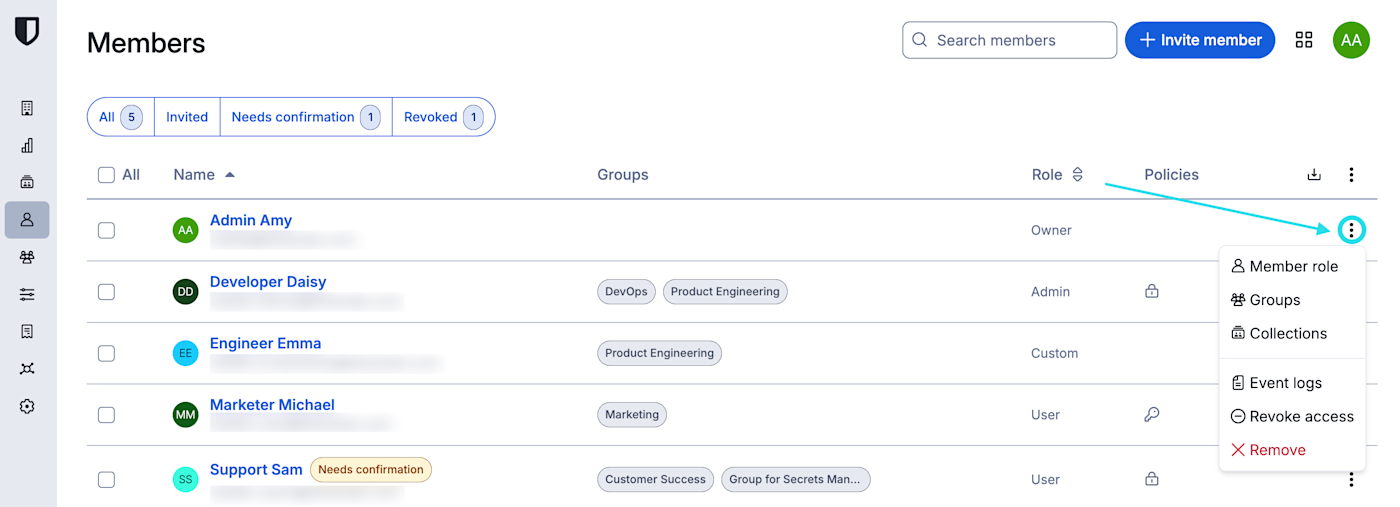
Bitwarden can revoke a member's access temporarily or remove them permanently.
Access to shared logins is removed the same day a person leaves the company.
Administrators use a row menu on the Members page to select the option to remove a person.
Bitwarden keeps event logs indefinitely, letting owners view up to 367 days at a time.
CISA guidance and HIPAA Security Rule speak to passwords. A password manager is what CISA recommends for generating and storing them.
CISA recommends passwords of at least 16 characters, a different password for every account, a password manager, and multi-factor authentication especially for email and financial accounts.
CISA guidelines
HIPAA Security Rule lists password management as part of security awareness and training for a medical practice.
HIPAA Security Rule
CloudCentric handles set-up and ongoing administration. Administrators invite new members to join the organization and confirm them.
Credentials get imported from Chrome, Edge, LastPass, 1Password or other password managers.
Departments get specific collections containing only the logins they actually need.
Staff receive email invitations. Administrators confirm new members by checking a fingerprint phrase.
Bitwarden organizations can add and remove members automatically from a company directory.

Collections work like shared folders for logins. Staff access a central business password manager instead of personal accounts.
Employees accept an email invitation to join. Browser extensions offer a saved login inline on a sign-in page and fill it.
Access to shared logins is removed the same day someone leaves. Bitwarden can revoke a member temporarily or remove them permanently.
Bitwarden event logs record logins, item views and edits. Owners view up to 367 days of activity history.
Existing credentials import directly into Bitwarden from Chrome, Edge, LastPass, 1Password, Dashlane and Keeper.
Mobile apps exist alongside browser extensions and desktop apps, providing access anywhere.
CloudCentric handles setup and ongoing administration for offices from Charleston to Savannah.
Call CloudCentric to get a managed business password manager set up for your office.