Sign-ins from unusual places
Unusual sign-in locations raise alerts for review.
Managed security monitoring
Microsoft Defender alerts are read, ticketed and explained in plain terms, for businesses from Charleston to Savannah.
Managed cybersecurity services
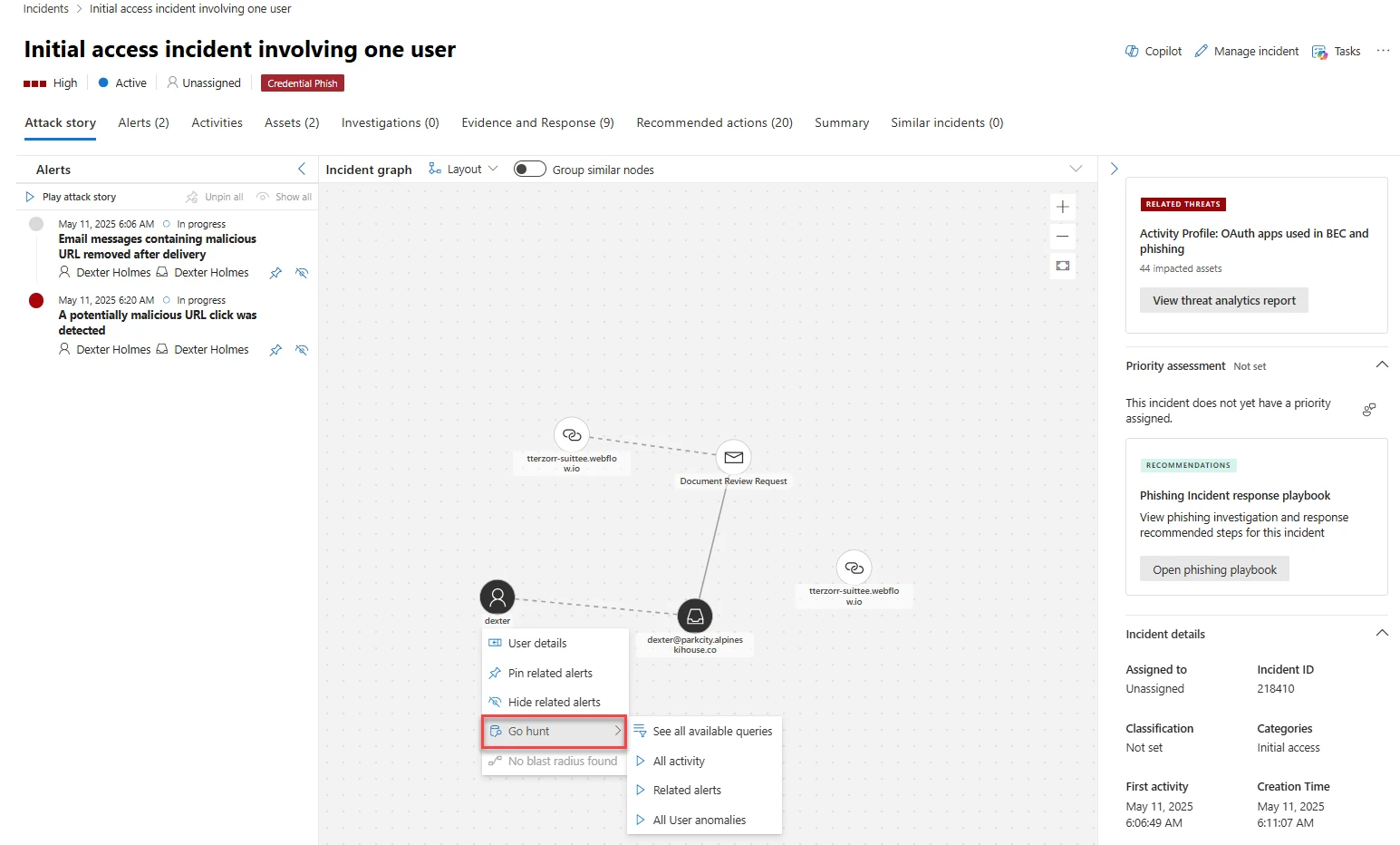
One incident gathers related alerts together, as shown in Microsoft's own attack story screen. We read every alert so your staff does not have to spend time doing it.
Multiple related alerts are grouped into a single incident to show a clear timeline.
Each alert generates a ticket and is followed carefully through to closure.
You receive an incident report written in plain terms explaining exactly what happened.
Different organizations face different security events, from fake wire requests to unusual sign-ins. Each alert generates a ticket and ends in a plain-language summary.
View typical alerts
See all watched signals
Managed security services mean response steps remain the same for every alert. Example reports show what you receive with sample names, and no times are promised.
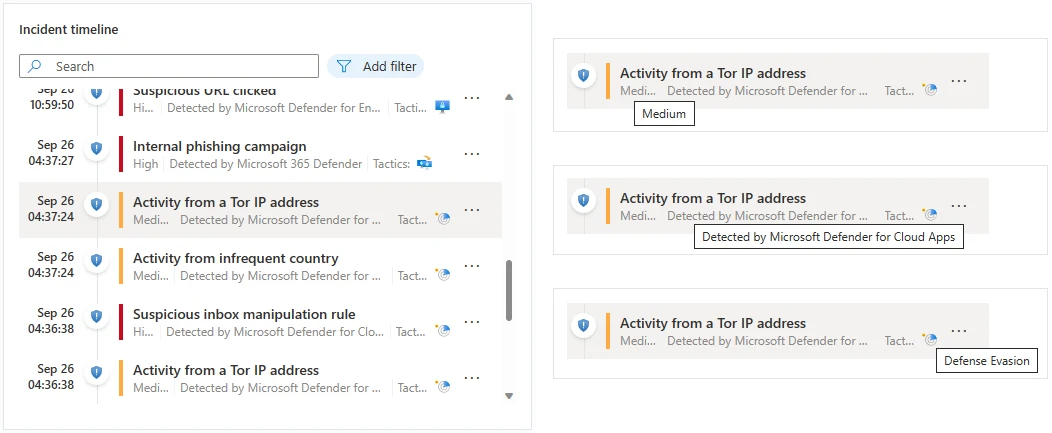
Incident
Microsoft's own screens show the tools we work in every day. Microsoft Sentinel and Defender organize alerts, evidence and automated steps into clear views.
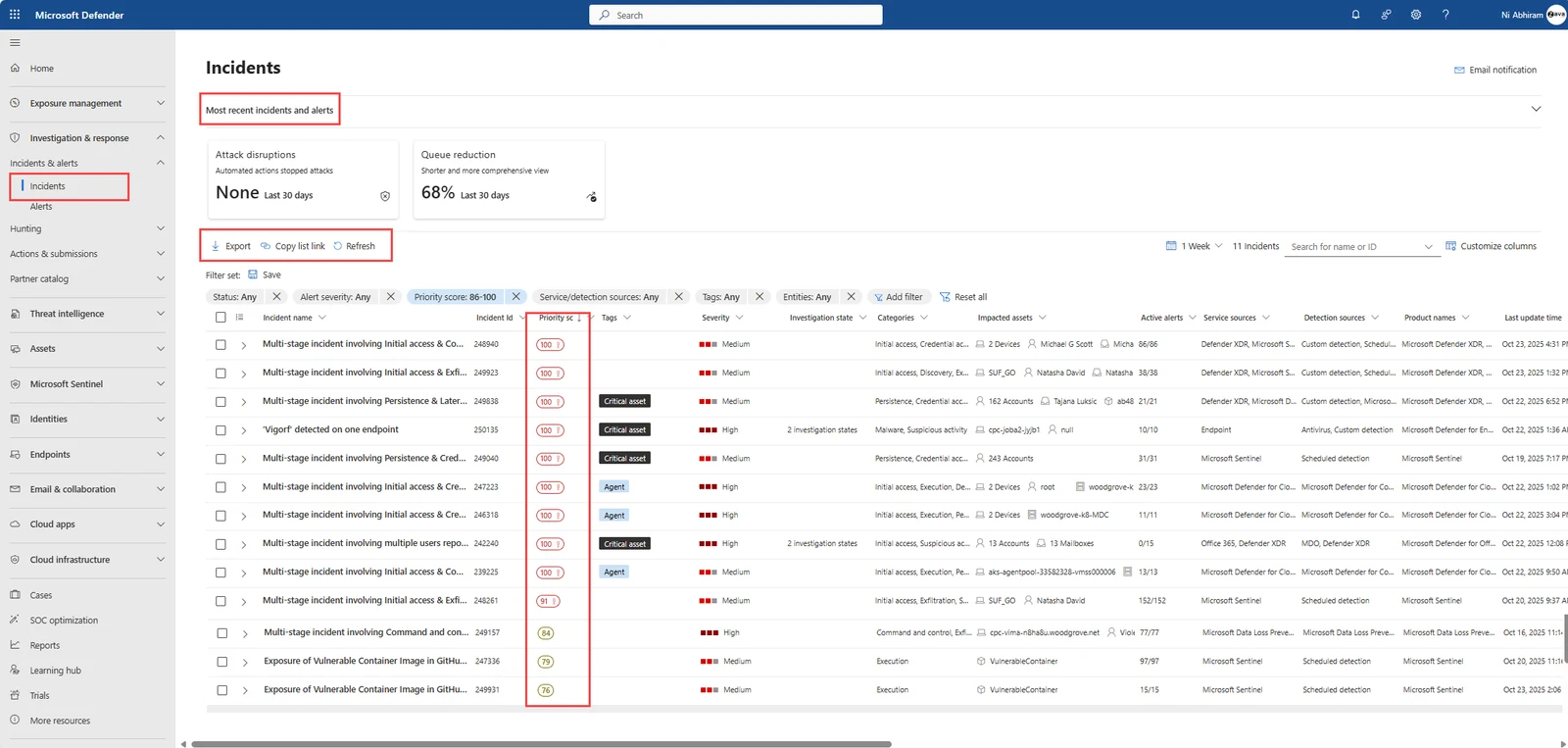
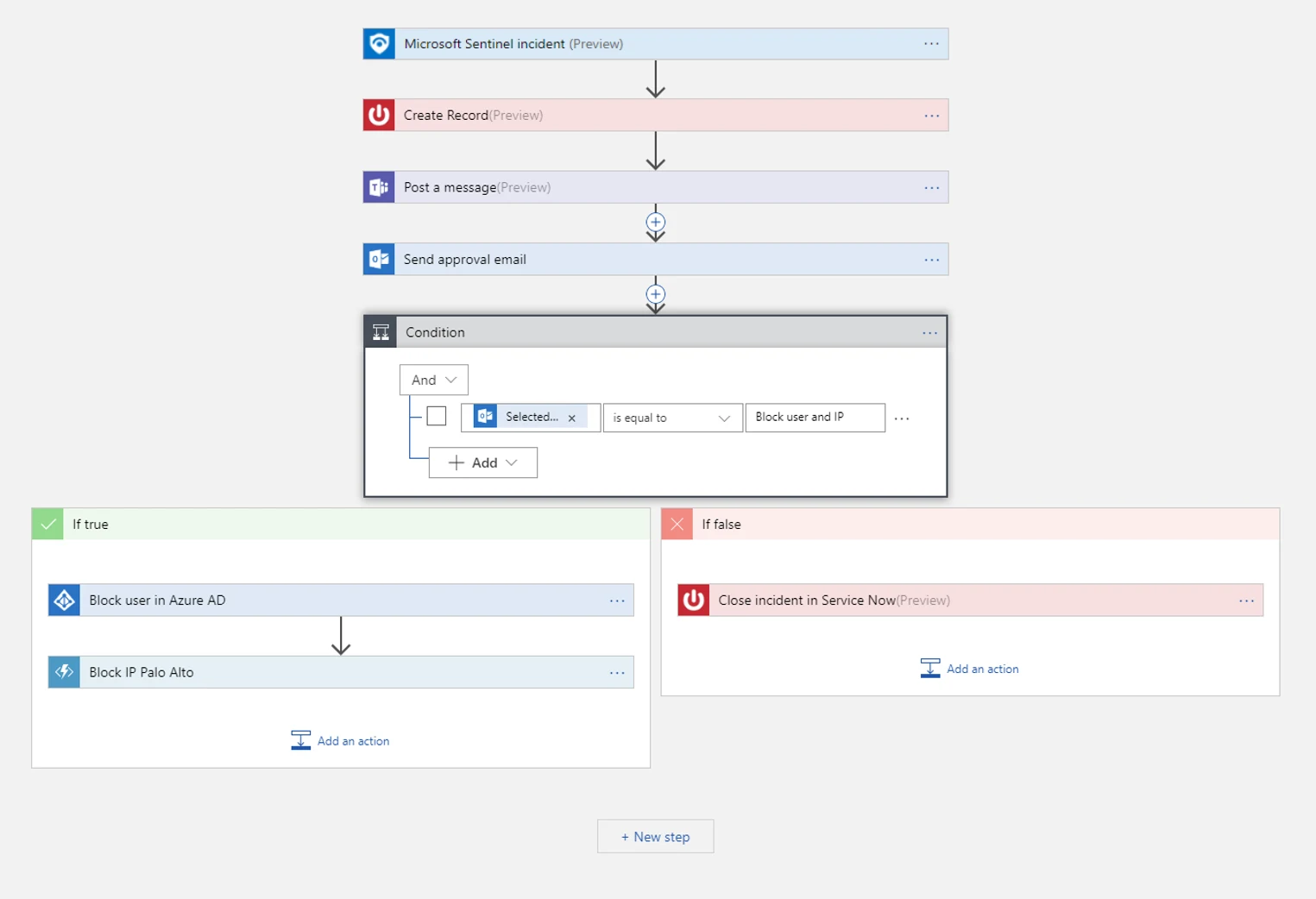
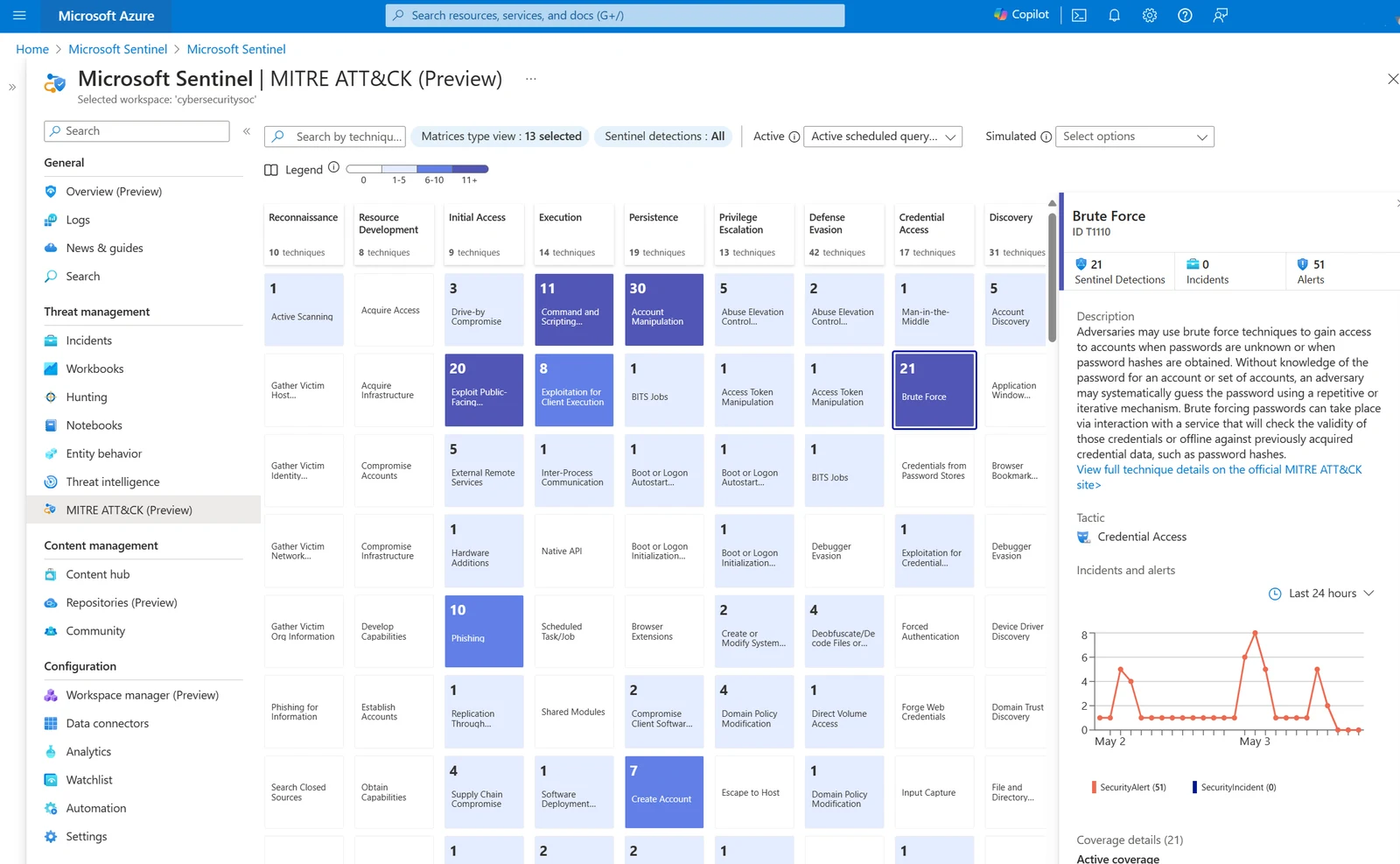
Microsoft's own documentation screenshots, sample data. Not a CloudCentric customer.
Microsoft Sentinel is a cloud-based SIEM that collects security logs. Microsoft Defender and Sentinel watch for specific behaviors, generating tickets so findings are investigated and contained.
Unusual sign-in locations raise alerts for review.
Rules that forward company email to outside addresses are flagged and checked.
Suspicious links clicked in emails generate alerts for investigation.
Ransomware behavior on a device is an alert Defender can contain.
Sentinel watchlist highlights any activity on former staff accounts.
Malicious files or addresses found at one customer are searched everywhere.
Microsoft Defender can automatically disrupt an attack by containing a device or user.
Sentinel playbooks post Teams messages, send approval emails or block users.
Sentinel collects logs from on-premises devices, cloud applications and other infrastructure.
Microsoft Sentinel inherits Azure Monitor tamper-proofing, making collected logs append-only.
Every alert generates a ticket that is tracked until it is fully resolved.
You receive a clear, written summary of what happened and what was done.
Your staff has nothing to read because we read every alert. A ticket trail and a plain-language report arrive for your records, explaining exactly what happened and what was done.
Microsoft tools gather security logs from users, devices and applications into one place.
Suspicious activity is reviewed so your office manager or owner does not have to.
Multiple alerts are grouped into a single attack story with a clear timeline.
Threats identified in one place can be searched for across all customers simultaneously.
You get a summary explaining the event without unnecessary technical jargon.

Alerts from Microsoft Defender are monitored for every customer. Microsoft Sentinel also collects security logs from users, devices, applications and infrastructure, on premises and in the cloud.
We read every alert so your staff does not have to. Each alert becomes a ticket and is followed carefully through to closure.
Report is a plain-language summary explaining exactly what happened, the timeline of events, the evidence found, and what response steps were taken.
Yes. When a threat is found at one customer, the same file, address or behavior can be searched for across every customer at once.
Sentinel collects logs from other systems. It also groups low-confidence alerts about related users, devices and files into a single higher-confidence incident.
Yes. Penetration tests show what an attacker could reach, and security monitoring watches for the same activity afterwards.
CloudCentric serves businesses across Charleston and the Lowcountry, from Mount Pleasant to Savannah. Specific hours of coverage and response times are not stated here; please call for details.
Call (844) 422-7000 or book a walkthrough to review Microsoft Defender and Microsoft Sentinel capabilities.