Managed cloud services
Cloud computing services built for your business
Company workloads run wherever they should and are managed, backed up and billed from one single place.
Core principles
Cloud IT services run properly
Managing IT the cloud way means bringing everything into one cohesive view. Whether workloads run on Microsoft, Amazon, Google or private hardware, everything operates under one standard.
- 1
Managed from one place
Central administration keeps every device, server and user account under direct control, making daily operations clear and straightforward.
- 2
Backed up
Constant backups protect servers, workstations and cloud data, ensuring business files remain safe from deletion and complete machines can be restored.
- 3
Documented
Clear records track every machine, network detail and configuration so administrators always have accurate information about your environment.
- 4
On one bill
Consolidated invoicing brings every subscription, hardware cost and consumption charge together, removing confusion and simplifying your monthly accounting.
Places your company workloads can live
Cloud solutions for small business look different depending on need. Workloads run securely on public platforms or private servers, kept under constant watch by your cloud service provider.
Select a platform
Typically running here
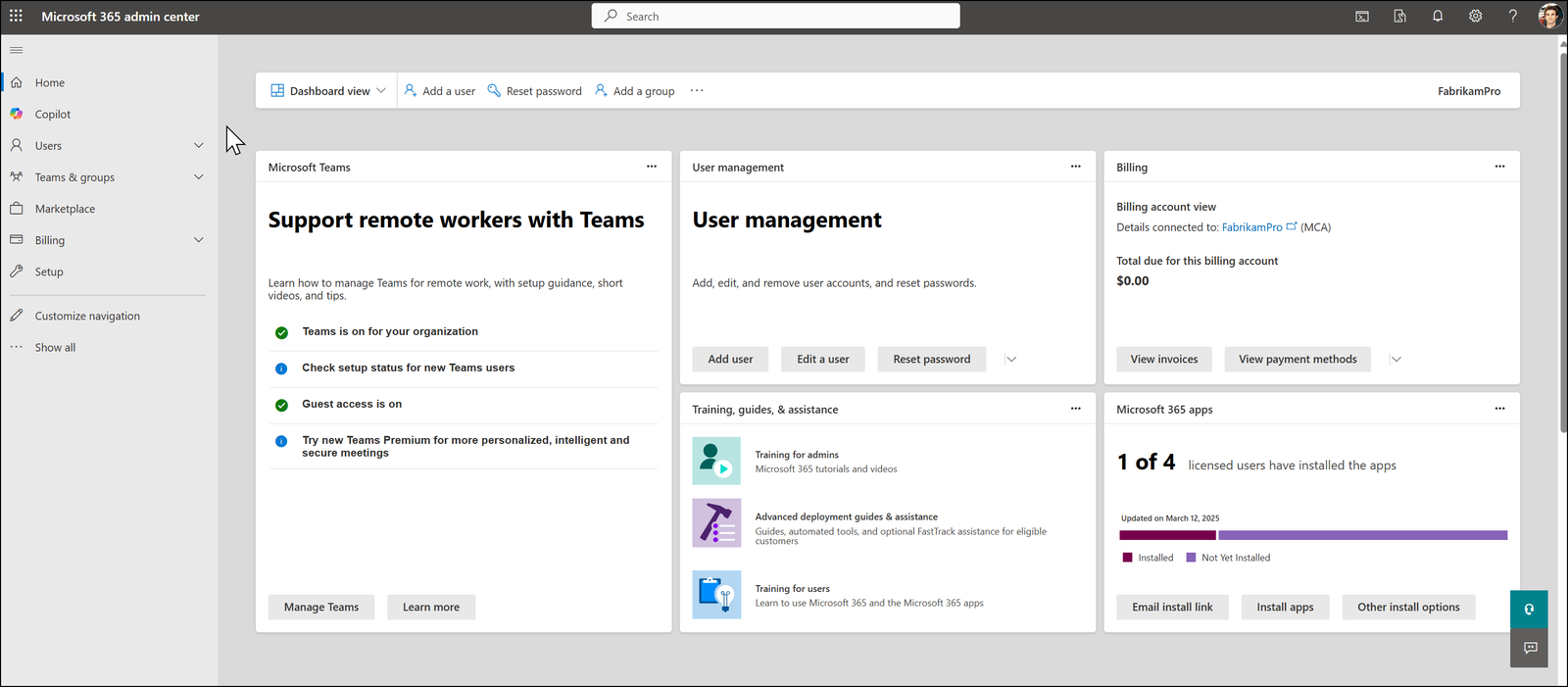
All cloud platforms on one bill
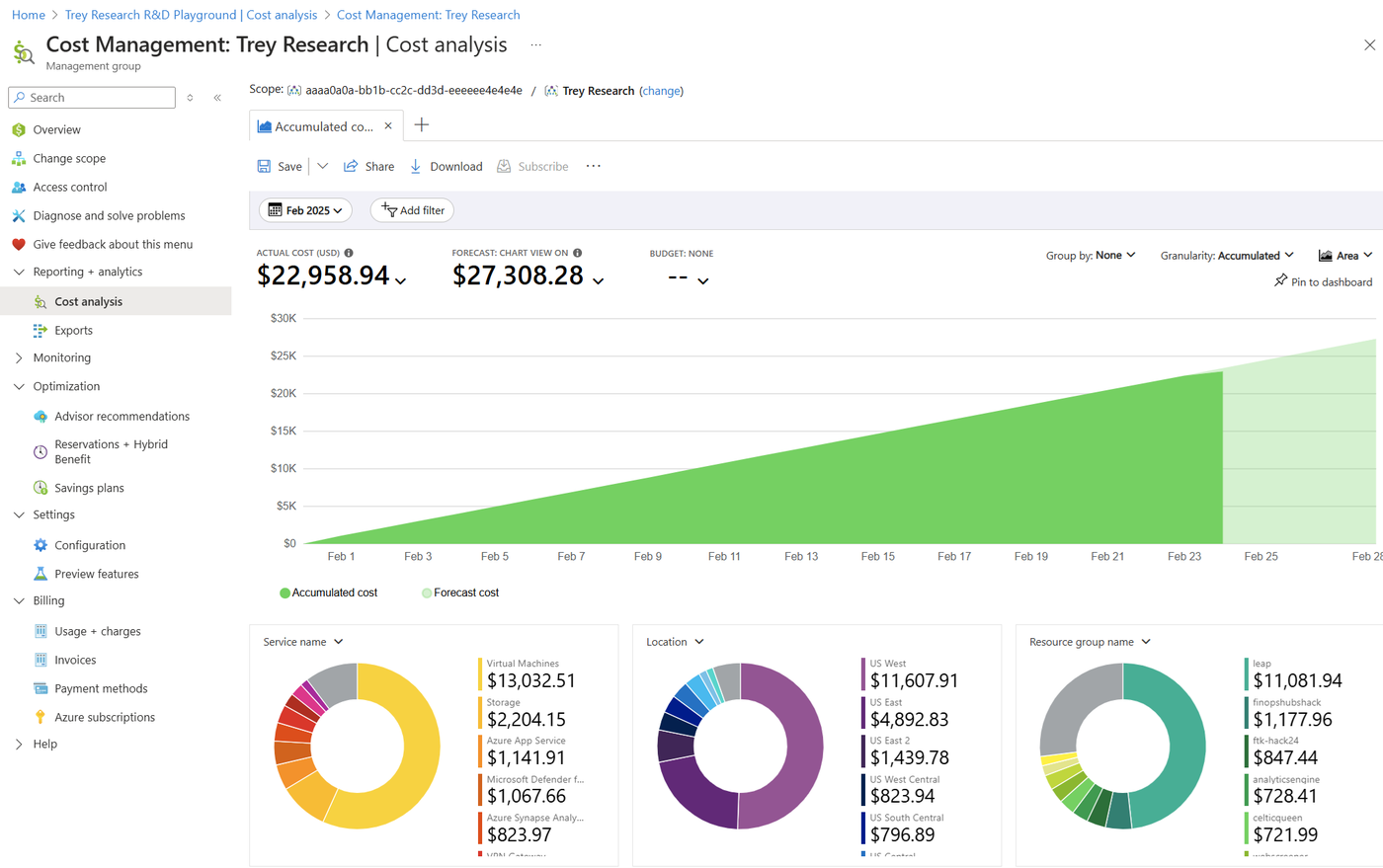
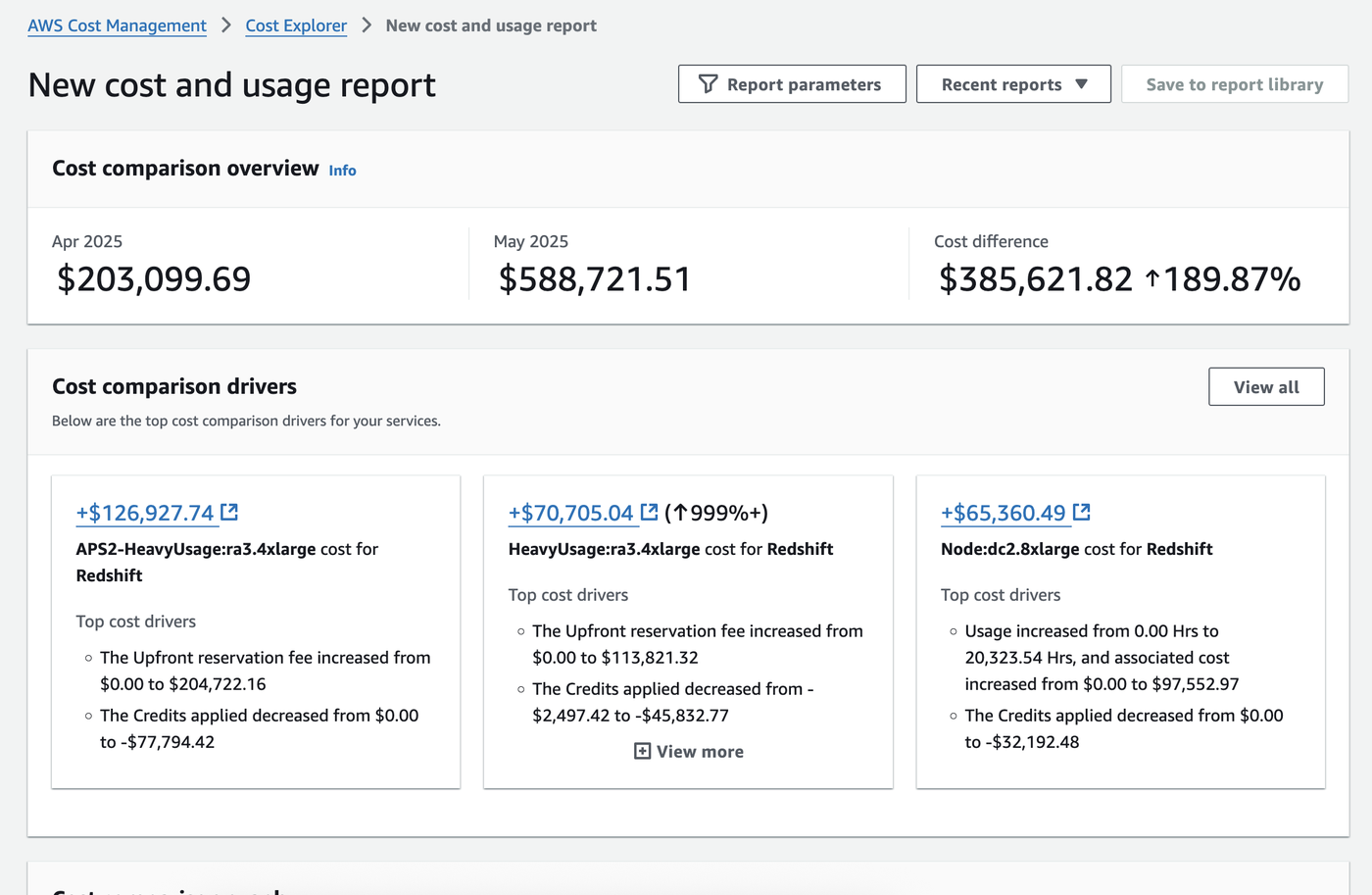
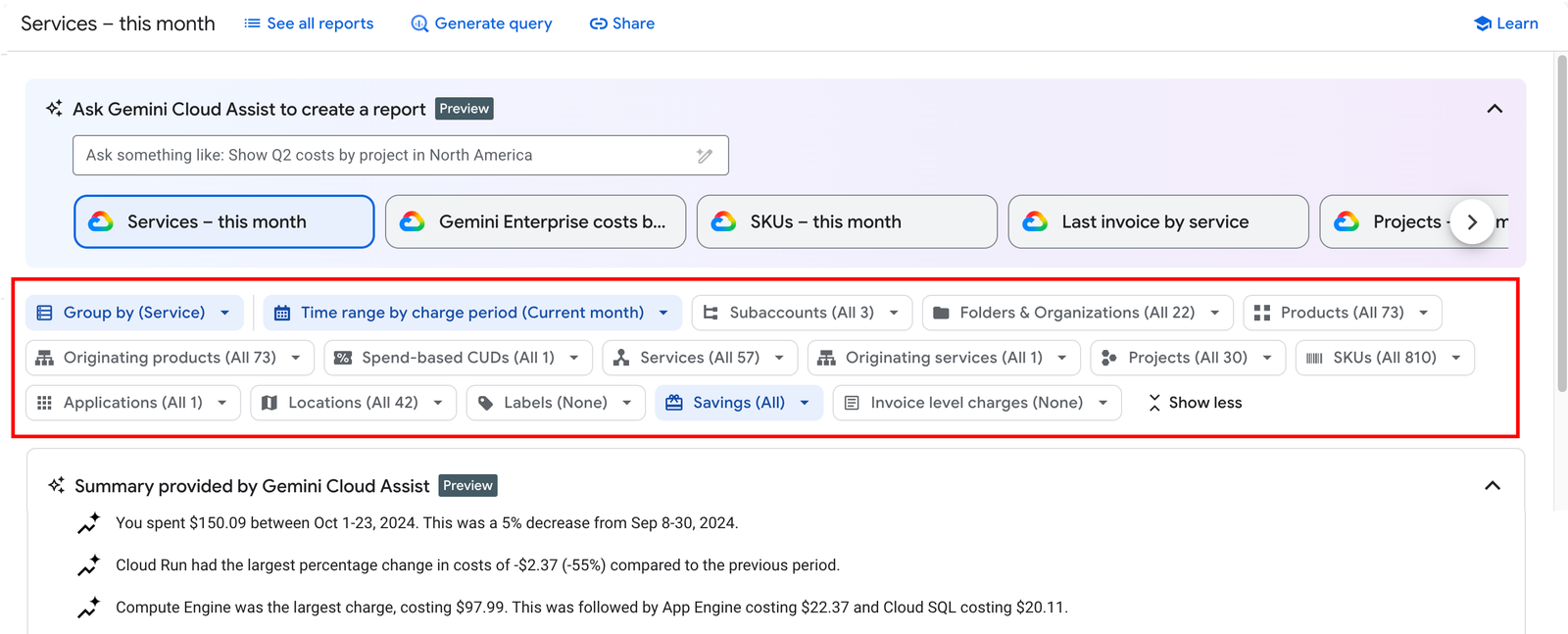
Cloud platforms generate separate statements. CloudCentric reads these three different bills and puts them on one monthly invoice. Software licenses are billed per user, while cloud usage is billed by consumption, placed side by side for easy review.
Private cloud setup
Managing physical servers like cloud services
Physical servers run as a private cloud, delivering local processing power for your Savannah office while maintaining strict central oversight. Every piece of equipment stays securely managed just like remote workloads.
- 1
Monitored around the clock
Continuous remote monitoring watches for full disks, missing updates and failing components, automatically raising support tickets when required.
- 2
Backed up whole image
Servers receive complete image backups using software chosen to fit your hardware, allowing total restoration if a failure occurs.
- 3
Copies kept physically away
Backup files go to local storage, shared folders or external object storage, ensuring data rests away from the targeted computer.
- 4
Billed with the rest
Local hardware administration costs appear on your single monthly invoice alongside software licenses and remote cloud platform consumption.
Explore our cloud computing resources
Specific services handle everything from artificial intelligence tools to detailed device management across your organization.
Microsoft 365 and Azure
- Microsoft 365Central administration for user accounts, daily communication and business document sharing.
- Windows 365Full desktop environment hosted remotely and reached from browsers or local devices.
- CopilotArtificial intelligence integration assisting users inside daily office applications.
- Intune device managementSecurity policies and update enforcement applied across company computers and mobile devices.
- Conditional accessLogin restrictions ensuring only approved users and secure devices reach business data.
- Microsoft 365 backupSeparate retention software protecting mail, file storage and team chats from deletion.
- Azure cost managementBudget alerts and detailed financial breakdowns tracking cloud consumption by specific resource.
- Microsoft FoundryMultiple artificial intelligence models hosted securely behind one standard network boundary.
AWS
- AWS BedrockManaged access to external artificial intelligence models running inside your own account.
- Google WorkspaceBusiness email, shared calendars and document editing controlled from an administrator console.
- Google Workspace backupIndependent daily copies protecting your critical email and documents from permanent loss.
Across every cloud
- Cloud migrationScheduled transfers moving old email, files and physical servers onto remote platforms.
- One cloud billConsolidated monthly invoices combining user licenses, hardware costs and remote consumption charges.
- Server and PC backupComplete machine images safely stored on separate hardware to ensure rapid restoration.
- Disaster recoveryBusiness continuity systems running on alternative platforms to keep your operations alive.
- Managed IT servicesComplete administration for business networks, endpoints and cloud platforms handled centrally.
- Remote monitoringContinuous automated checks watching machines for full disks, offline status and failing parts.
- Help deskTechnical support handling staff requests via phone, email or direct messaging software.
Private and secured
- Private AILocal artificial intelligence hardware processing sensitive requests directly inside your own building.
- Private cloudPhysical hardware running inside your office but managed remotely as a secure environment.
- Cloud securityCentralized threat protection, automated alerts and strict access controls safeguarding business data.
Common questions
- What counts as a cloud service provider here?
A managed IT provider building and running your technology the cloud way. Services are managed remotely from one central place, strictly documented, securely backed up and combined onto a single monthly invoice.
- Does our business need to choose just one platform?
Companies mix platforms depending on their specific needs. Daily communication might live on Microsoft or Google, while large databases run on Amazon Web Services and physical servers remain in your local office.
- Can local hardware operate like remote services?
CloudCentric runs local servers and artificial intelligence hardware as a private cloud. Equipment physically stays in your building but receives continuous remote monitoring, comprehensive image backups and strict daily management.
- Who owns the central administrator accounts?
CloudCentric sets up the tenant, buys licenses and handles daily administration. If a customer decides to stop utilizing our services, control of the administrative tenant is usually handed directly over to them.
- What data gets protected and where does backup storage live?
Workstations and servers receive whole-machine image backups directed to local drives, shared folders or external object storage. Remote email, team chats and document storage utilize separate retention software for complete protection.
- How does centralized invoicing actually work?
CloudCentric receives separate statements from Microsoft, Amazon and Google. All varying charges, from per-user software licenses to exact resource consumption, are placed side by side on one consolidated monthly invoice.
- Where are your technical services available?
CloudCentric operates from Mount Pleasant, South Carolina, delivering managed technology services for businesses across Charleston, the surrounding Lowcountry and down the coast to Savannah.
Start standardizing your business technology
Central administration brings clarity and reliable management to all your essential company workloads.