Microsoft 365 security
Conditional Access for Charleston businesses
Rules for who signs in to Microsoft 365, from where, and on what device, set up by CloudCentric for businesses from Charleston to Savannah.
Conditional Access policy examples for your business
Select your industry to see common rules for your staff. Policies evaluate signals and require an action, like a second step, before granting access.
Microsoft plan
Common rules
Sign-in example
Microsoft Entra admin screens for Conditional Access
Administrators manage rules from Microsoft Entra admin center pages. System portals show lists, simulation tools, impacts, basic defaults, and user prompts.
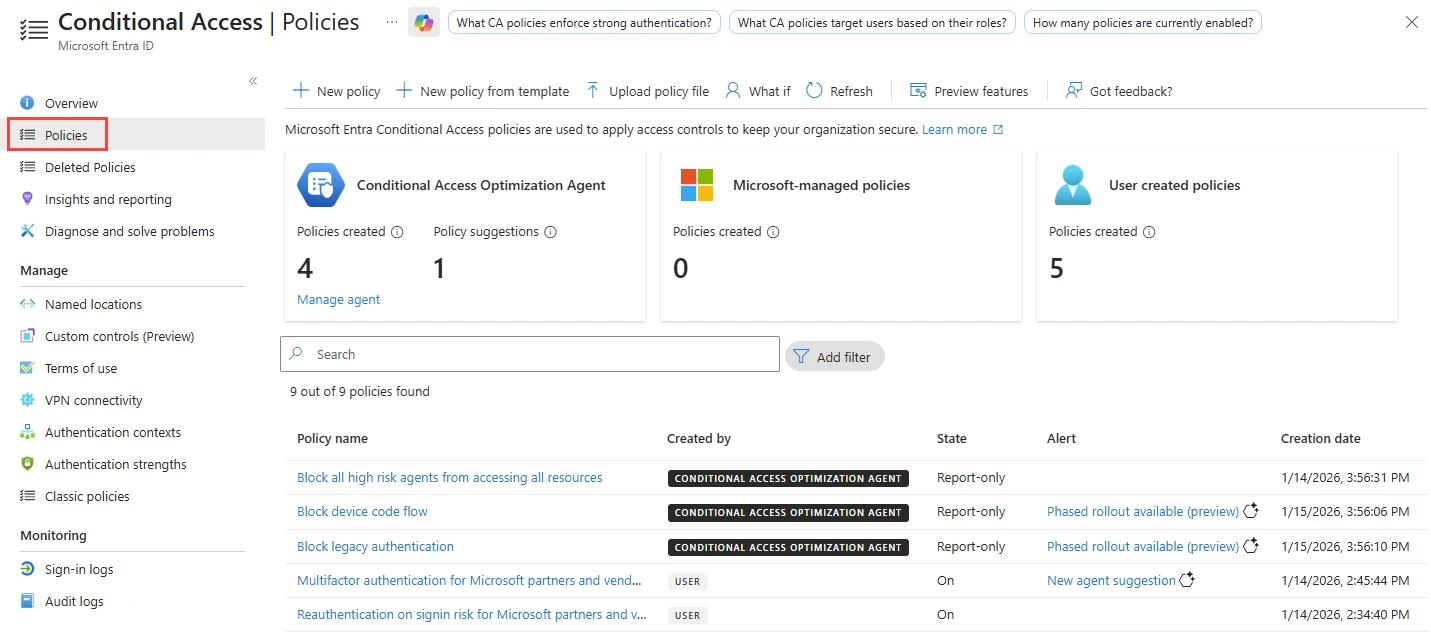
Policies page lists each rule with its name, creator, state, and creation date.
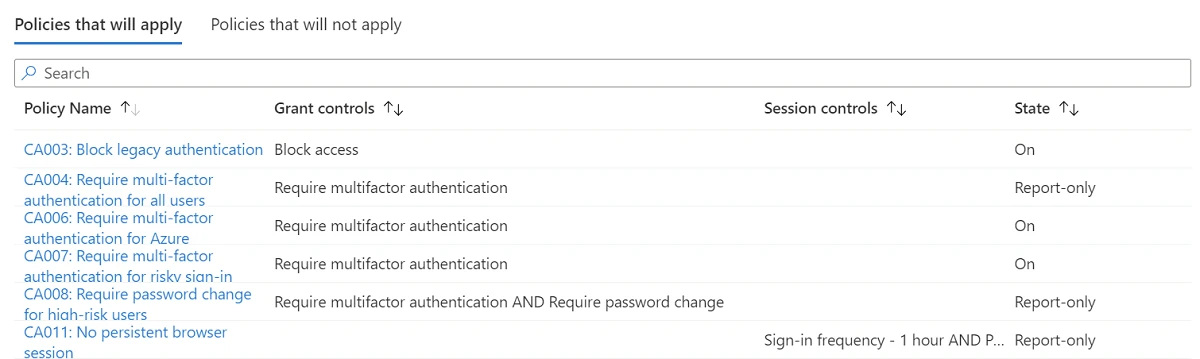
Microsoft What If shows which policies would apply with their grant and session controls.
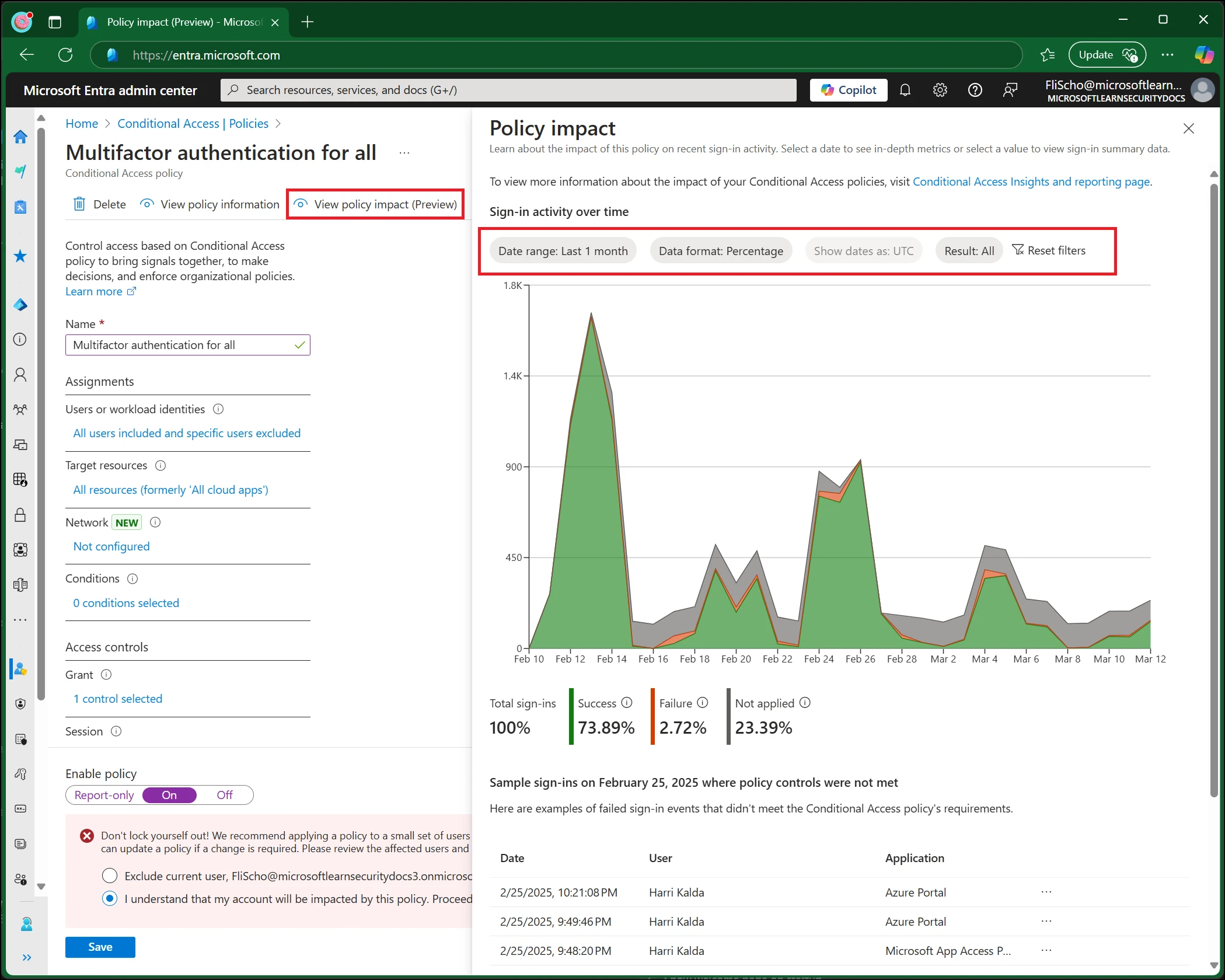
Policy impact view shows a chart of potential impact on interactive sign-ins over time.
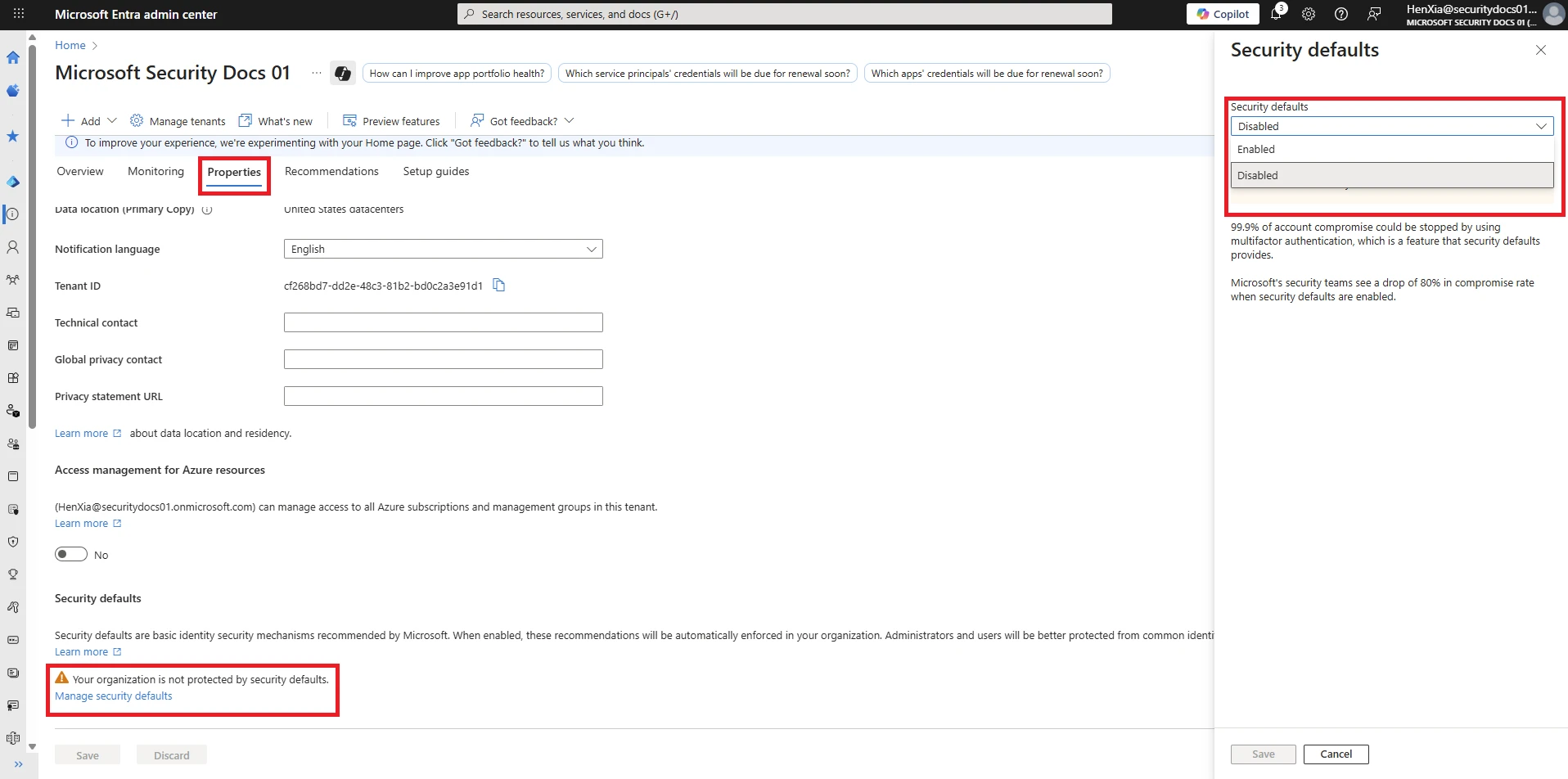
Security defaults pane shows an Enabled or Disabled choice.
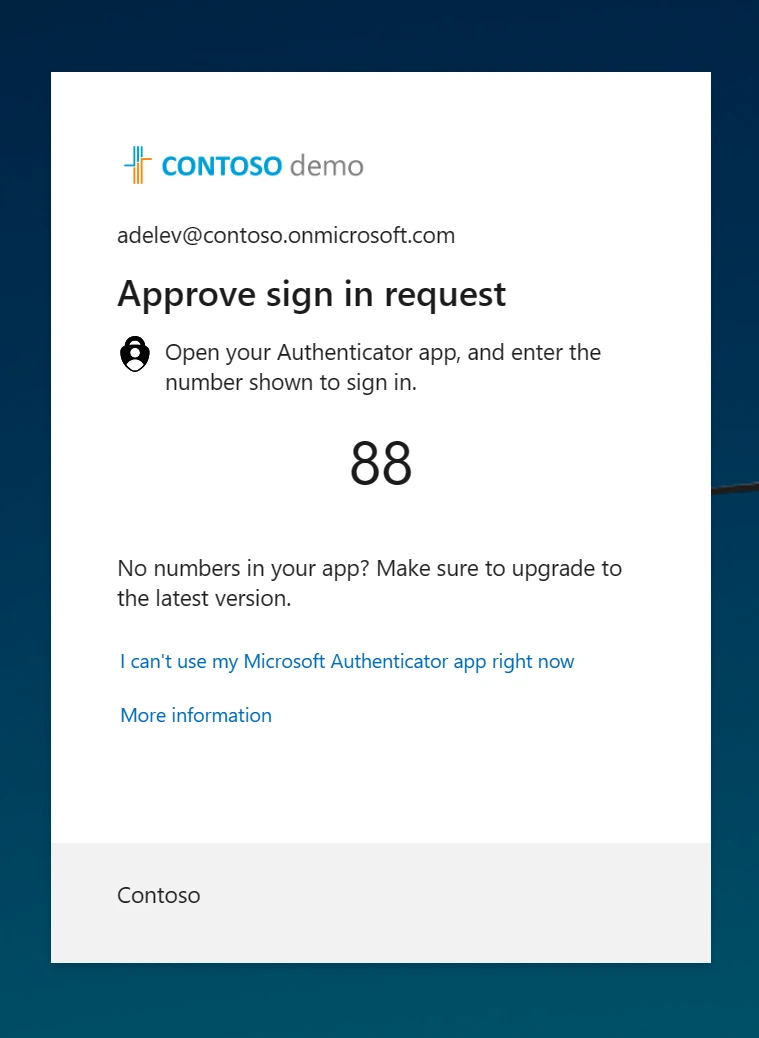
Prompt shows a number for a user to enter in Microsoft Authenticator applications.
Microsoft screens shown unedited to illustrate actual administrator and user views. Microsoft Learn
Conditional Access example sign-ins and results
Every sign-in evaluates signals like user, location, and device state. Policies apply rules based on collected signals to allow or block access.
- Who
- Office partner
- Where
- Office network
- Device
- Office laptop
Allowed
Access granted after password completion because location and device satisfy policy rules.
- Who
- Office partner
- Where
- Unapproved country
- Device
- Mobile phone
Blocked
Access blocked because policy denies entry from specific countries or regions.
- Who
- Staff member
- Where
- Home network
- Device
- Personal tablet
Second step required
Access granted after completing multifactor authentication because policy demands a second step.
Example rules shown illustrate possibilities for sample scenarios, showing potential outcomes.

Microsoft Entra ID P1 requirements and plans
Microsoft includes Conditional Access in certain plans. Other subscriptions require an additional Microsoft Entra ID P1 license per user to enable custom rules.
$7 Microsoft 365 Business Basic
Requires P1
Microsoft 365 Business Basic requires Microsoft Entra ID P1 added for Conditional Access.
- Business Basic
- $7
- Microsoft Entra ID P1
- $7
- Combined total
- $14
$10 Microsoft 365 Apps for business
Requires P1
Microsoft 365 Apps for business requires Microsoft Entra ID P1 added for Conditional Access.
- Apps for business
- $10
- Microsoft Entra ID P1
- $7
- Combined total
- $17
$14 Microsoft 365 Business Standard
Requires P1
Microsoft 365 Business Standard requires Microsoft Entra ID P1 added for Conditional Access.
- Business Standard
- $14
- Microsoft Entra ID P1
- $7
- Combined total
- $21
$22 Microsoft 365 Business Premium
Included
Microsoft 365 Business Premium includes Conditional Access for your staff.
$3 Microsoft 365 F1
Included
Microsoft 365 F1 includes Conditional Access for frontline and seasonal workers.
$10 Microsoft 365 F3
Included
Microsoft 365 F3 includes Conditional Access for frontline and field teams.
Microsoft published US prices per user per month, paid yearly, checked November 1, 2026. Entra price list Business Premium
Microsoft Entra ID P2 adds access reviews and policies reacting to sign-in risk.
Basic security defaults and Conditional Access
Organizations choose preconfigured settings for all users or build custom rules for specific scenarios. Both options manage access after password entry.
Security defaults
Organizations wanting basic security at no extra cost.
- All users register for multifactor authentication
- Administrators do multifactor authentication
- Older sign-in methods blocked
- Privileged activities protected
Conditional Access
Organizations with complex security requirements or P1 licenses.
- Build custom rules from scratch
- Start from template policies
- Block or grant access conditionally
- Require compliant devices
Administrators sign in as at least a Conditional Access Administrator and set security defaults to enabled under properties.
Conditional Access setup and rollout steps
CloudCentric prepares each rule carefully before enforcement. Testing features simulate scenarios to evaluate potential outcomes for sample sign-ins.
- 1
Rules chosen together
CloudCentric reviews operations and selects rules matching team size, locations, and requirements.
- 2
Report-only mode active
Policies run in report-only mode first. Results log as success, failure, or user action required without enforcing rule requirements.
- 3
Impact testing and simulation
Testing with Policy impact and What If tools simulates conditions, showing administrators which sign-ins a rule would affect.
- 4
Rules turned on
Administrators enforce policies after confirming correct behavior. Required actions like multifactor authentication activate for users.
Conditional Access questions
- What is Conditional Access?
Conditional Access policies are if-then statements. If a user wants to reach an app such as Microsoft 365, they complete an action like multifactor authentication.
- Which Microsoft plans include Conditional Access?
Conditional Access is included in Microsoft 365 Business Premium, Microsoft 365 F1, and Microsoft 365 F3.
- What does adding Microsoft Entra ID P1 mean?
Microsoft Entra ID P1 is a per-user add-on that brings Conditional Access to plans that do not include it. Organizations buy a license for each person.
- How does Conditional Access differ from security defaults?
Security defaults apply basic preconfigured settings to all users. Conditional Access allows administrators to build custom rules checking specific signals like location, user, and device.
- Will people be locked out if a rule is wrong?
Report-only mode evaluates and logs a policy result without enforcing it, and What If shows which policies would apply. Each rule is checked before it turns on.
- Is a block by country exact?
Country blocks are not exact. Location comes from IP addresses, so a country block follows the address a sign-in arrives from.
- Where does CloudCentric offer setup?
CloudCentric sets up and manages Microsoft 365 security for businesses on the coast from Charleston to Savannah.
Manage your Microsoft 365 access
CloudCentric configures custom rules for your team across the coast from Charleston to Savannah.