Managed IT services
Private cloud on your own business hardware
Run your own servers and storage the cloud way, built for businesses from Charleston to Savannah.
CloudCentric engineering
Private cloud management for your office
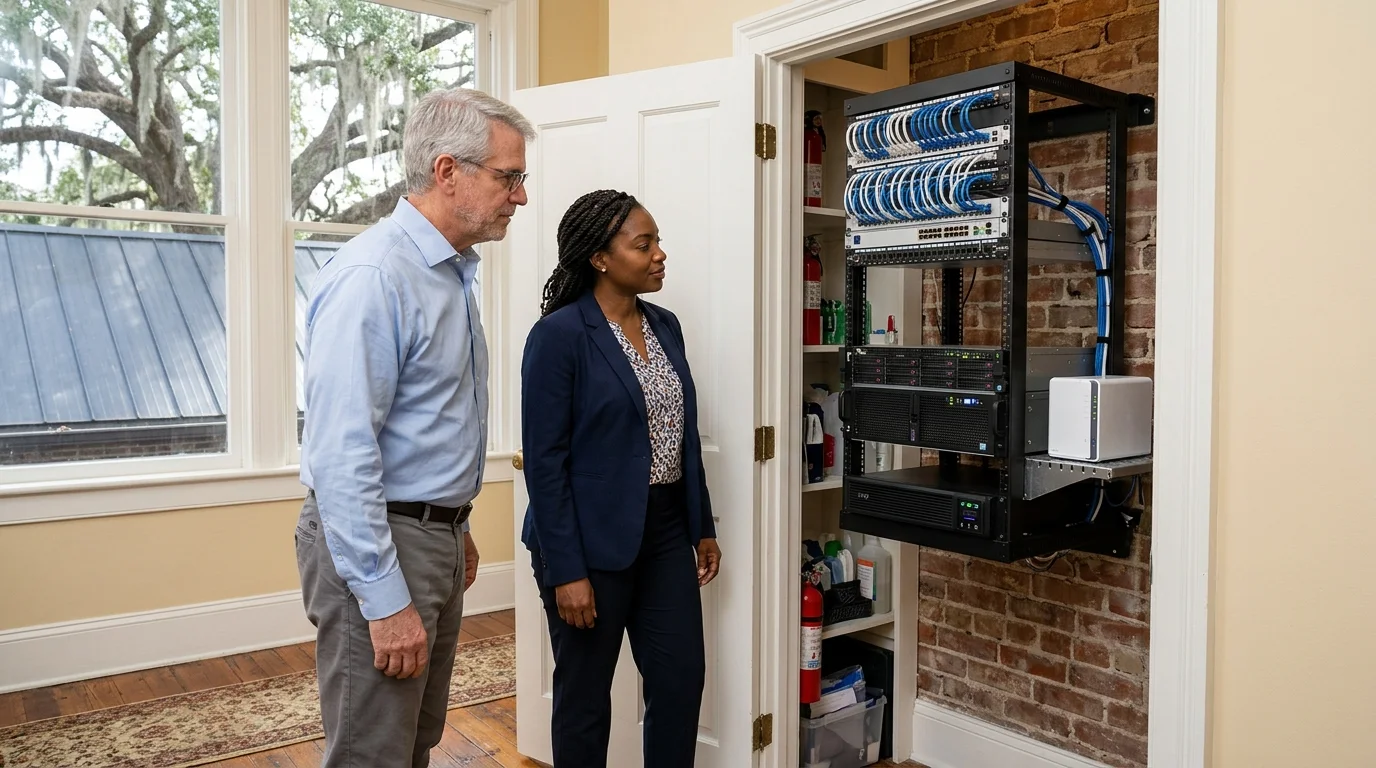
Servers and storage sit in your own building, run the cloud way. Equipment is managed remotely and monitored around the clock by engineers in Mount Pleasant.
- 1
Managed remotely
Most fixes are made remotely without a visit, handling issues often before staff notice a problem.
- 2
Monitored and backed up
Every PC and server is monitored around the clock for missing updates and offline machines, and backed up off site as complete images.
- 3
Documented
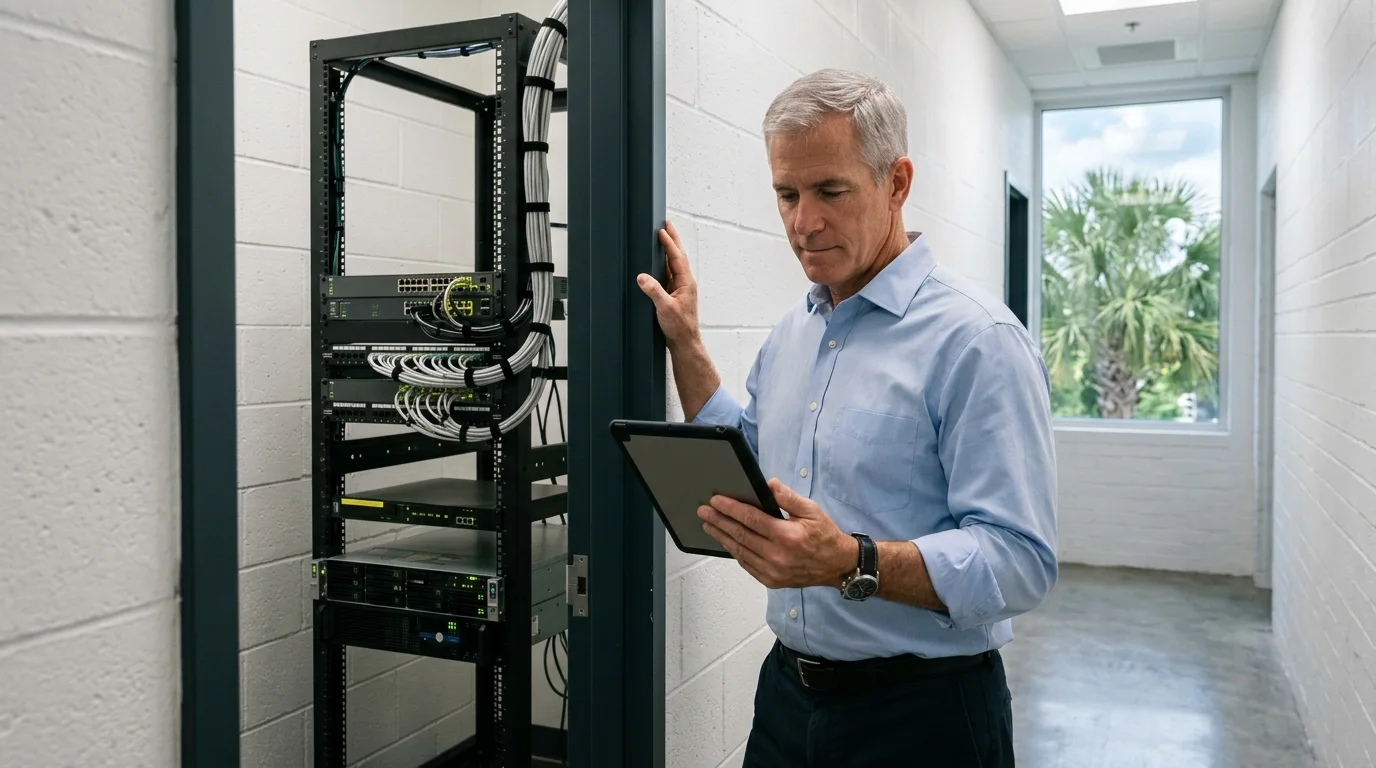
Cable runs are traced and tested, with a written record listing what runs where. The closet or rack's runs are labeled and added to the record.
Reviewing on-premises vs cloud options
Moving workloads back to your own hardware is called cloud repatriation, and many businesses do it. Decisions are made one workload at a time, keeping some tasks in cloud environments and running others locally.
Pick an industry
Stays on site
Runs in cloud
Example split. Each business gets its own written list.
Building an on-premises server plan
Running a server closet like a cloud means each layer is managed, monitored and recorded.
Power and cabling
Battery units carry switching and access points through short outages, preventing reboots. Runs are traced, tested and tied into neat bundles, with a written record listing what runs where.
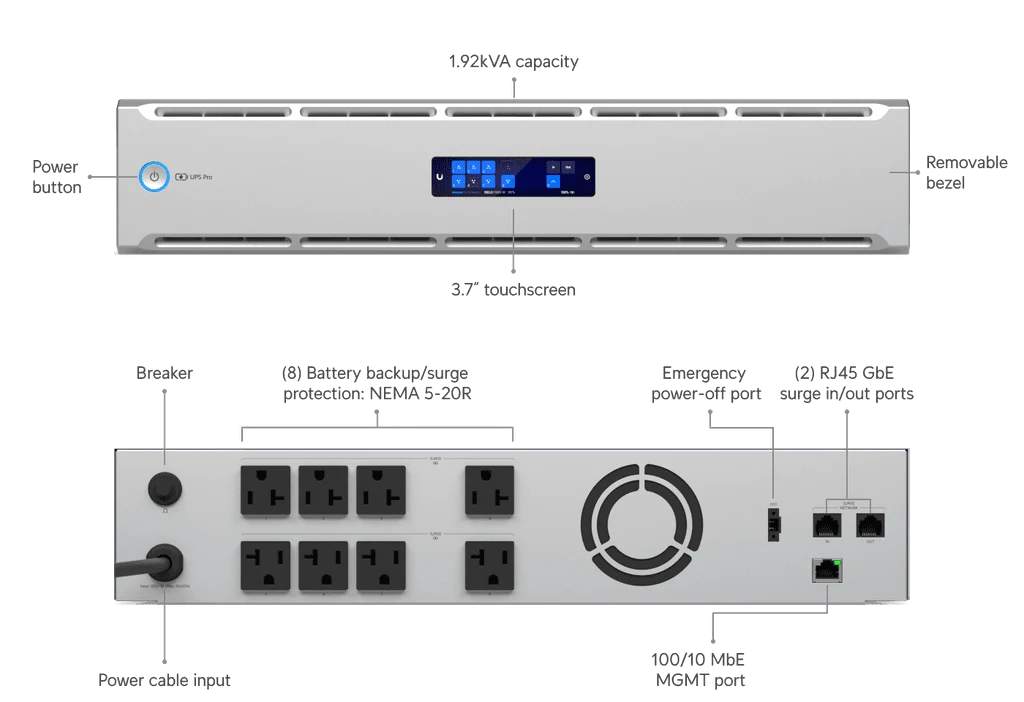
Battery backup unit. Product photograph.
Storage in the building
One storage box holds office files and keeps earlier versions as snapshots. Tasks copy data on a schedule to outside storage, building a reliable backup plan.
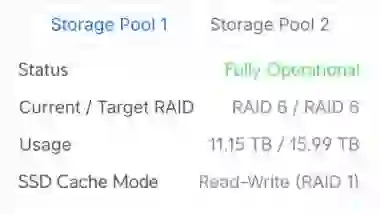
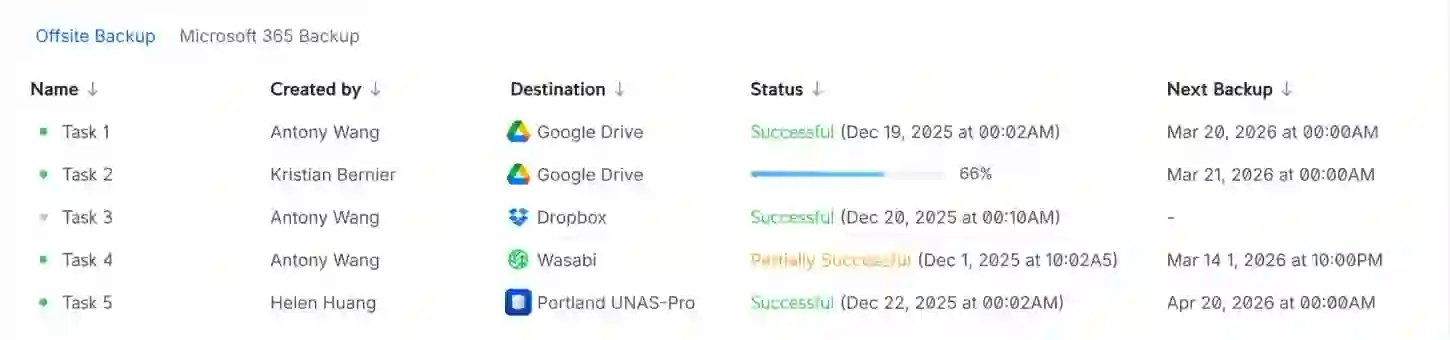
Storage box pool status and off-site backup task screens. Storage vendor published dashboard.
Remote management
Remote management fixes most problems without needing visits. Monitoring runs constantly, checking for full disks or offline machines, raising tickets automatically when thresholds are crossed.
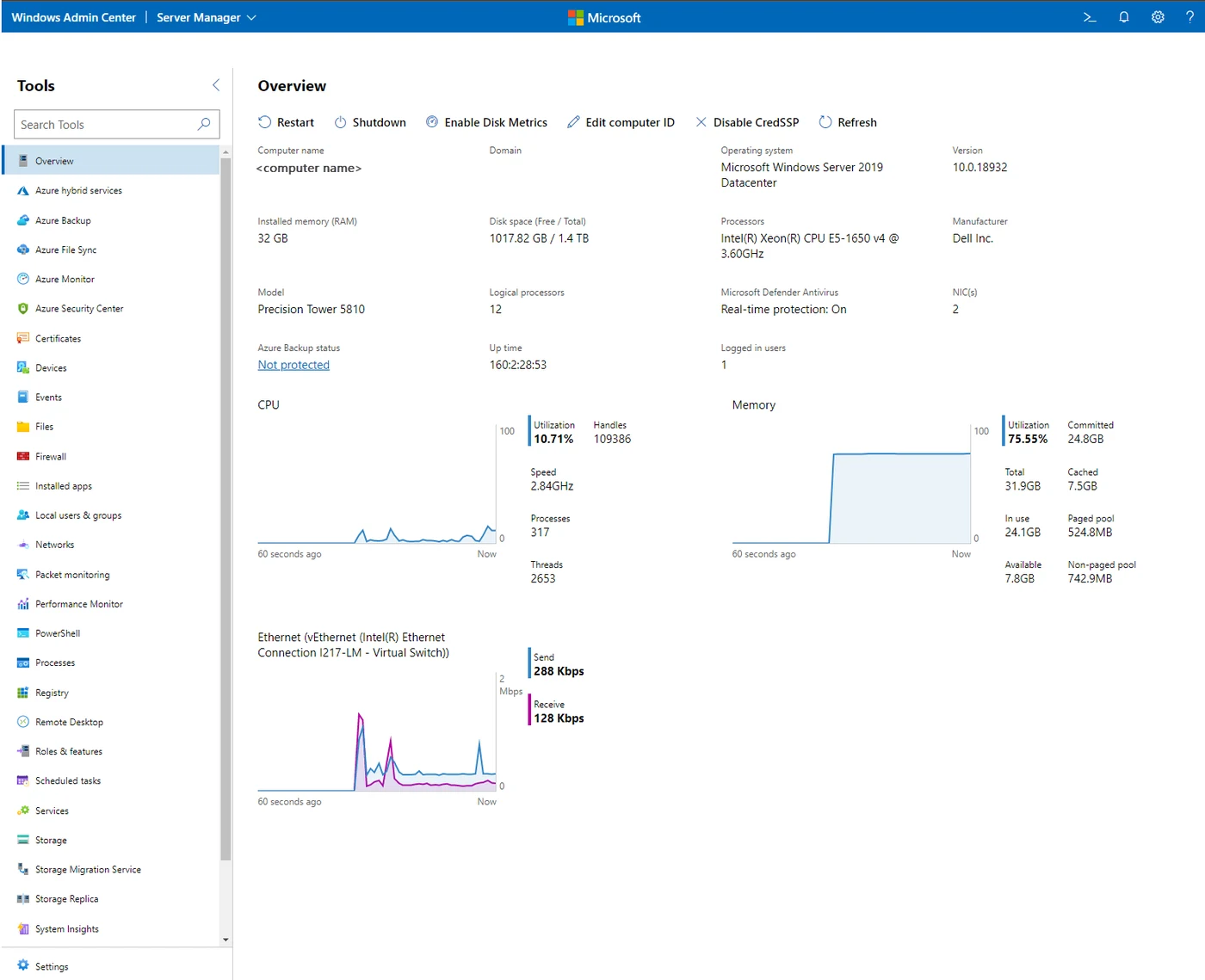
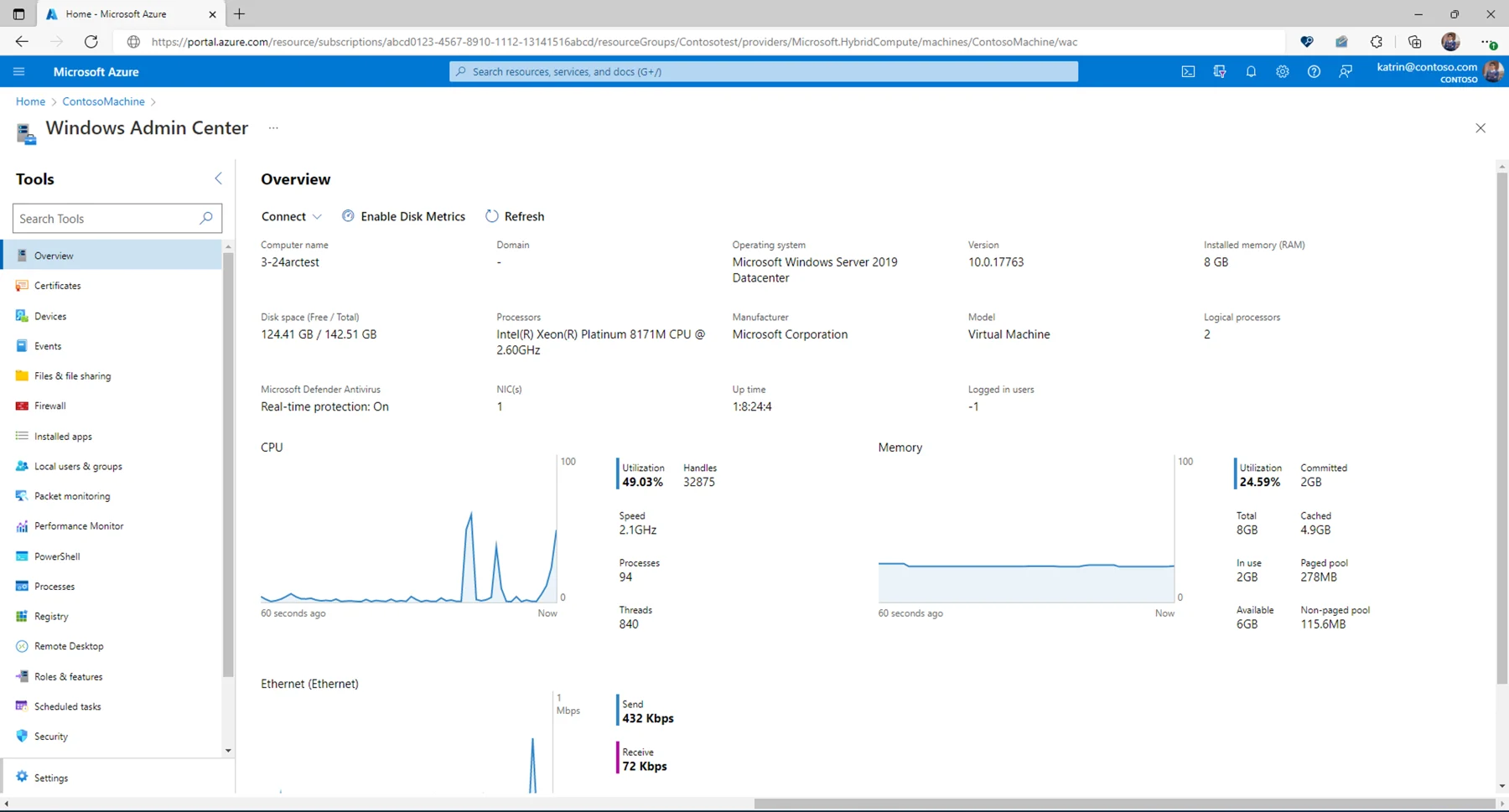
Windows Admin Center on a server and inside Azure portal for Arc-enabled server. Microsoft Learn.
Off-site backup
Machines back up as whole-machine images, kept separate from computers they protect. Veeam Agent can run a health check to confirm the latest restore point is consistent.
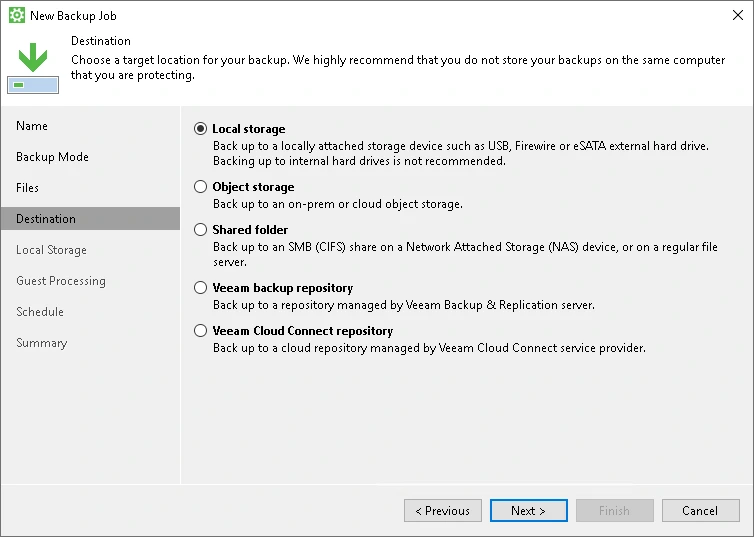
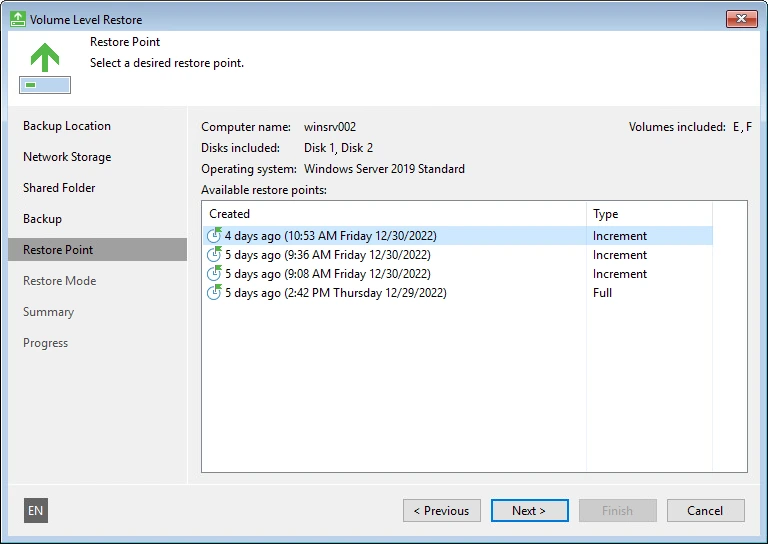
Veeam backup destination and restore-point screens. Veeam Help Center.
Recovery
Disaster recovery planning decides which systems come back first. A failed machine restores bare metal from its image, putting operating systems, programs and files back completely.
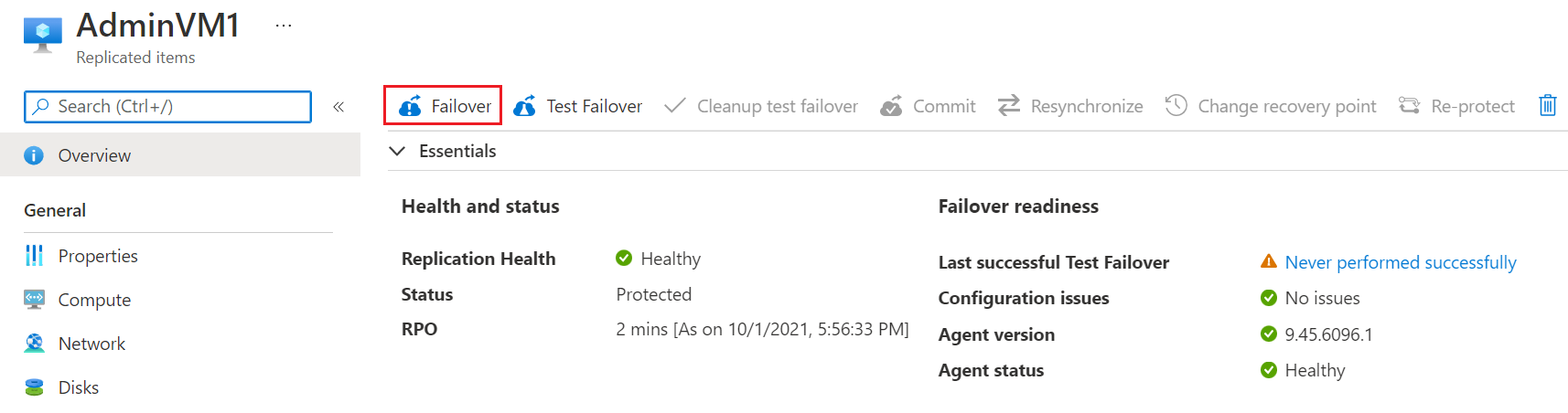
Azure Site Recovery replicated item page with Failover, Test Failover, Commit and Re-protect. Microsoft Learn.
Connecting into a hybrid cloud
Servers stand alone or work together with Microsoft 365, Azure or AWS. Connected machines become resources in Azure for monitoring and operating system updates.
Tools
What it does
Stays on your hardware
Frequent questions
- What is a private cloud here?
CloudCentric sets up your own servers and storage in your office, managing them remotely, monitoring them around the clock and backing them up off site.
- Do the servers stay in our building?
Yes, CloudCentric sets up a business's own servers and storage in its office, closet or rack. Local shared drives open large files faster than files pulled over the internet line.
- Do we need to leave Microsoft 365 to run our own servers?
Systems work together alongside Microsoft 365. Local hardware runs your database or practice management software while Microsoft 365 continues hosting email and shared files.
- How does remote management work without a visit?
Engineers use tools like Windows Admin Center and Azure Arc to fix machines over the internet. Remote management means most fixes are made without a visit.
- What does off-site backup mean for servers on site?
Servers and PCs back up as whole-machine images. Storage boxes copy data on a schedule to another place, building a backup plan.
- How is a failed server restored?
Technicians boot recovery media and write complete images back onto original or new computer hardware. Bare metal restores bring back programs, files and settings.
- What does it cost and how long does it take?
Pricing and timeframes are not stated here. Call (844) 422-7000 to discuss requirements and get exact numbers for your specific business setup.
Manage your own servers and storage
Call (844) 422-7000 or book a walkthrough to review your server closet.