SiteWorks coordinator mailbox demonstration
Sorting a shared coordinator inbox into binders and tasks
CloudCentric demonstrates SiteWorks sorting messages, filing documents into study binders, creating tasks and saving Outlook reply drafts for coordinator review.
SiteWorks mailbox demonstration
Coordinator mailbox processing with human oversight
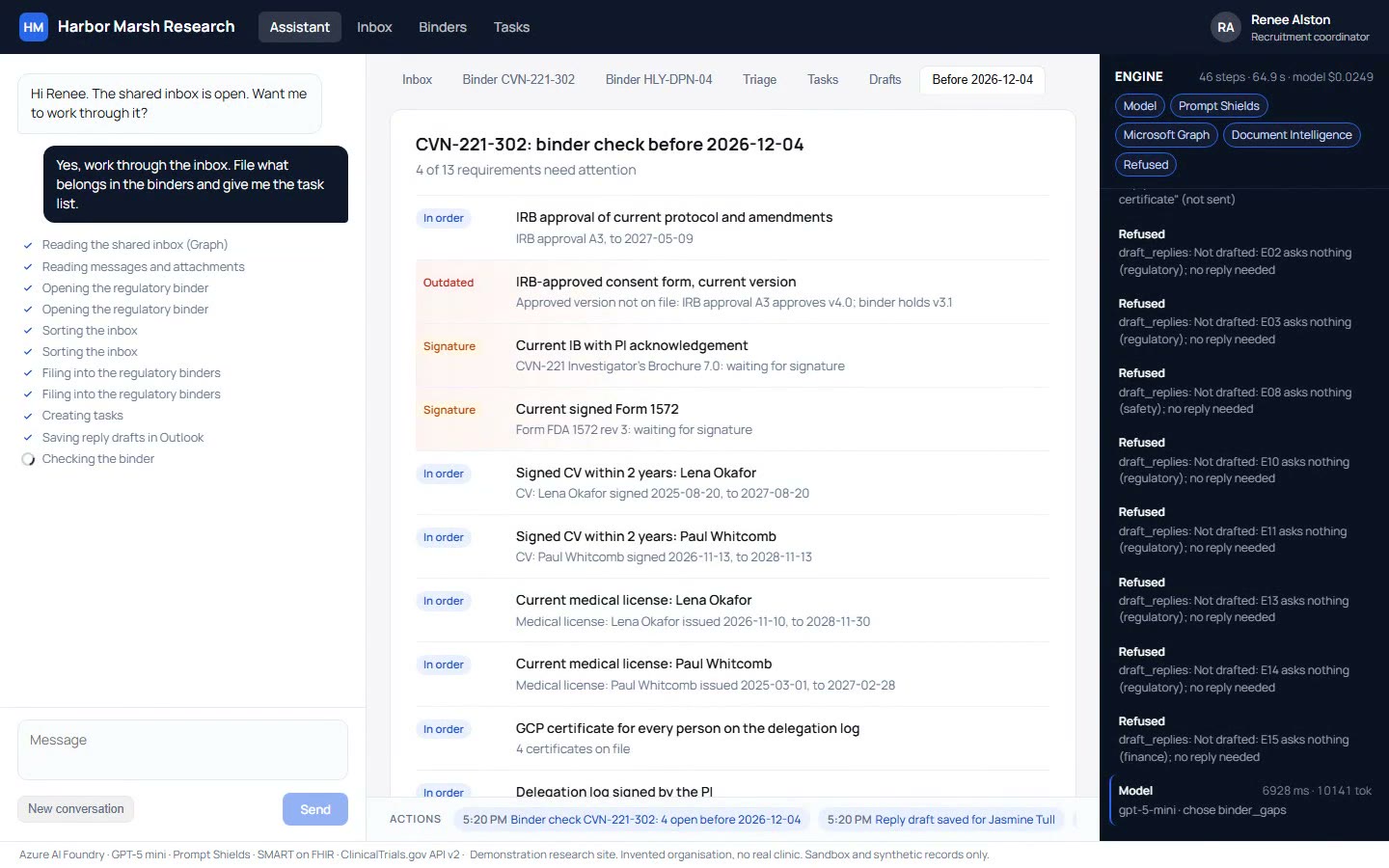
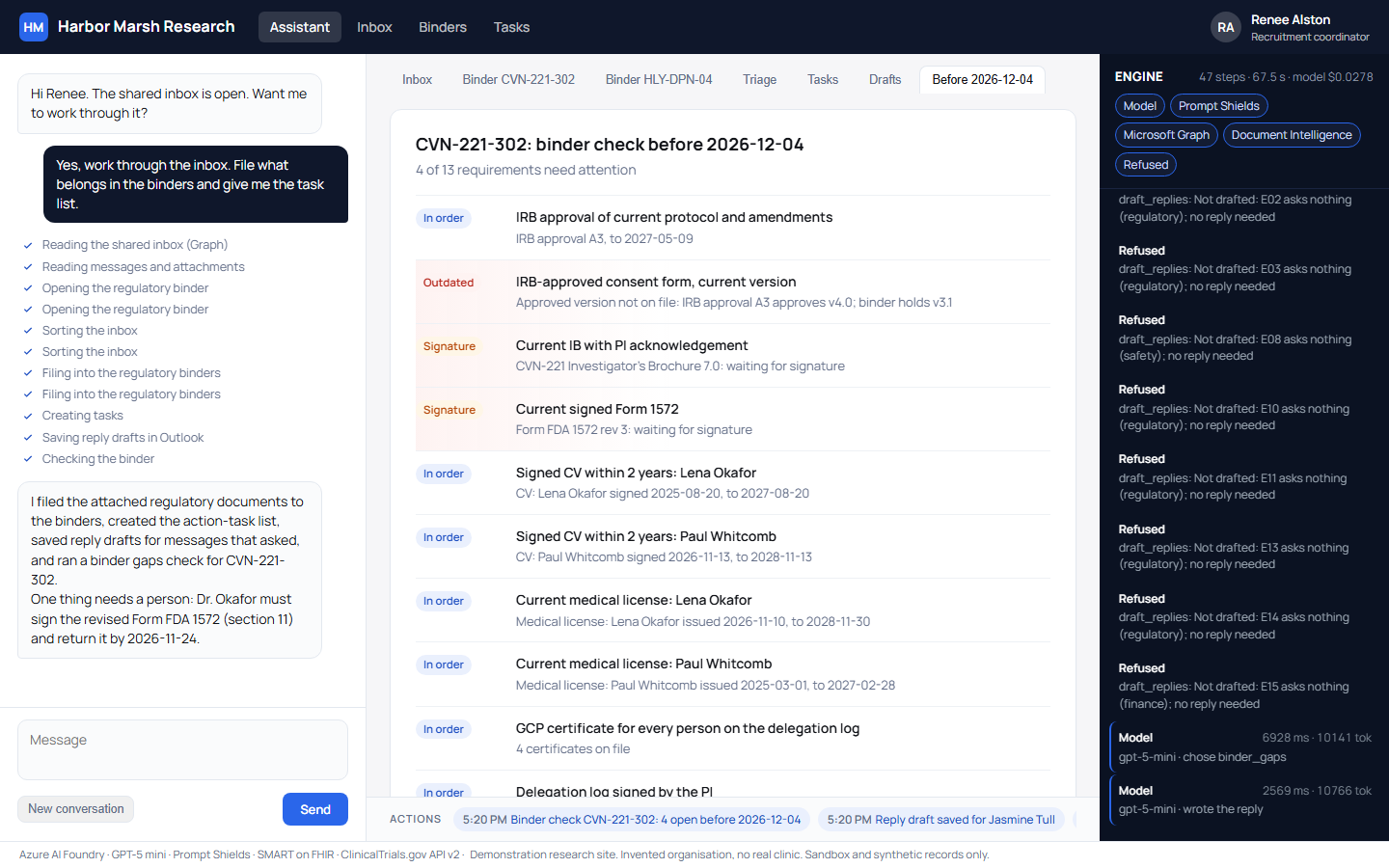
SiteWorks processes a shared coordinator mailbox by sorting 15 messages, filing 9 documents into study binders, turning requests into 19 Outlook tasks, and saving reply drafts. Site staff review and approve every action.
- 1
Sorting messages and filing binder documents
Every message is sorted while attached documents are read and filed into the correct study binder, replacing old versions automatically.
- 2
Extracting tasks and saving reply drafts
Requests become Outlook tasks flagged with due dates. Draft replies are saved in Outlook for coordinator review and are never sent automatically.
- 3
Comparing study binders against IRB approvals
A pre-visit binder check compares each study binder against its approvals to catch missing or outdated regulatory forms before monitoring visits.
Five steps through the coordinator inbox
Explore how SiteWorks processes incoming emails, files regulatory documents, sets up Outlook tasks, creates reply drafts, and checks study binders before coordinator review.
Select a step to inspect details
Coordinator view
Engine processing
Safety controls
Coordinator decision
Demonstration data uses an invented research site, senders, and documents.
Pre-visit binder check catches consent version mismatch
During the recorded run, the binder check compared study documents against regulatory approvals. IRB approval A3 approved consent form version 4.0, but the binder held version 3.1, prompting an alert for coordinator resolution.
Server-side checks protect research site workflows
CloudCentric implements strict server-side safeguards, Graph access boundaries, and Prompt Shields screening to keep data secure and ensure humans retain full decision authority.
Server-side verification catches errors
Server checks caught three model errors across eight live runs, including unreceived consent form filings, fabricated file names, and uncreated tasks.
Exchange RBAC restricts access
Microsoft Graph access is restricted to a single shared mailbox via Exchange RBAC. Access attempts on other mailboxes, including the administrator's, were blocked.
Prompt Shields blocks instructions
Azure Prompt Shields screens incoming messages before model processing and successfully blocked a hidden instruction to forward regulatory files on every test run.
Humans make every decision
Replies remain as Outlook drafts, document filings require coordinator oversight, and the assistant never makes regulatory decisions or sends outbound messages.
Connecting across every system without custom APIs
Site systems often lack open APIs, but sponsors, CROs, and IRBs already send requests to the shared inbox. CloudCentric builds one agent that works across the systems a site already runs, turning email streams into structured clinical workflows.
Coordinator inbox automation
Processes incoming emails, files study documents into binders, creates Outlook tasks, and prepares reply drafts for human review.
Volunteer chart prescreening chat
Enables potential trial participants to complete pre-screening conversations connected to their own chart data before site engagement.
Trial management system copilot
Assists study coordinators with daily trial management software queries and workflow navigation directly inside site operations.
Frequently asked questions
- Can it send replies on its own?
No. SiteWorks only saves reply drafts in Outlook. A site staff member must review, edit, and manually send every response.
- Which mailboxes can it reach?
Exchange RBAC limits access strictly to the single specified shared mailbox. Attempts to access any other mailbox return access denied.
- What does a run cost in model time?
A full run processing 15 messages and 9 documents costs about 3 cents of model time plus about 1.5 cents of document reading.
- What happens to a suspicious email?
Azure Prompt Shields screens incoming emails. Phishing attempts and prompt injection instructions are flagged and blocked from execution.
- What does a real deployment need first?
A real deployment requires a business associate agreement before processing live data. Azure OpenAI is covered under Microsoft's agreement.
- Whose data is shown in the demonstration?
All senders, studies, staff members, and regulatory documents shown in the demonstration are entirely invented for testing purposes.
Schedule a SiteWorks mailbox demonstration today
Call (844) 422-7000 or book a conversation to see how CloudCentric automates site workflows.