SiteWorks copilot demo
Clinical research site copilot for CTMS management
Coordinators manage study visit timelines, protocol windows, enrollment targets, and unbilled visits through natural chat linked safely to CTMS data.
SiteWorks CTMS demo
Coordinator copilot working through CTMS API
Clinical research coordinators ask questions about upcoming visits, adjust participant schedules inside protocol windows, and review unbilled visits or enrollment targets using plain conversation connected to system records.
- 1
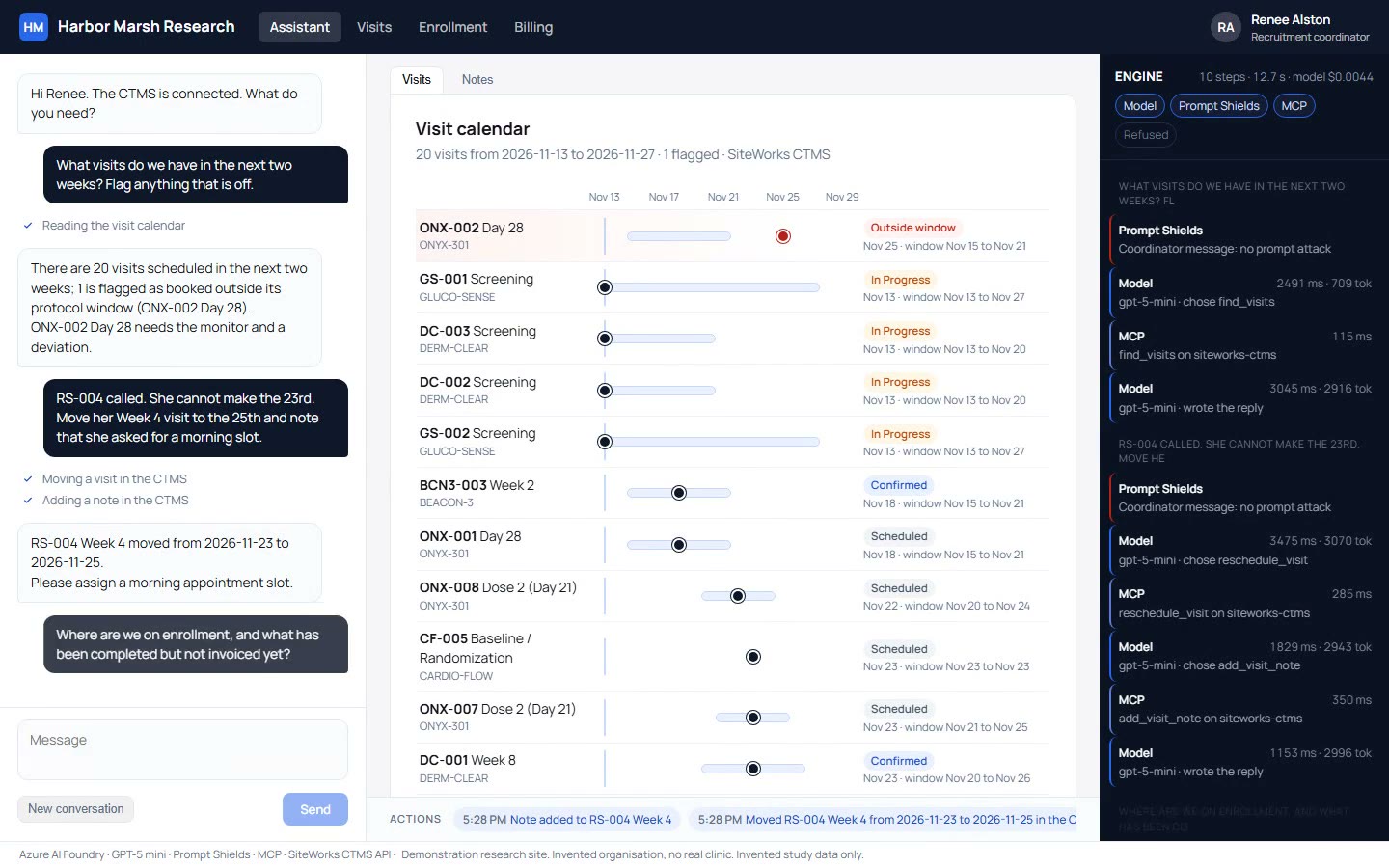
Visit timeline and protocol windows
Timeline views display upcoming visits inside protocol windows and flag any appointment scheduled outside permitted protocol dates.
- 2
Controlled visit moves and notes
Rescheduled visits move only within allowed protocol windows, saving participant notes directly into CTMS records.
- 3
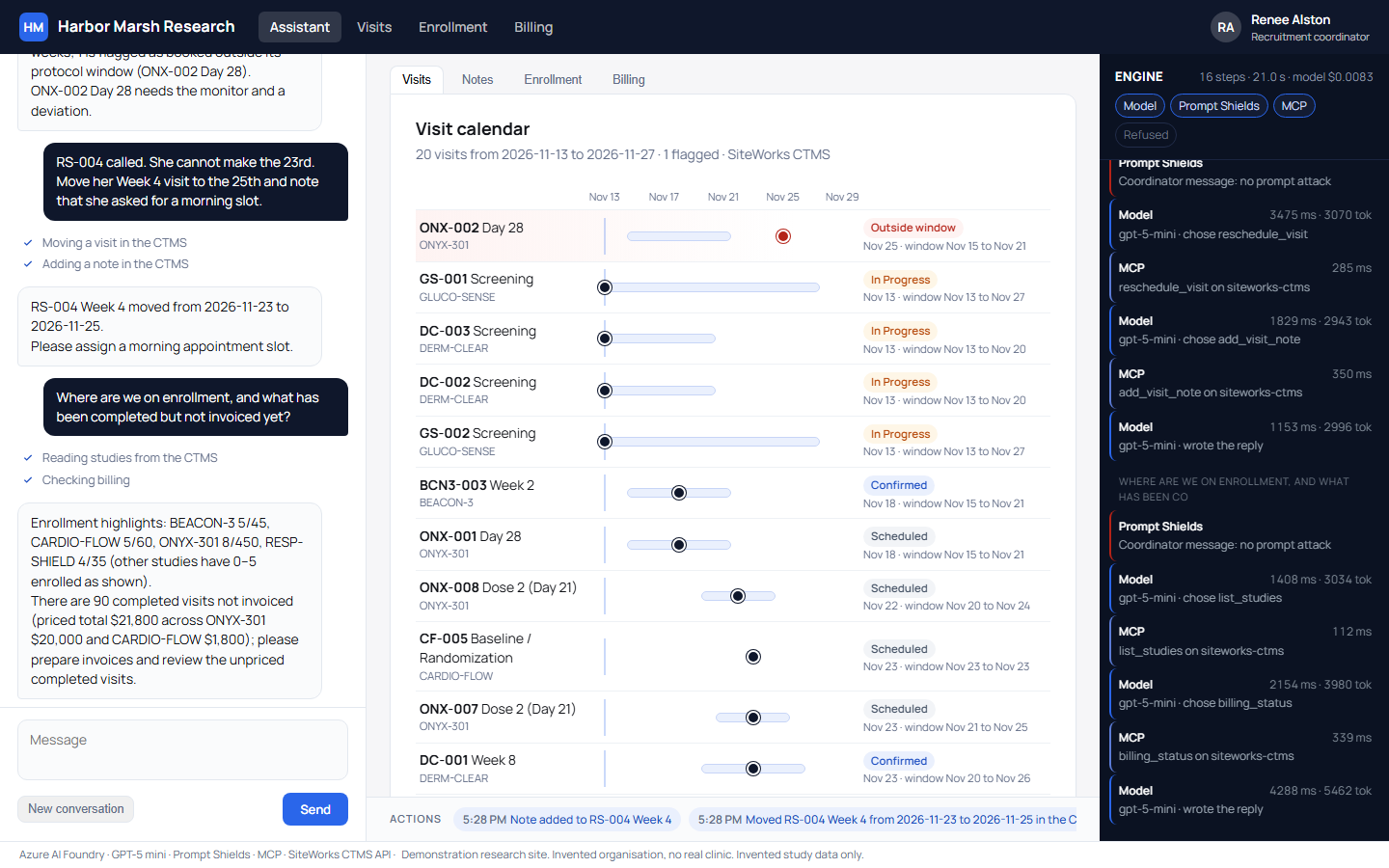
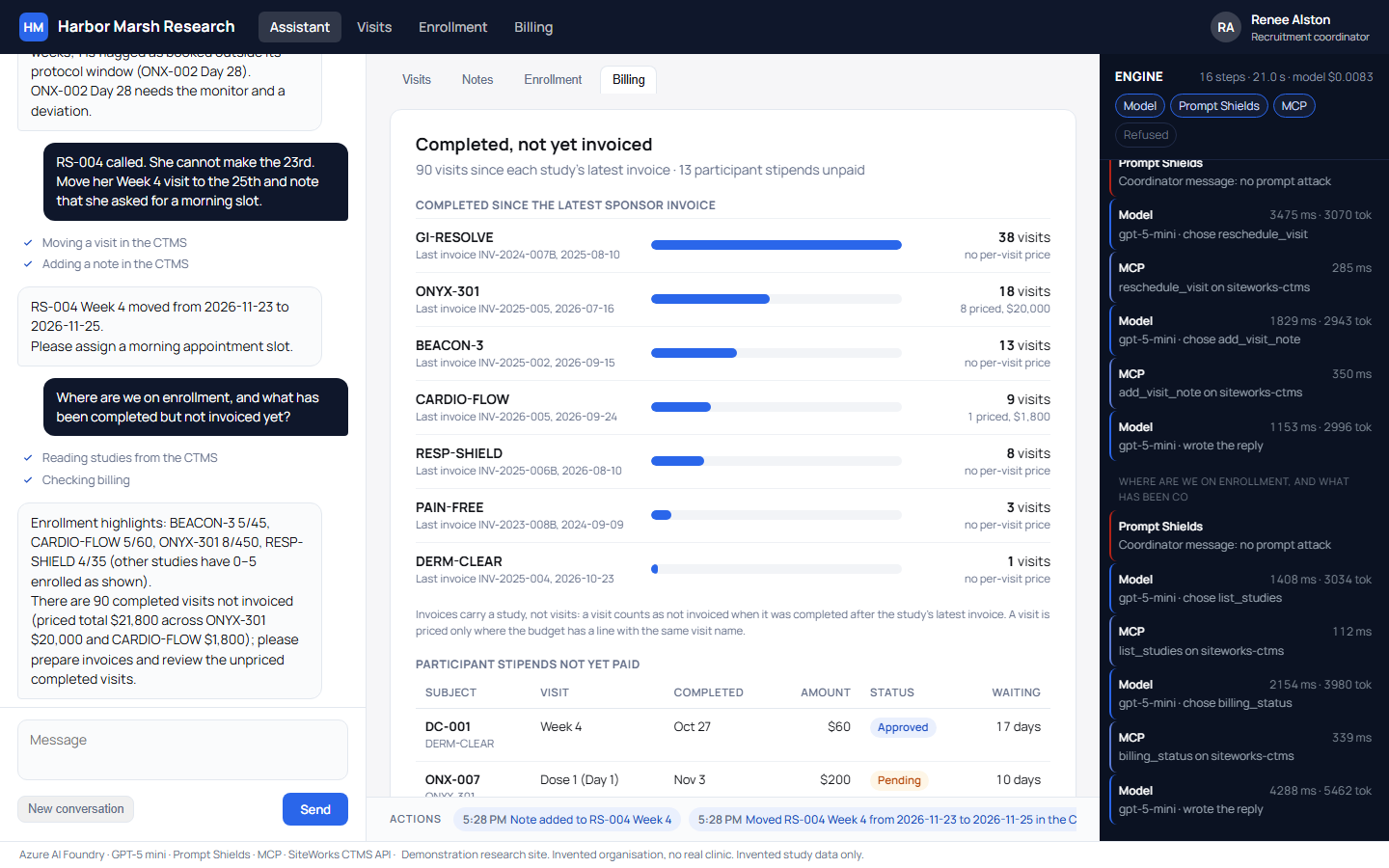
Enrollment progress and visit billing
Enrollment bars show participant targets while completed visits since the last sponsor invoice answer in a single prompt.
Coordinator copilot interaction steps
Step through each prompt to observe visual outputs, system tool activity, security guards, and human approval points.
Select a step to inspect details
Coordinator sees
Runs underneath
Guards enforced
Person decides
Research site, study names, and participant details are invented.
CTMS visit timeline and unbilled visit views
Demonstration screens highlight study timelines with out-of-window visits marked in red, alongside billing status views for completed visits and participant stipends.
Security guards and person decisions
Built-in guards restrict AI actions while site staff retain decision control over study protocol deviations, visit changes, and financial reviews.
Restricted tool permissions
MCP server provides six specific tools, signing in as a site user to read eight views and modify three fields per visit without delete access.
Protocol window enforcement
Visits move only inside protocol windows, past dates remain locked, completed visits stay put, and records save prior to updates.
Named user audit trail
Actions and notes display under the assigned site user in the CTMS audit trail, ensuring complete regulatory accountability.
Automated test validation
Guardrail tests prevent miscounts like 18 against 20 rows and fail on implausible per-visit billing figures.
One agent working across clinical research systems
Copilot integrates through a system's API where one exists. CloudCentric builds one agent that works across the systems a research site already runs, connecting daily operations into unified staff workflows.
CTMS coordinator copilot
Demonstrated assistant manages visit calendars, protocol windows, enrollment metrics, and unbilled visit records using CTMS API integrations.
Volunteer prescreening assistant
Built agent guides participant prescreening chat directly over participant chart data to qualify volunteers efficiently.
Coordinator inbox manager
Built automation turns coordinator inbox messages into organized trial binders and structured site tasks.
Frequently asked questions
- Does it work with any CTMS?
Integration functions through a system's API where one exists. CloudCentric builds copilot connectors for existing research site software.
- Can it delete or overwrite records?
No system record deletion occurs. MCP tools restrict edits to three visit fields and add notes, saving original data before changes.
- Who decides a protocol deviation?
People make every protocol decision. Copilot flags visits booked outside protocol windows so research coordinators and monitors take appropriate action.
- How are its changes tracked?
Audit entries save under the named site user in the CTMS audit trail, recording every modified field and added note.
- What does a session cost in model time?
Model time cost stayed under one cent in the recorded 16-step demonstration session.
- Whose data is shown in the demonstration?
Demonstration displays invented site, participant, study, and visit data. No real patient or sponsor information is shown.
Book a conversation with CloudCentric
Call (844) 422-7000 or book a conversation to discuss site agent capabilities.