
AI for your workspace
Set up ChatGPT for business
Give your team a secure Claude for business or ChatGPT workspace with centralized billing, shared assistants and clear rules for your company data.

Built for teams
Move to Claude for business
Employees already use artificial intelligence on personal accounts to draft emails and review documents. A business workspace brings everyone under one bill while adding company roles, secure data settings and shared assistants built around your own processes.
- 1
Workspace and roles set up
Owners get billing and identity management while admins handle routine tasks and members create assistants.
- 2
Data and sharing settings chosen
Company data stays excluded from training models by default while staff share conversations and projects with other members of the organization.
- 3
Staff trained and assistants built
Employees learn to prompt effectively and build shared knowledge bases around your own company documents and daily routines.
Workspaces for local businesses
Professional offices rely on text and documents every day. Shared assistants handle specific drafting and review tasks using the exact instructions and files you upload to the business account.
Select your kind of business
Pages for your industry
Compare ChatGPT Business and Claude Team
Both plans offer central billing, user management and strict data privacy for organizations. Features differ slightly in how members join, share conversations and apply instructions.
Choose a workspace setting
ChatGPT Business
Claude Team
OpenAI help center: members and roles, data and sharing. Claude help center: members, roles, project sharing. Checked November 2, 2026.
Central data controls for your business
Workspace administrators choose privacy preferences once for the entire organization. Central settings allow owners to turn off feedback sharing and control which outside tools connect to the business account.
Training and feedback settings
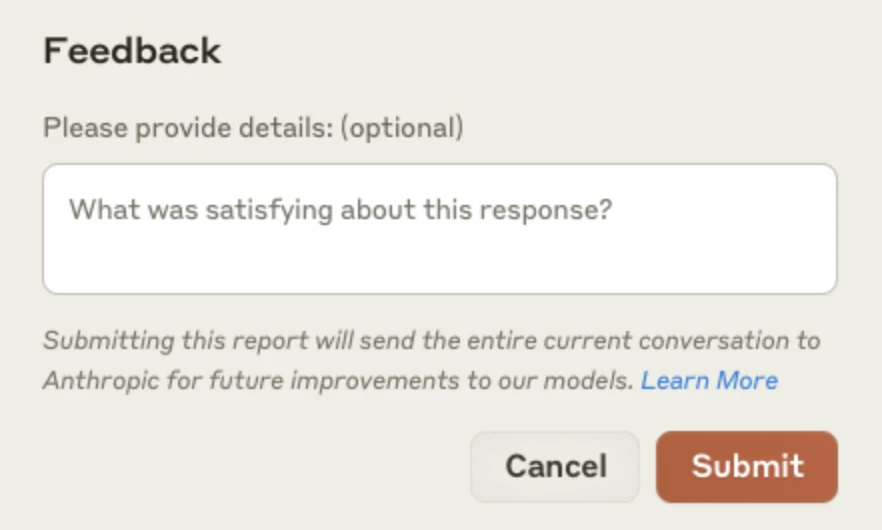
Business data stays excluded from training by default. Claude owners disable the rate chats setting so members cannot send conversations to Anthropic through thumbs up or down feedback.
Sharing of conversations
Claude owners manage internal collaboration by turning off project sharing for the organization, making public projects private while keeping existing individual shares in place.
Connected apps and outside tools
Workspace administrators review and control which third party applications can access the workspace, ensuring tools respect your existing permissions.
Anthropic privacy pages, OpenAI enterprise privacy. Checked November 2, 2026.

Transition from custom GPT tools
Shared assistants combine your instructions and uploaded documents to handle routine drafting tasks. OpenAI is currently moving custom GPTs to a new plugin system, with custom GPTs scheduled to retire completely on December 11, 2026.
Custom GPTs retiring soon
Members previously built custom assistants using knowledge files and instructions. OpenAI scheduled custom GPTs to retire on December 11, 2026, transitioning these tools into a new format.
Plugins with instructions and files
Migrated assistants become plugins containing reusable skills and reference files. Owners and administrators review plugin verification status directly in the console under plugins.
Claude projects with uploaded documents
Projects act as self-contained workspaces with dedicated chat histories and knowledge bases. Teams upload documents and set project instructions to guide responses for specific tasks.
Claude organization instructions
Owners set custom instructions up to three thousand characters that apply to every conversation across the organization, taking precedence over individual user preferences.
OpenAI help center: custom GPT retirement, plugins. Claude help center: projects, organization instructions. Checked November 2, 2026.
Hands-on AI training for employees
Adopting artificial intelligence requires deliberate practice. CloudCentric trains staff to use these tools effectively alongside their daily work while building customized assistants for your business.
- 1
Set up workspace and roles
CloudCentric configures single sign-on, establishes user permissions and adjusts data sharing rules to secure your company information from day one.
- 2
Practice drafting and reviewing output
Staff learn core habits in prompting and reviewing text, applying these skills directly to your company documents and daily routines.
- 3
Build the first shared assistants
CloudCentric helps construct dedicated workspaces using your standard operating procedures, giving employees reliable starting points for common drafting tasks.
- 4
Review settings as tools change
Regular reviews ensure your configurations remain secure and effective as vendors introduce new features, plugins or workspace capabilities.
Both vendors offer free educational resources. OpenAI Academy and Anthropic Academy provide courses that staff can take to improve prompting skills alongside their daily work.
Access vendor academy courses
OpenAI AcademyAnthropic Academy
Questions about business workspaces
- Is ChatGPT Business the same as ChatGPT Team?
ChatGPT Team was renamed to ChatGPT Business on August 29, 2025. The name change did not alter the self-serve workspace plan, which still requires at least two paid seats and provides administrative controls.
- Do OpenAI and Anthropic train on a company's data?
Both vendors exclude business workspace data from training by default. Submitting feedback can share data for potential training use, though Claude owners turn this feature off entirely using the rate chats setting.
- Are custom GPTs going away?
Custom GPTs are scheduled to retire on December 11, 2026. OpenAI is moving them to plugins, converting existing instructions into skills and copying knowledge files into the reference files of the new plugin.
- What happens to staff who already use personal accounts?
Joining a ChatGPT Business workspace by invitation allows members to either keep their personal workspace separate or permanently merge their supported content into the business account.
- Who owns what staff put in and get out?
OpenAI enterprise privacy commitments state a business owns its inputs and outputs where the law allows, and OpenAI can sign a data processing addendum. Anthropic acts as a data processor under its organization agreement.
- Can a company use both ChatGPT and Claude?
ChatGPT Business and Claude Team exist as completely separate subscriptions. Organizations can run either or both depending on their operational needs and team preferences.
Ready to set up your workspace
Book a conversation with CloudCentric to get your team working securely with custom assistants.