Technology planning
AI readiness assessment for your office
Find out whether your current licenses and document permissions support an AI assistant, and which repetitive work makes sense to hand over first.
Assessment paths
Paths to your AI readiness assessment
Choose a quick look at your tenant and workflow to get started, or request a complete written document mapped out for a builder.
Compare assessment options
- Cost
- Timeline
Contains
AI readiness by business type
Document storage practices vary across professional fields. Assessments trace workflows across systems to understand where your staff spend time today.
Select your business type
Related technology services
Reasons for an AI readiness assessment
Firms typically request an evaluation when facing pressure to adopt new tools or when dealing with a specific workflow bottleneck.
Choose your current situation
Current situation
Assessment result
Parts of the written assessment
Written documents contain structured findings and technical directions. Any capable builder can take your completed assessment and follow the sequence to deploy an assistant.
Explore document sections
Content permissions review
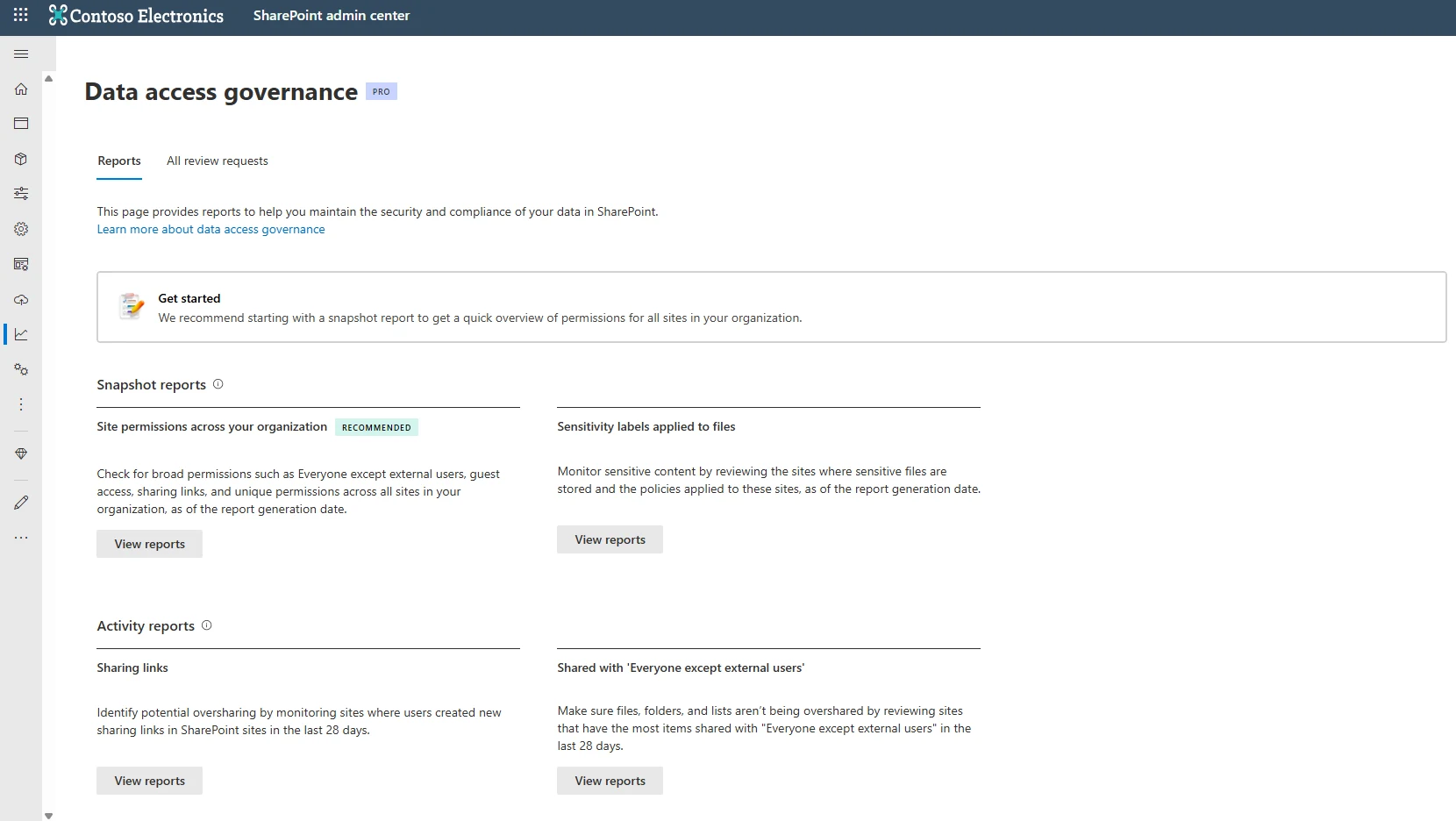
Permissions on long-accumulated content are usually broader than intended and are reviewed before an assistant can read it. Microsoft's data access governance reports help administrators discover sites containing potentially overshared files.
SharePoint
Snapshot reports identify sites with the broadest access, such as locations with thousands of users, external guests, or everyone except external users permissions.
AI readiness assessment process
Moving from an initial discussion to a completed roadmap requires structured conversations with the people who manage your network and the staff who do the work.
- 1
First conversation
Initial discussion to understand your business, identify obvious document bottlenecks, and determine if an assessment fits your situation.
- 2
Free short review
Answered in writing, usually about a week after the first conversation. Covers document location, tenant readiness, and the first job to build.
- 3
Staff interviews
Candidate jobs are drawn from interviews with the tenant administrator and two or three staff members who handle the repetitive work daily.
- 4
Full written assessment
Two to three weeks for a single-site business. Delivers a complete document written so any capable builder can work from it without CloudCentric.
Frequently asked questions
- Does the short review cost anything?
Short reviews cost nothing and are answered in writing, usually about a week after our first conversation.
- How long does a full assessment take?
Full assessments for single-site businesses normally take two to three weeks to complete.
- Who has to take part?
People who need to take part are your tenant administrator and two or three staff members who do the repetitive work.
- Can another company build from the written document?
Written documents are structured so that any capable builder can work from them without CloudCentric.
- How does it differ from a Copilot readiness check?
Copilot readiness checks cover only whether one license will work. Full assessments also cover work outside Copilot's scope, including a build order with dependencies.
- What if we already hold Microsoft 365 licenses?
Many Microsoft 365 firms already hold licenses that include capability they have not enabled. Assessments evaluate your current licensing prerequisites per tenant.
Plan your AI adoption
Book a conversation to discuss your workflow and find out if a readiness assessment makes sense for your office.