
Door codes for rentals
Custom door codes for every booking
Connect your booking calendar to a keypad at the door, giving guests and cleaners their own PIN for their scheduled time.
Pick your property type
Every rental setup has different demands. Select your situation to see exactly what goes on your doors.
You run one Airbnb
Guests get a unique code generated from your calendar link, replacing your Airbnb lock box. After checkout, their PIN stops working automatically.
- Codes created from your calendar link.
- Guest PIN stops working at checkout.
- Readers withstand weather with IP55 rating.

You manage several properties
CloudCentric sets up a connection reading your management system. Dashboards show active visitors and recent unlocks across all your rentals.
- Connections read your property-management system.
- Dashboards show active visitors and logs.
- Staff use Apple Wallet or Google Wallet.
You live out of town
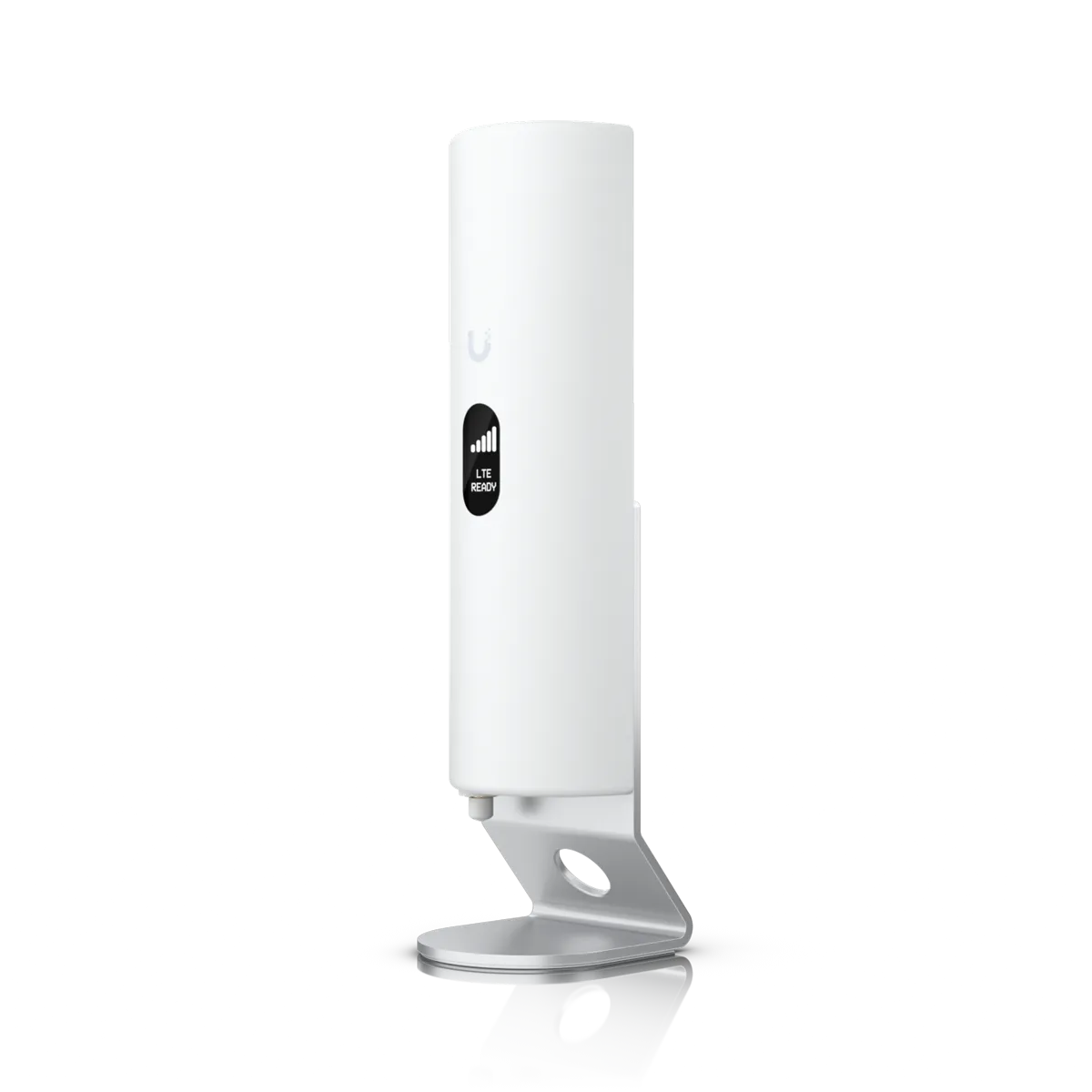
Cellular backups keep your door connected if your internet drops. Cleaners and trades get scheduled PINs so maintenance stays on track.
- Cellular backups use your AT&T SIM.
- Schedules stay on controllers during outages.
- Trade codes limited by day and hour.
You have gates or pools
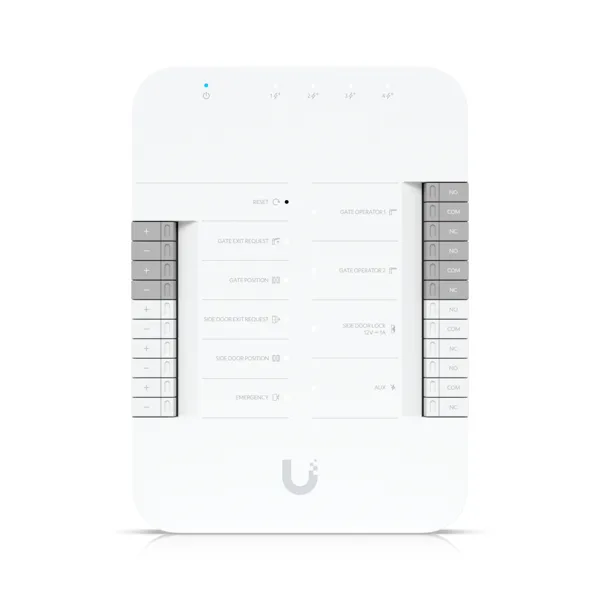
Gate hubs control driveway and pool access. A guest code opens only the specific doors and gates authorized for their visit.
- Gate hubs control driveway and pools.
- Visitors open only their assigned doors.
- Salt air hardware specified for beaches.
You rent out multiple units
Multiple hubs run several powered locks independently. One guest code can open the main entrance and their specific room door.
- One hub runs one door or gate.
- Guests receive access to specific doors.
- Logs list every entry by person.
Timeline for Airbnb self check-in
Slide the clock to see a guest code activate at check-in and deactivate at checkout. Canceling a booking revokes the guest credentials.
- Thu 4:00 PM Check-in: the guest code starts
- Sun 10:00 AM Checkout: the guest code stops, the cleaner code starts
- Sun 4:00 PM Next check-in: the cleaner code stops
Dates and times shown are an example.
Booking link to door code
CloudCentric reads your Airbnb calendar, Vrbo export page, or property-management system. A connection creates a visit with a start and end time, assigning a PIN for the stay.

Keypad at the door
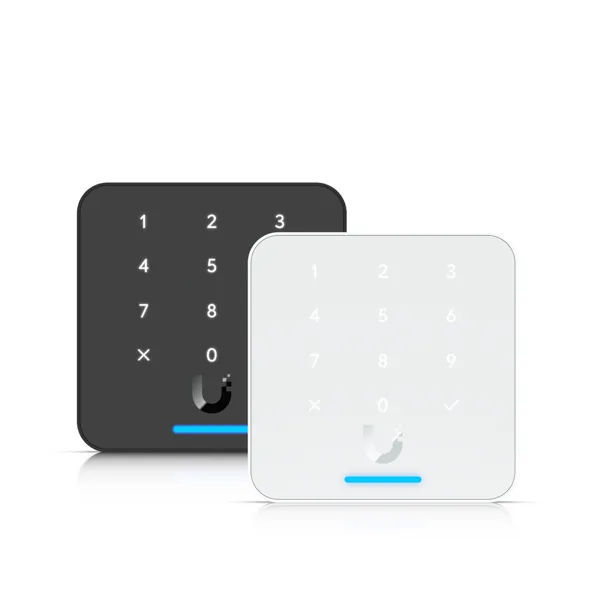
Palm-sized readers measure 3.3 by 3.3 inches and take a standard PIN, so guests without a smartphone get in easily.
Assigned doors and gates
Guest codes only open specific access points. PINs unlock assigned front doors, pool gates, or elevators while keeping other areas secured.
- Front doorOpens for the stay
- Pool gateOpens for the stay
- Driveway gateOpens for the stay
- Owner's closetStays locked
Cleaners and trades
Cleaning teams and pool service get a weekly schedule by day and hour, granting entry exactly between checkout and the next check-in.

Real device screens
Picking a person shows their real screen, revealing exactly what they see on their own device.
Email or text invitation
Visitors receive visit details and entry instructions. Invitations arrive by email or text message with their schedule and assigned PIN.

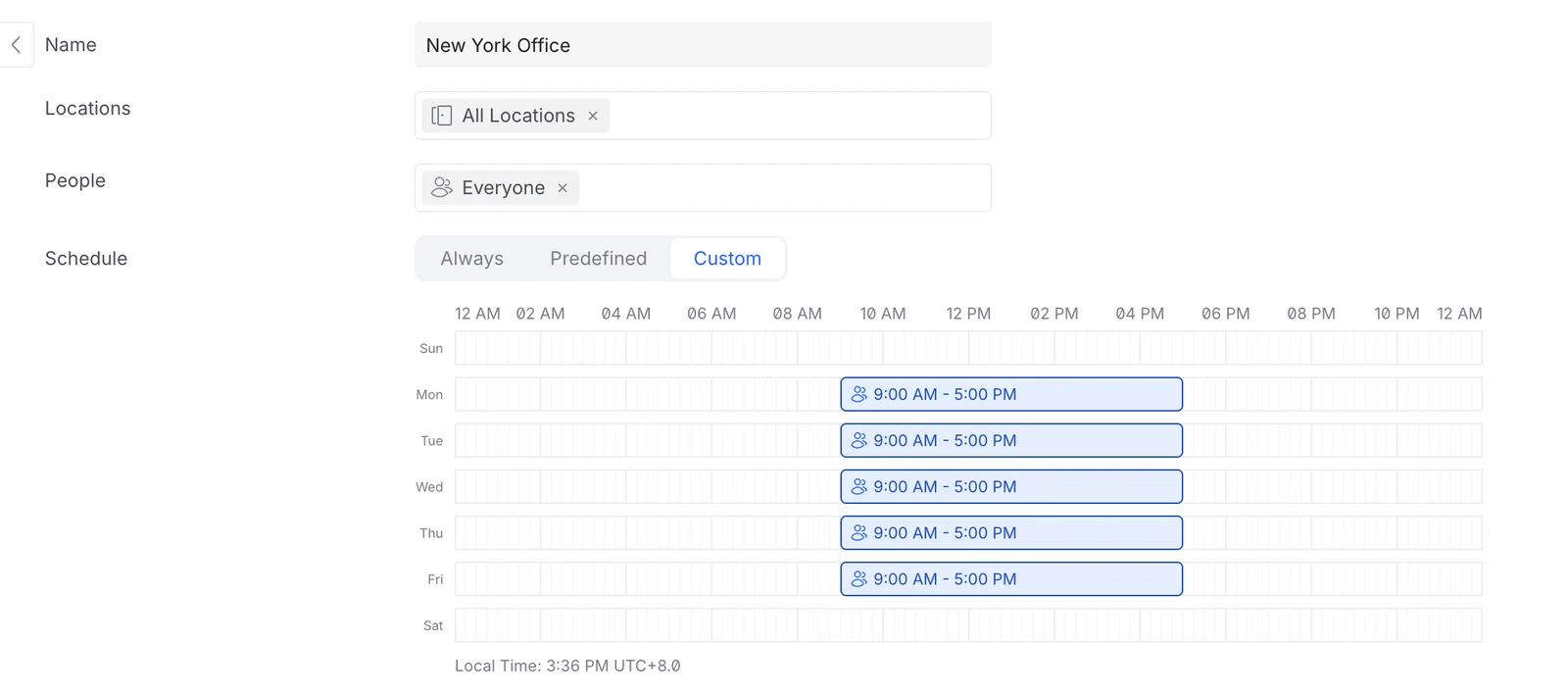
Weekly schedule grid
Grids display a weekly schedule by day and hour, so a cleaner's code works only from checkout to next check-in.
Dashboard and logs
Dashboards display active visitors and recent unlocks. Logs list each entry by person, door, and time.

Access hardware
Keypad readers, door hubs, gate hubs, and cellular backups form a complete access system.
Cellular and offline backup
Controllers hold credential lists and schedules locally, maintaining access during internet outages. Cellular backups using your AT&T SIM card keep the system online.
Installation process
- 1
Property review
CloudCentric reviews your home and checks specific door requirements.
- 2
Hardware mounting
Readers go beside your doors, connecting to small hubs inside that run powered locks.
- 3
Calendar connection
Bookings connect to your doors using Airbnb, Vrbo, or your management system.
- 4
Final handover
App access, logins, and fully working keypads complete your new system.

Frequent questions
- Can cleaners get a code that works only between checkout and the next check-in?
Yes, cleaners and trades receive weekly schedules by day and hour. PIN codes stay restricted to specific cleaning windows.
- What happens to the code if a guest cancels?
Canceling a visit revokes the guest credentials. PIN codes no longer open the assigned doors.
- Can guests without a smartphone get in?
Keypad readers take a standard PIN. Visitors just type their assigned numbers to open doors.
- Does this work with Airbnb, Vrbo and a property-management system?
CloudCentric sets up the connection for each home, reading Airbnb calendar links, Vrbo export pages, or your property-management system.
- What happens if the internet goes down?
Schedules stay on controllers inside your building. Doors keep working offline, and cellular backups can maintain connections with your AT&T SIM card.
- Can this replace the lockbox?
Yes, keypad readers take over primary access. Visitors enter their assigned PIN, while owners or staff can tap a phone.
- Is this the same as a smart lock for a rental property, or what goes on the door?
Readers go beside your door, while a small hub inside runs a powered lock. CloudCentric reviews your specific door during your walkthrough.
Secure your rental doors
Book a walkthrough or call (844) 422-7000 to get started.