Local rental security
Airbnb camera rules and vacation rental cameras
Compare published Airbnb and Vrbo rules for cameras and noise monitors placement by placement, and see outdoor camera locations at entrances and driveways that fit both platforms.
Camera rules by placement
Tap a spot on the house to see platform requirements for that location.
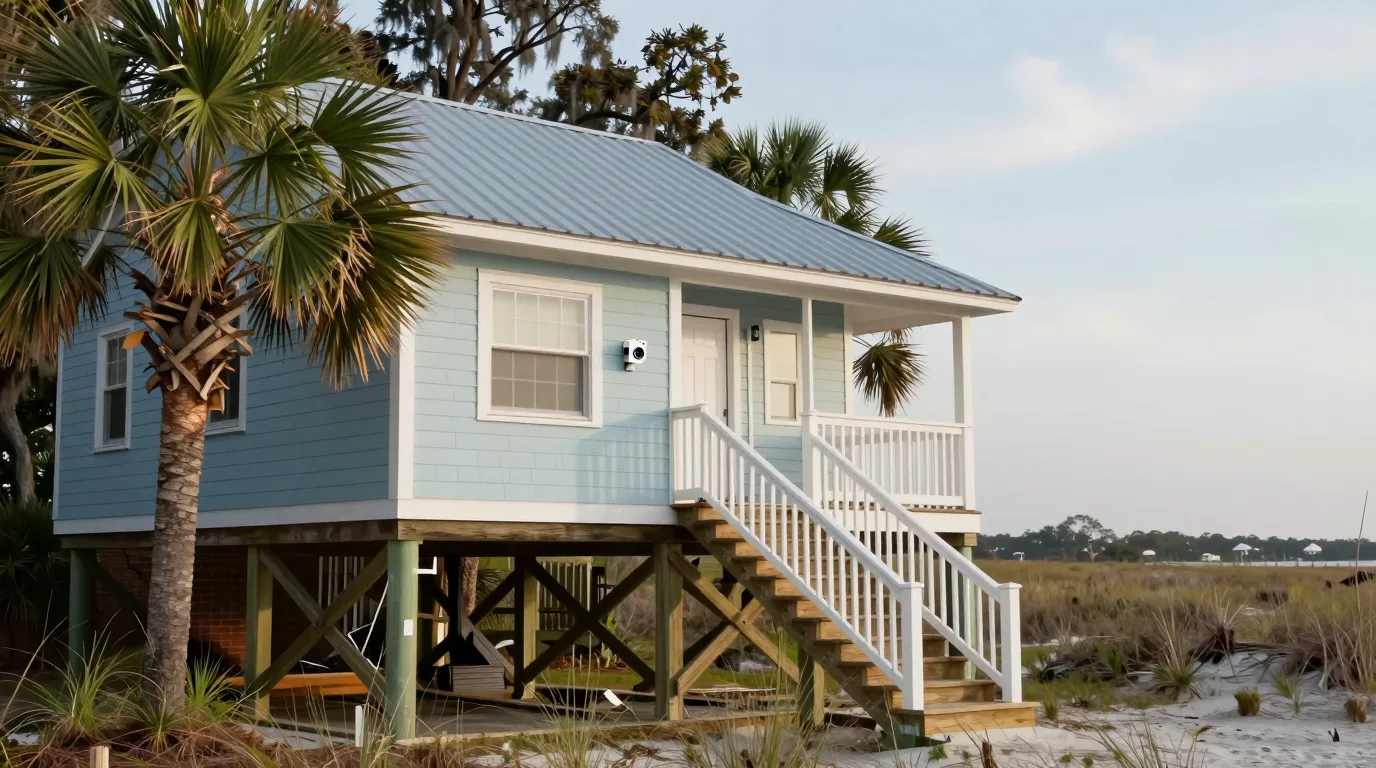
Front door
AirbnbAllowed when disclosed
Airbnb's page allows exterior security cameras and recording devices when disclosed in the listing.
VrboAllowed when disclosed
Vrbo's policy allows outdoor cameras monitoring access points if location and coverage are disclosed in the listing.
Outdoor cameras go beside the entrance to monitor access points.
Rules come from platform pages opened November 9, 2026. Local laws and current platform wording govern. Call (844) 422-7000 for details. Airbnb: Restrictions on security cameras and other devices in homes · Vrbo: Surveillance Devices Policy
Platform listing requirements
Airbnb and Vrbo require camera disclosures in the listing. Vrbo policy requires specific location and coverage details. Each camera's location and coverage area is written down at handover so the owner can paste it into the listing.
Airbnb disclosure
- Exterior cameras allowed
- Indoor cameras prohibited
- Disclose all devices
Vrbo disclosure
- Monitor access points
- Disclose location coverage
- Photo is insufficient
- Disclose pool visibility
Privacy zones and coverage settings
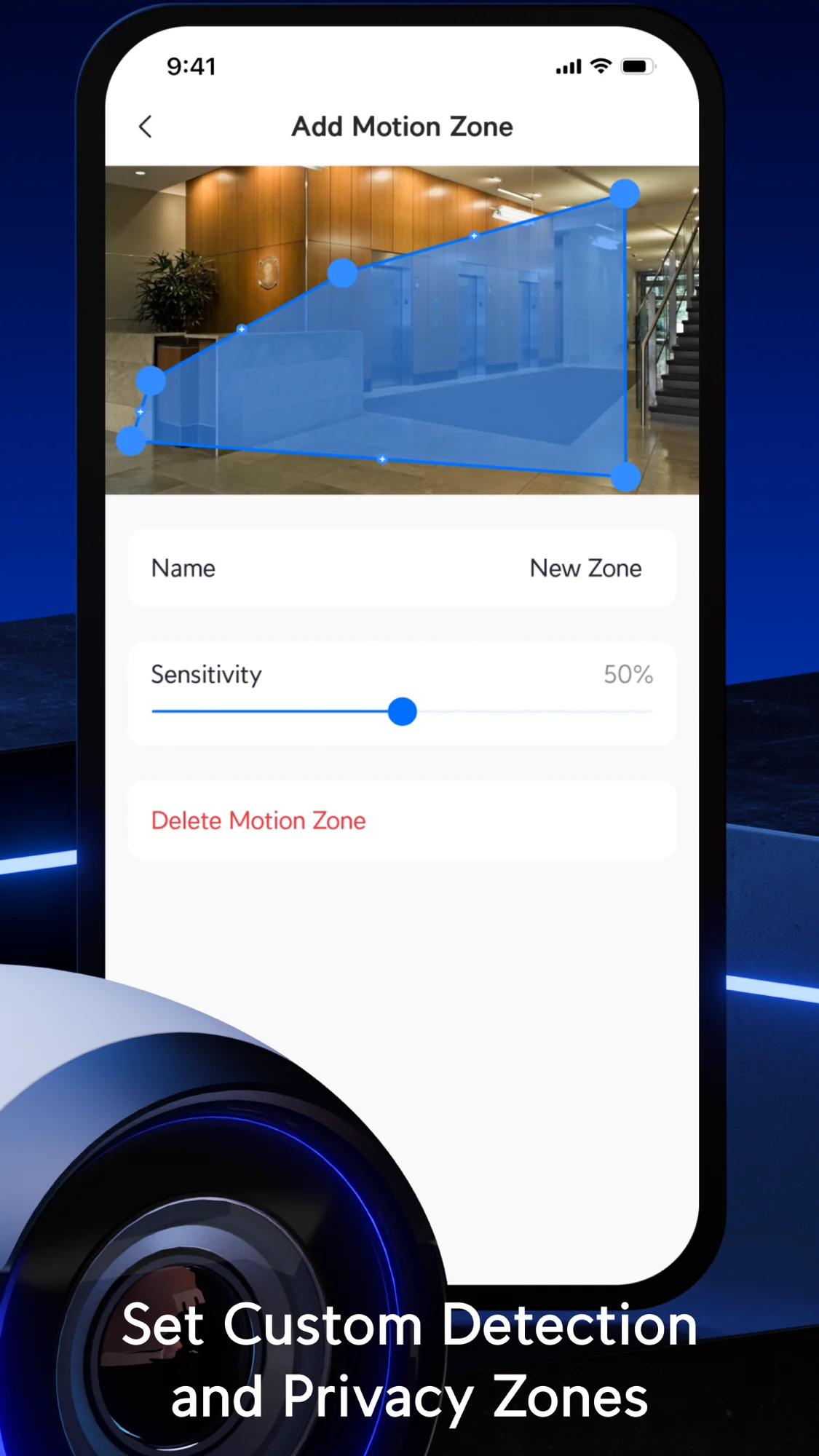
Privacy zones are regions that are not recorded and show as blacked out. App settings allow blacking out sensitive areas per camera.
- Privacy zonesRegions show as blacked-out images and are not recorded.
- Entrance coverageOutdoor cameras cover the entrance and the driveway or parking, meeting Vrbo's access-point rule.
- Handover notesLocation and coverage text is provided for the listing.
Noise and motion monitoring
Noise monitors report sound level and duration while recording no audio. Both platforms allow noise devices when disclosed. Battery-powered sensors monitor door states without video or audio.
- Noise monitorSound level and duration reports without audio recording.
- Door sensorBattery sensors report motion and door state without audio or video.

Weather-rated outdoor cameras
G6 Bullet and G6 Turret handle open weather with 4K video, paired with a weather-rated Doorbell Lite and a smaller G5 Flex for covered porches.
Installation process
- 1
Survey the house
Walkthrough identifies camera spots and network requirements.
- 2
Decide camera spots
Camera locations and coverage areas are mapped against platform rules.
- 3
Install with privacy
Cameras are mounted and zones are set to black out private areas.
- 4
Hand over text
Location and coverage descriptions are provided for the rental listing.

Frequently asked questions
- What does Airbnb's page say about indoor cameras?
Airbnb hosts may not have cameras or recording devices monitoring indoor spaces since April 30, 2024, even if turned off.
- Is an outdoor camera allowed on Airbnb?
Airbnb's page allows exterior security cameras and recording devices if disclosed in the listing.
- What does Vrbo's policy require of an outdoor camera?
Vrbo's policy requires cameras to monitor access points and have their location and coverage disclosed in the listing.
- What should I do when a camera can see the pool?
Vrbo's policy requires disclosure in the listing and on-site if a camera can see any part of a pool or hot tub.
- Is a noise monitor allowed on each platform?
Both platforms allow noise monitors if disclosed. Airbnb prohibits them in bedrooms or bathrooms. Vrbo requires no audio recording.
- Is this page legal advice?
Platform rules and local laws govern, and the page provides no legal advice. Call (844) 422-7000 to review camera options.
Coastal rental camera setup
Call (844) 422-7000 to review camera placements for a Charleston area rental.