
Mount Pleasant email services
Email migration to Microsoft 365
Your mail, calendar and contacts move to Microsoft 365 while your old system keeps receiving mail until your address switches.

Managed IT support
Office 365 migration for Charleston and Savannah businesses
CloudCentric sets up business email on your domain in Microsoft 365. Moving mail requires changing DNS records. We manage your DNS in one place and set up your staff so your old server or provider can retire safely.
- 1
Choosing your migration path
We pick a migration path matching your current mail setup, whether you use an old server, Google Workspace or a web host.
- 2
Copying mail in the background
Mail copies to Microsoft 365 while your old mail system keeps working and receiving new messages normally.
- 3
Switching your address safely
Address routing switches only after testing the copy. Your MX record changes to point new mail directly to Microsoft 365.
Four email migration paths to Microsoft 365
Microsoft provides four main ways administrators move mail into Microsoft 365. Each path depends on your current email platform and sets rules for data limits, item types and security requirements.
Pick your current setup
Items moved
Items left behind
Data limits
Comparing platform data support
Migration paths handle user information differently. Your current email platform determines your options for copying older messages and contact records.
| Exchange server | Google Workspace | IMAP mail system | Another Microsoft 365 tenant | |
|---|---|---|---|---|
| Yes | Yes | Yes | Yes | |
| Calendar | Yes | Yes | No | Yes |
| Contacts | Yes | Yes | No | Yes |
| Set up first in Microsoft 365 | Nothing; the migration creates the mailboxes | Mail-enabled users | A licensed mailbox for each user | Mail users with matching attributes |
| Limits | Fewer than 2,000 mailboxes | 35 MB largest message by default | 500,000 items per mailbox; 35 MB largest message | Up to 2,000 mailboxes per batch; mailboxes on hold blocked |
Sources, Microsoft Learn, checked November 7, 2026: ways to migrate email, cutover migration, Google Workspace migration, IMAP migration, cross-tenant mailbox migration.
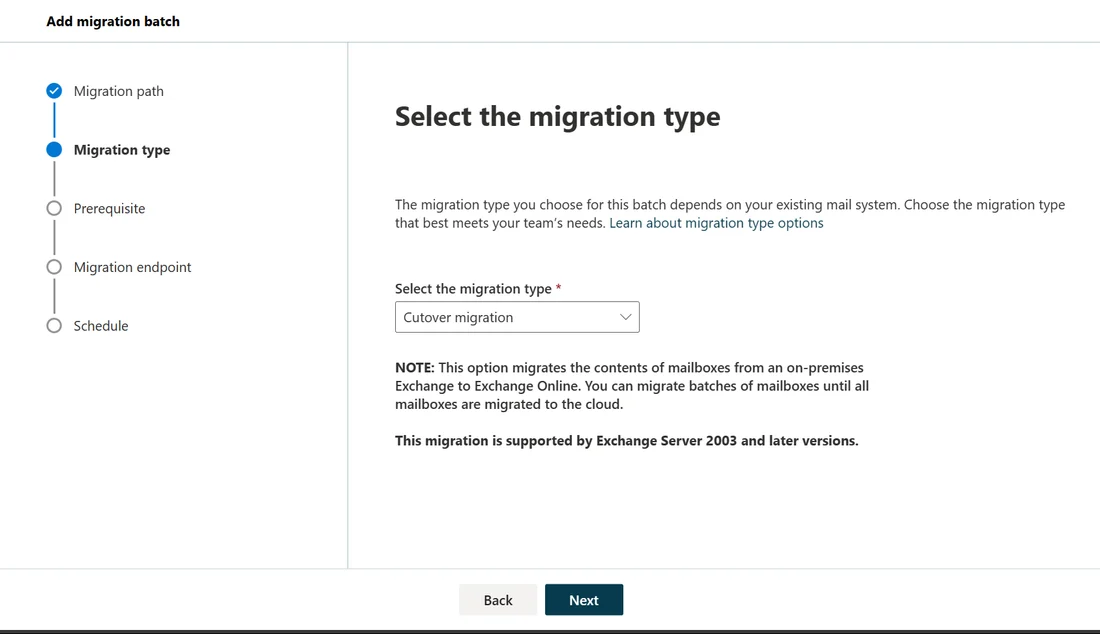
Adding a migration batch in Microsoft 365
Administrators use the Exchange admin center to connect systems. Building a batch requires settings and credentials so Microsoft 365 reaches your source server.
View admin center steps
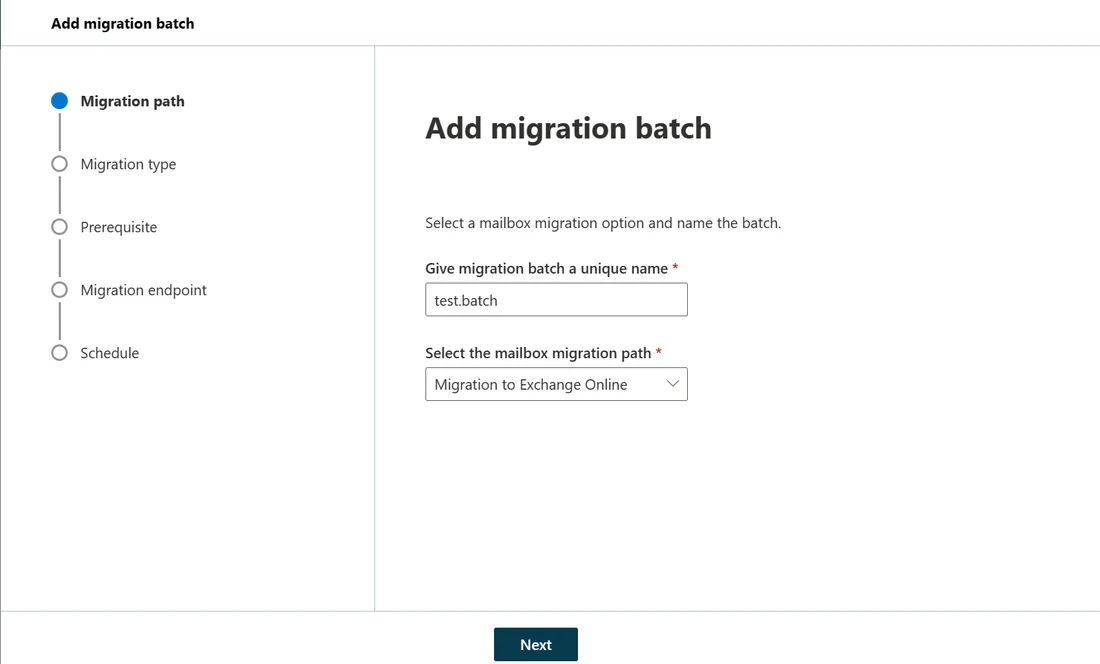
Migration steps from planning to switch
Moving mail involves setting up domains, testing connections and changing DNS records. Careful timing keeps your mail flowing during your switch.
Follow process stages
Sources, Microsoft Learn: cutover migration (time-to-live, 72-hour wait, licenses, Autodiscover) and Gmail IMAP migration (test batch). Checked November 7, 2026.
Finding your business path
Different businesses need specific migration plans. Your current setup and company size dictate your most likely path and next steps.
Select your business type
Related IT services
Important migration facts and limits
Certain settings require attention before starting your move. Reviewing current configurations prevents missing records and broken meeting links.
Archival policies hide messages
Microsoft strongly recommends turning off messaging records management and archival policies before migrating mail. Messages deleted or moved to an archive by these settings show as missing.
New Outlook profiles needed
Staff need new Outlook profiles after a cutover migration. Profiles can also fail to connect after a cross-tenant move because primary addresses change.
Teams links and chat folders
Teams meeting links do not update after a cross-tenant move, requiring recreated meetings. Teams chat folder content does not migrate.
Google items left behind
Shared calendars, event colors, room bookings, vacation replies and Gmail tags do not move during a Google Workspace migration.
Common business migration questions
- What moves in an Office 365 migration?
An Exchange migration moves email, calendar and contacts. Google Workspace paths move mail, rules, calendar and contacts. IMAP migrations move only inbox items and mail folders.
- Does the old mailbox keep receiving mail during the copy?
Your old system keeps working normally while messages copy in the background. Mail lands at your old mailbox until your MX record switches.
- Does IMAP move my calendar and contacts?
IMAP migration only moves items in your inbox and other mail folders. Contacts, calendar items and tasks stay on your old system.
- What is an MX record and when does it change?
An MX record tells other systems where to deliver your mail. Changing your record points new messages to Microsoft 365, and address routing switches only after testing your background copy.
- What does a tenant to tenant migration need?
Cross-tenant moves require a per-user Cross Tenant User Data Migration license. Target tenants need a Microsoft Entra application with migration permissions, and source tenants need mail-enabled security groups.
- Does a migration lose messages sent after the batch is deleted?
Mail sent to source mailboxes after deleting your migration batch is not copied to Microsoft 365. Wait at least 72 hours after switching your address before deleting batches.
Plan your Microsoft 365 mailbox migration.
Book a conversation with CloudCentric to plan your path to Microsoft 365.