Managed IT services
IT support for nonprofits on the coast
We keep Microsoft 365 for nonprofits set up and supported from Charleston to Savannah.
Licenses and ongoing support
Nonprofit IT services for staff and volunteers
Microsoft decides who qualifies and what is offered. CloudCentric keeps your accounts, devices and backups running every day.
Microsoft nonprofit offers
- Validation partners review your organization registration
- Microsoft grants and discounts approved software licenses
- Microsoft decides eligibility at its sole discretion
CloudCentric IT support
- Moves users onto the right licenses inside your admin center
- Help desk for staff and volunteers by phone, email or Teams
- Backup and security built around your Microsoft account
Support for groups across the coast
Managed IT means one provider runs computers, networks and security on an ongoing basis. Round-the-clock monitoring raises automatic tickets when failing backups or full disks cross a threshold.
Common IT needs
Microsoft 365 for nonprofits details
Information in every card was checked on Microsoft's own pages on November 2, 2026. Microsoft decides eligibility at its sole discretion.
Microsoft can change terms at any time. Microsoft's own pages remain the final word.
Administration inside your Microsoft environment
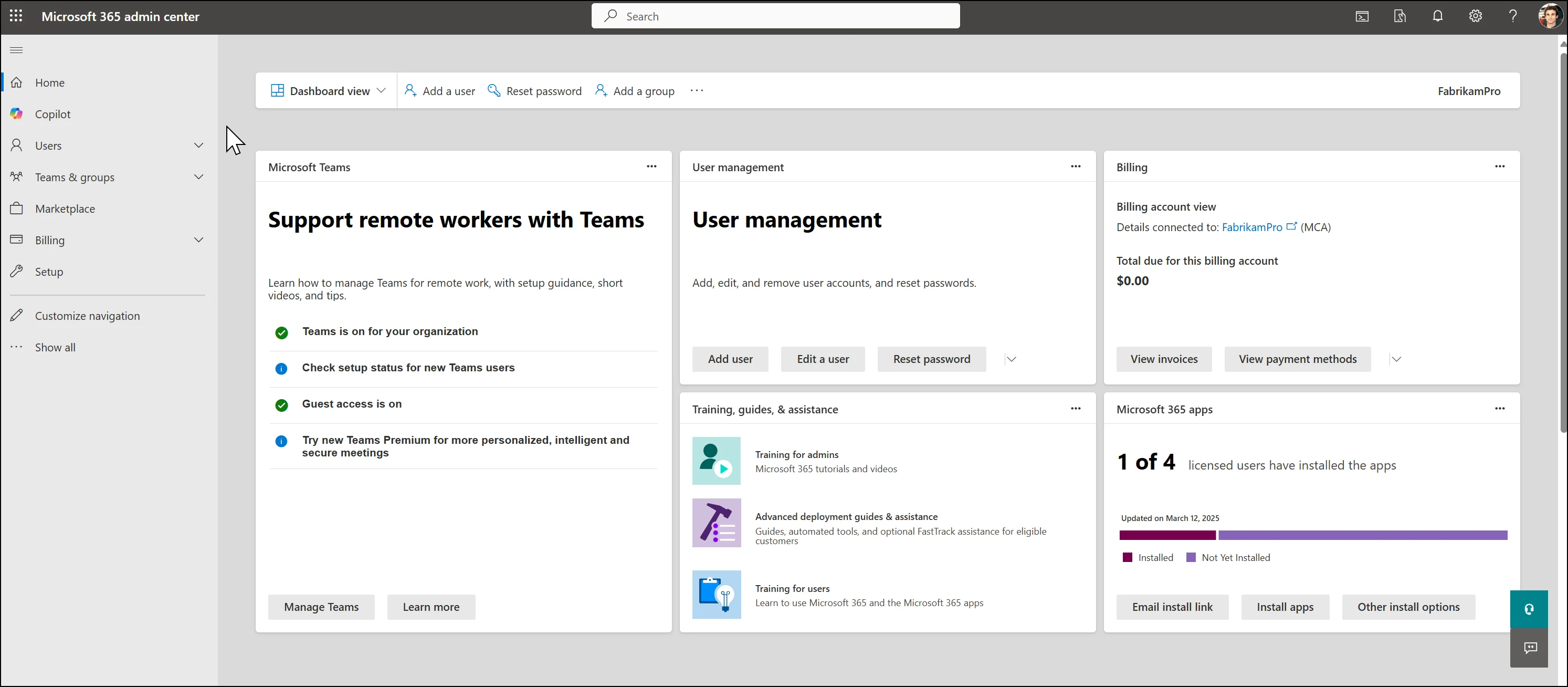
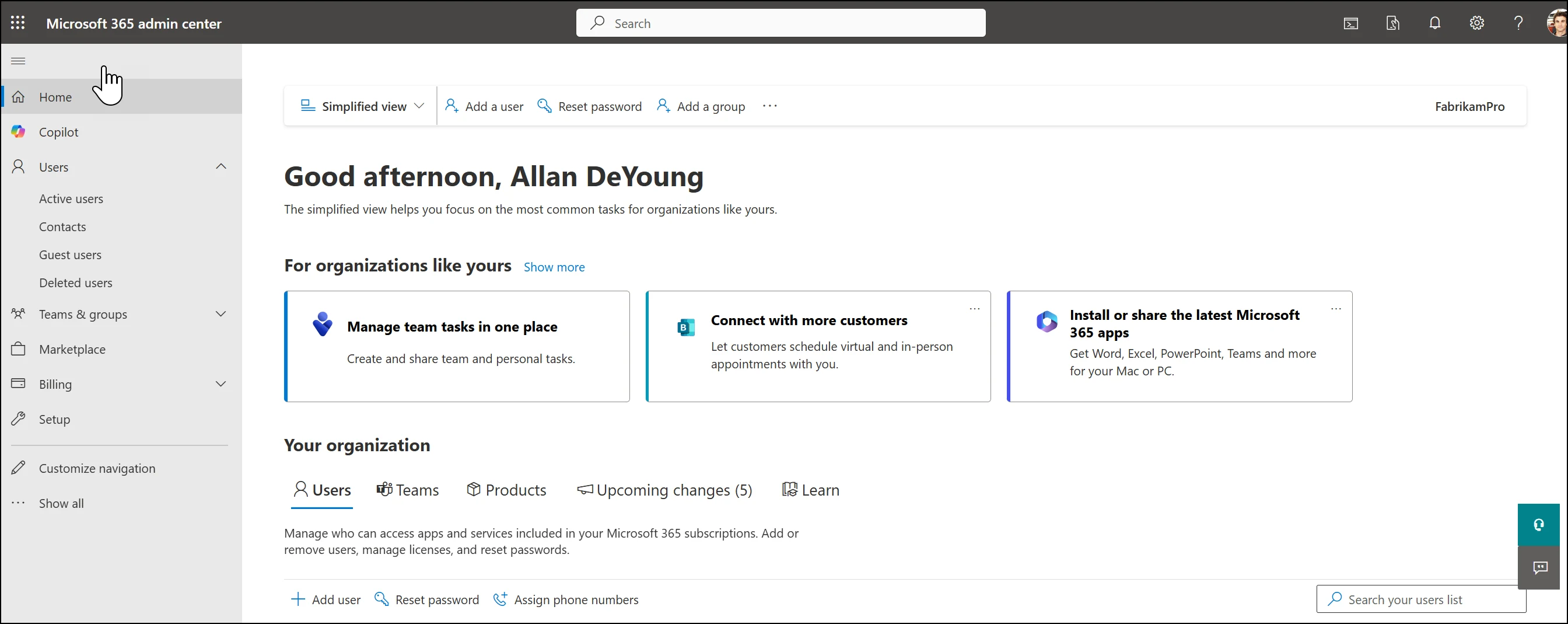
Administrators add users, reset passwords, assign licenses and manage billing for the organization inside the Microsoft 365 admin center. License transitions are done manually.
Admin center home in the dashboard view displays User management, Billing and Microsoft 365 apps cards.
Admin center home in the simplified view highlights the Users menu alongside Add a user and Reset password actions.
Images shown are Microsoft's own samples sourced directly from Microsoft Learn.
Steps to secure your workspace
CloudCentric handles setup and transitions after your organization receives approval. Remote help desk engineers monitor systems continually.
- 1
Register with Microsoft
Organizations submit details to the Microsoft Nonprofit Hub for review by validation partners.
- 2
Confirm licenses in the tenant
Administrators select Business Basic grants or another nonprofit offer to confirm approved licenses sit inside your tenant.
- 3
Move users onto them
Engineers manually replace old licenses with nonprofit grants or discounts before canceling previous subscriptions.
- 4
Set up devices and backup
Monitored backups secure mailboxes and files, while computers receive essential updates and security policies.
- 5
Support staff and volunteers
Help desk technicians resolve locked accounts, network problems and printer issues remotely via phone or Teams.
Frequent questions about nonprofit IT
- What does Microsoft give nonprofits for Microsoft 365?
Microsoft provides eligible nonprofits up to 300 granted licenses of Microsoft 365 Business Basic. Discounts of up to 75 percent apply to many other Microsoft 365 offers, including Business Premium and Business Standard.
- Who decides whether an organization qualifies?
Microsoft decides eligibility at its sole discretion. Designated third-party validation partners review your registration submitted through the Microsoft Nonprofit Hub and Microsoft emails the final outcome.
- Can our volunteers have licenses?
Discounts can be used for nonprofit staff and volunteers. Granted licenses are permitted only for paid nonprofit employees and unpaid executive staff who act as nonprofit leadership.
- What happened to the free Business Premium grant?
Microsoft discontinued Business Premium grants effective July 1, 2025. Licenses from those grants expire on the next renewal date and do not renew automatically.
- Do we have to keep our granted licenses in use?
Microsoft requires grantees to maintain at least 85 percent active usage of granted licenses. Organizations must remove unused grant licenses and complete regular attestations to donor rules.
- What ongoing IT support does CloudCentric provide?
CloudCentric manages computers, networks and Microsoft 365 security on an ongoing basis. Help desk technicians handle password resets, locked accounts, and device problems while automated systems monitor backups continuously.
Reliable IT support from Charleston to Savannah
Call our team at (844) 422-7000 or book a walkthrough to secure your organization's computers and Microsoft environment.