Upcoming Schedule and Visit Timeline
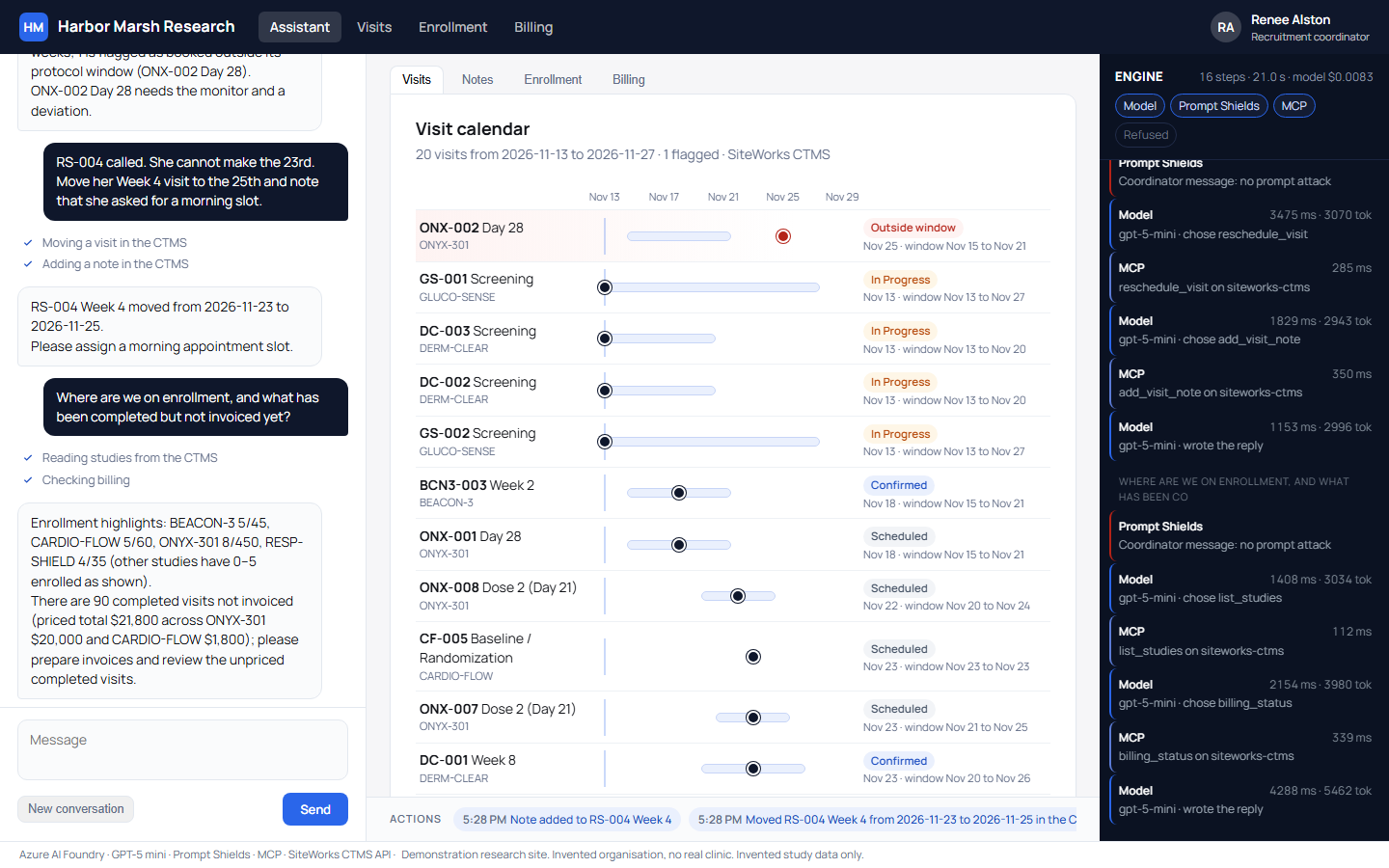
In the recorded session, the coordinator asks what is coming up in the next two weeks. The screen displays a visit timeline where each protocol window appears as a band, the booked date appears as a dot, and any visit outside its window shows at the top. The timeline shows 18 visits across the active studies.
Flagging Out of Window Visits
The copilot flags one participant's Day 28 visit booked for Wednesday, November 25 when its protocol window closes Sunday, November 22. Instead of quietly moving the visit, the copilot states that the situation needs the monitor and a protocol deviation. The copilot flags these events for people rather than making protocol or regulatory decisions.
Updating Visits and Audit Logging
The coordinator asks to move another participant's Week 4 visit from the 24th to the 25th and note a preference for a morning slot. The copilot moves the visit inside its protocol window and writes the note into the CTMS. The timeline redraws, and the action bar logs both changes.
Because the copilot acts as a named site user, every change and note appears under that user in the system's own audit trail. A visit is saved before its first change so it can be restored. Completed visits cannot be moved, and visits cannot be booked in the past.
Tracking Enrollment and Completed Visits
The coordinator asks about enrollment and completed items. Enrollment bars show progress against target. The system shows 94 visits completed since each study's last invoice, with 11 of them itemized, alongside 15 unpaid participant stipends.
Sponsor invoices in this CTMS tie to a study rather than individual visits, so completed items reflect activity since the study's latest invoice. Participant stipends attach directly to each visit.
Server Integration and Session Costs
An MCP server sits between the copilot and the CTMS API, offering six tools: studies, visits, billing, move a visit, confirm a visit, and add a note. It signs in as an ordinary site user, reads eight named tables and views, changes 3 fields on 1 visit at a time, and never deletes data.
System guards handled issues surfaced during development. When the AI once miscounted 18 visits against 20 on screen, tools were updated to return their own totals. A test now validates billing figures, and CTMS security applied when a development account locked after 5 unsuccessful sign-ins.
The copilot operates through a system's API where one exists, running 1 agent across existing site software. The recorded session took 15 engine steps and 23.4 seconds of agent time, costing under one cent of model time per session.
SiteWorks is built by CloudCentric. If your site's software has an API, an assistant like this one can work inside it. Call (844) 422-7000 and we'll show you the demo.