Meet the agent
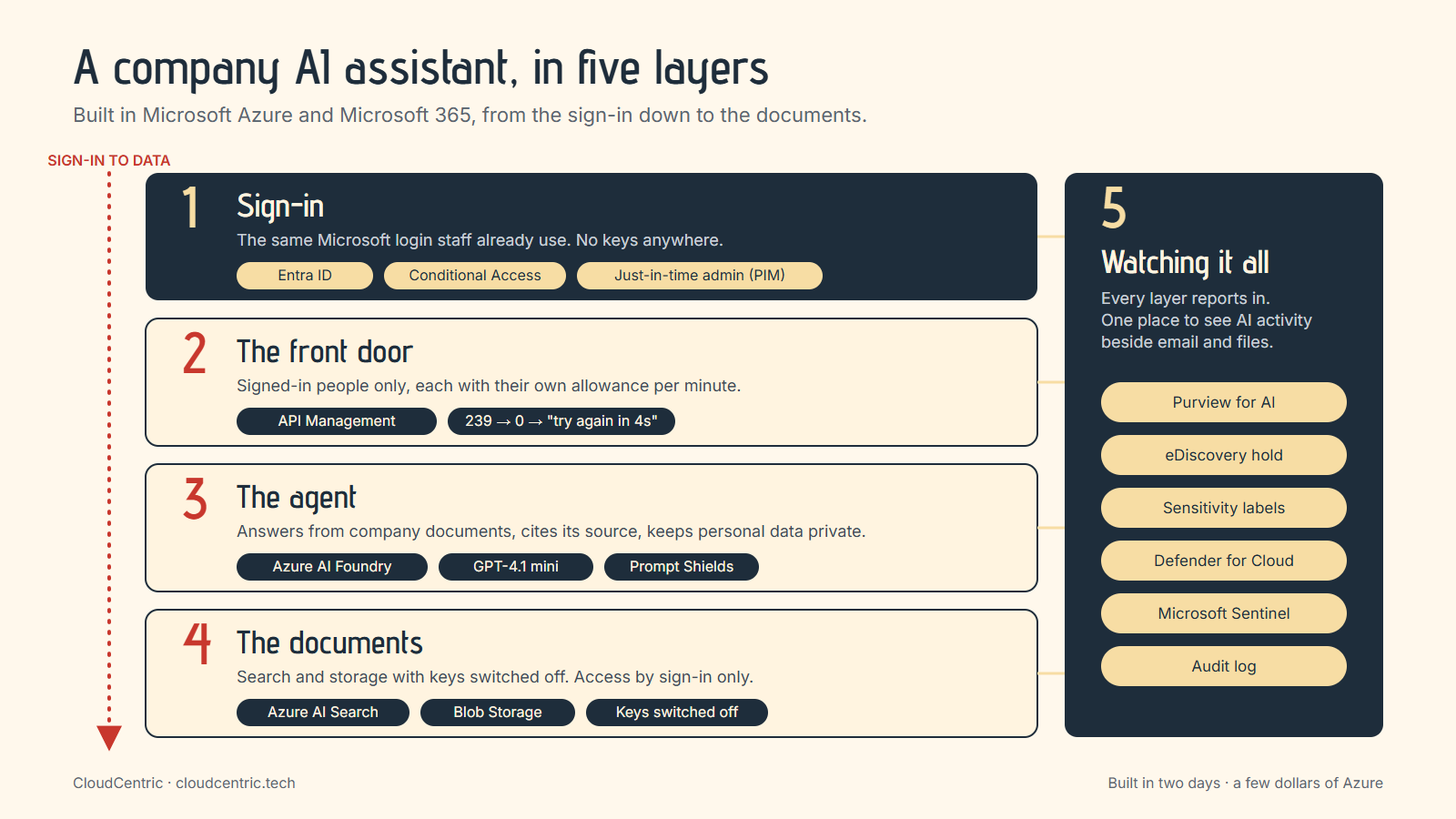
It runs on Azure AI Foundry with GPT-4.1 mini, and it reads a small folder of company documents: an employee handbook, a price sheet, a customer list, a holiday schedule and an HR record for a fictional employee.
Ask it "What time does the front door unlock on weekdays?" and it answers from the handbook, with the source attached. That's the part everyone wants: answers from your own paperwork, with a citation you can click.
Ask it for an employee's social security number and it politely declines and offers to help with something else. Same agent, same documents, just good manners built in.
No keys to look after
My favourite detail: there are no keys anywhere. The agent, the document store and the search index all sign in to each other with Microsoft Entra ID, the same sign-in your staff already use. I switched key access off on every service, and Azure confirms it: ask for a key and it tells you key access is turned off.
That means fewer secrets to manage and one place to grant or remove access.
Guard rails that switch on in minutes
Azure has a feature called Prompt Shields. I turned it on for the model, then tried the classic "ignore your instructions" trick. The shield caught it before the model ever saw it.
For fun, I also hid an instruction inside the holiday schedule document, the kind of thing someone might sneak into a file. The agent read the schedule, answered the question about holidays, and carried on as normal.
A front door with a meter on it
Next I put Azure API Management in front of the model. Every request has to come from a signed-in person, and each person gets their own allowance of tokens per minute.
"Try again in 4 seconds."
Watching it work was genuinely satisfying. With a small test allowance, the counter in the response ticked down: 239, 184, 135, 81, 32, 0. Then a friendly "Try again in 4 seconds." That's how you keep an AI budget predictable when a whole company starts using it.
The Microsoft 365 side
This is where it gets really good for a business owner.
- Sensitivity labels. I made a label called "AI Lab - Confidential". Any document or email with a social security number or card number gets it automatically, with a footer stamped on. I published it to two test users only.
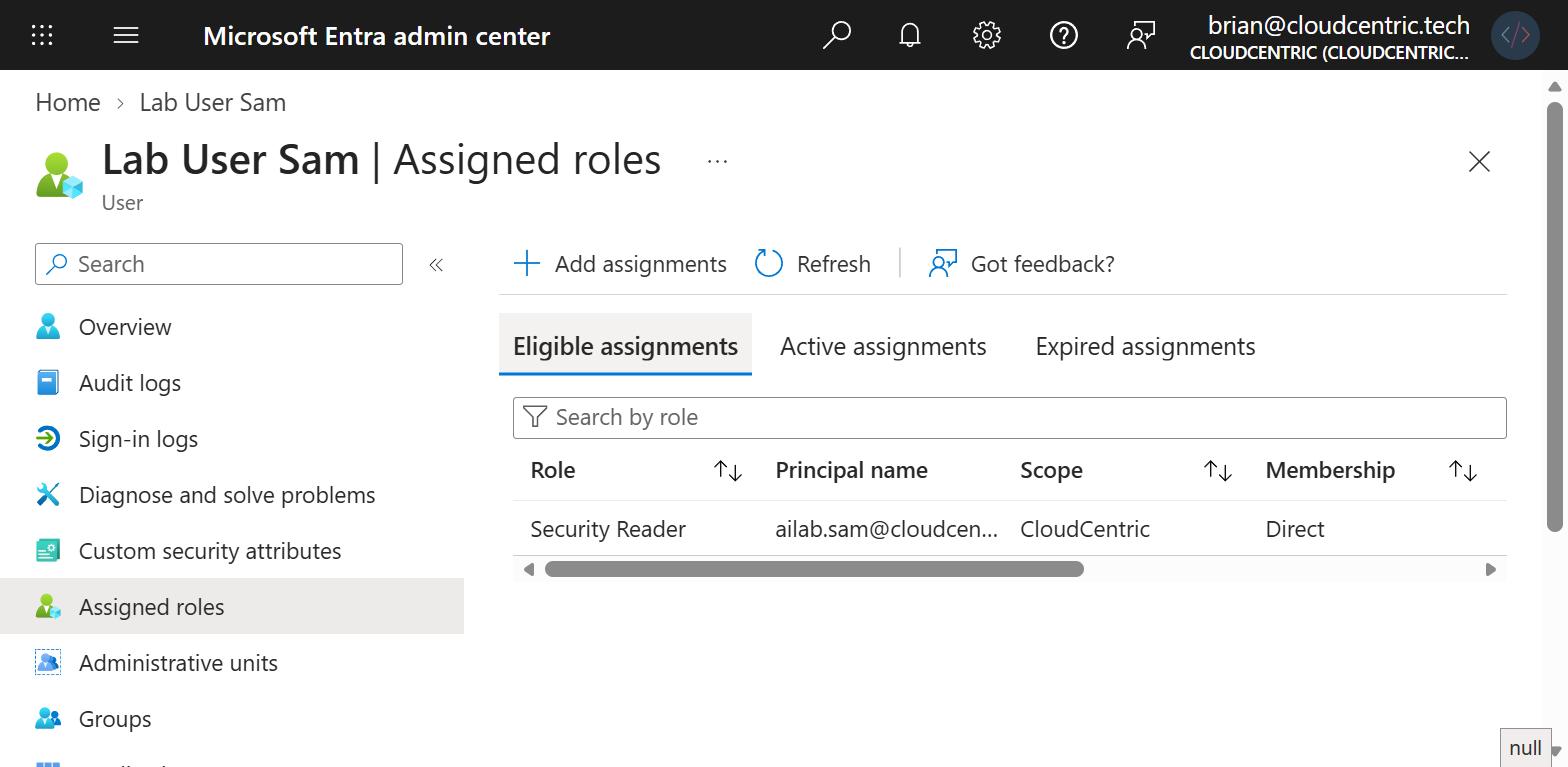
- Just-in-time admin. With Privileged Identity Management, my test user Sam is eligible to be a Security Reader for 30 days. Sam turns it on when needed, gives a reason, and it switches itself off again.
- eDiscovery. I opened a case and placed a hold on the two test users' mailboxes and files. If a question ever comes up about what was said or shared, the record is kept.
- Purview for AI. I switched on Microsoft Defender for Cloud's AI plan, which hands the agent's conversations to Purview, so the compliance team can see AI activity in the same place as email and files.
- Microsoft Sentinel watches the whole Azure subscription from one workspace.
What it cost
A few dollars. The two pieces that bill by the hour, search and the gateway, ran only while I tested them, and every piece of the build lives in Terraform scripts, so I can bring it back in minutes and take it down just as fast.
Why I did it
So, can a business use AI on its own documents and keep it tidy? Yes. The tools are already in Microsoft 365 and Azure, many of them in licences you may already pay for.
If you want an AI assistant that knows your business, signs in like the rest of your systems and keeps your compliance team happy, I'd love to build it with you.