We install security cameras in Charleston.
The software carries no licence fee, and footage records to a recorder in the building. The five clips below are the software itself, running.
Here is what the software does.
These cameras run on one piece of software. It identifies vehicles, plates, faces and people, records everything to a recorder in the building, and manages every camera from a single console.
Camera systems are usually sold with a monthly licence attached — a fee to record, a fee to view, a paid tier for the detection features. This one has no licence fee at all.
Each of the five clips below is a screen recording of that software in use, and each shows a different part of the system doing its job.
It describes what it saw in a sentence you can search.
The clip opens on an overhead view of a blue sedan crossing an intersection. The plate is resolved on screen — 842 XYZ — the vehicle is tagged Sedan, Blue, and a caption reads “A blue BMW driving through an intersection.” The clip goes on through a face under a recognition mesh, a phone answering a door call, and a person walking to a door. The system recognises vehicles, plates, faces and people, and writes down what it saw in a sentence you can search against later.
Any detection can trigger any action.
The rule being built here is named ‘Safety Violation – No Helmet’: a trigger, a scope of named cameras — Side Street 1, Construction Interior, Parking Lot — and an action, in this case a webhook posting straight into Slack. Triggers cover faces, plates, objects, activity and sensors; actions cover notifications, webhooks, door unlocks, sound, lights and PTZ.
The same disks hold years instead of weeks.
Sixteen drives, 224 TB, and an Enhanced Retention switch: full-quality recording is kept for 15 days, older footage steps down, and the estimate on screen rises to approximately 746 days. Recent events stay sharp while the same hardware holds years of history.
Every building fits in one window.
Live thumbnails from dozens of cameras — corridors, vehicles, a loading area — sit beside a map with a pin and a label on every site. Cameras in different buildings, and in different cities, appear in the same window.
The whole estate updates from one console.
The Site Manager table lists every camera and switch by name, status, model, firmware version and site — Dallas, Seattle, New York, Portland — with a single Update All control. The same console opens from a phone, tablet or browser over an encrypted connection.
The clips don’t show everything.
Six facts about the system that don’t need a video.
The software carries no licence fee.
The software is sold without a licence fee. There is no per-camera charge, no subscription to record or to view footage, and no paid tier for the detection features — everything in the clips above is included.
Recording happens on site
Footage writes to a recorder in the building. If the internet connection drops, the cameras keep recording.
A second copy leaves the building
Footage copies to OneDrive, Google Drive or Dropbox on a schedule, keeping an off-site second copy.
Audio registers as an event
Glass breaking, shouting or a car alarm is picked up the same way motion is, and can trigger the same alarm rules.
Cameras sit on a floor plan
A floor plan of the building can be loaded, putting every camera, door and sensor on a live map of the space.
One cable carries power and video.
Each camera needs a single cable, and that cable carries both power and video. Existing Cat5e or better cabling can often be reused; coaxial from an old analog system carries a different signal.
The five camera bodies
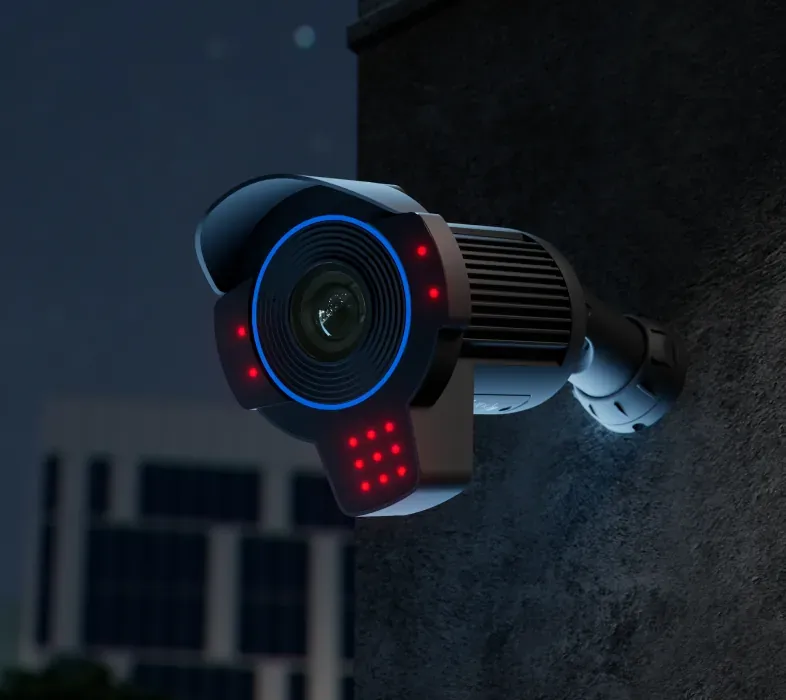
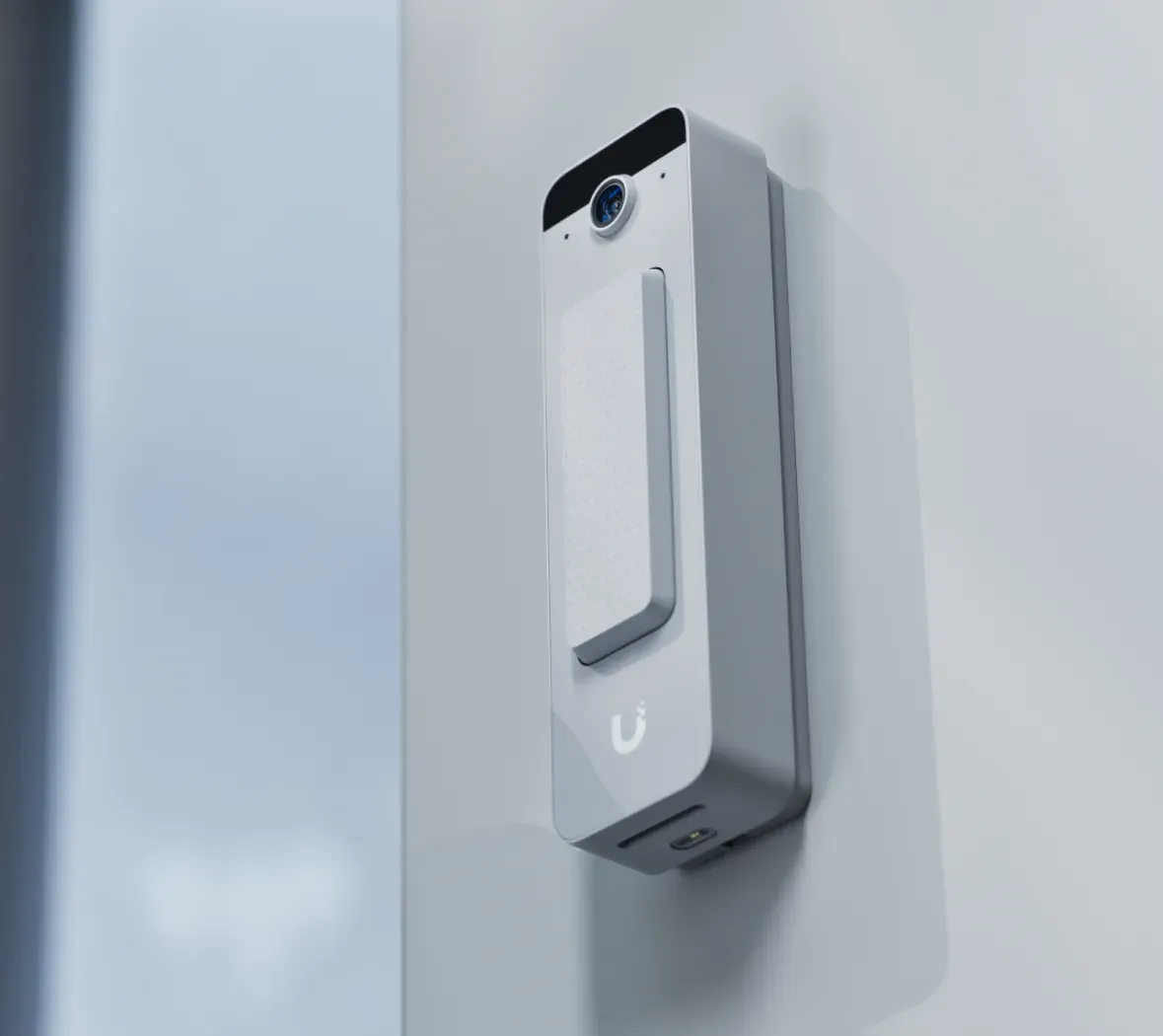
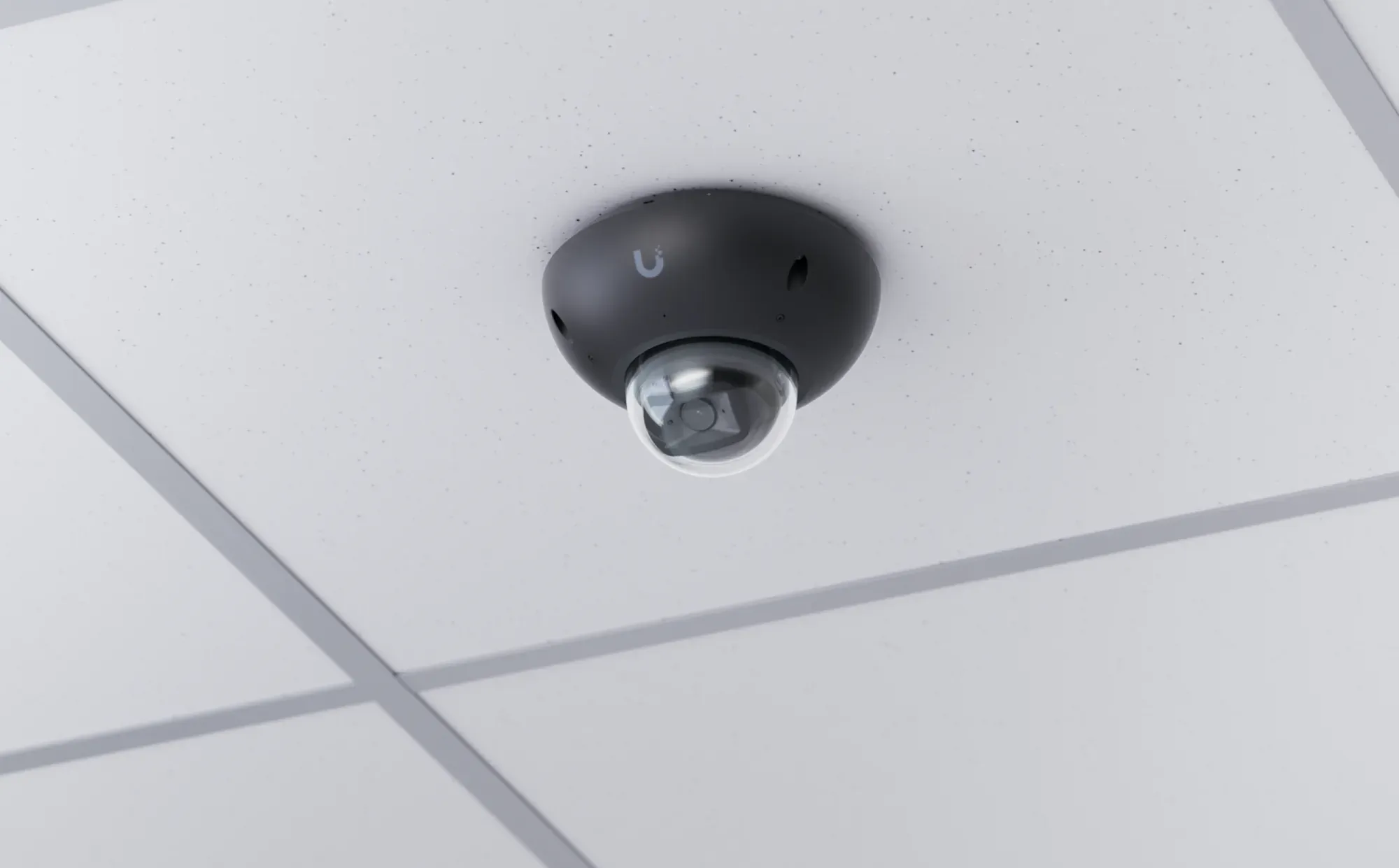
The bodies come as turret, bullet, dome, plate reader and doorbell; the doorbell carries two-way audio. All five run the same software and appear in the same console.
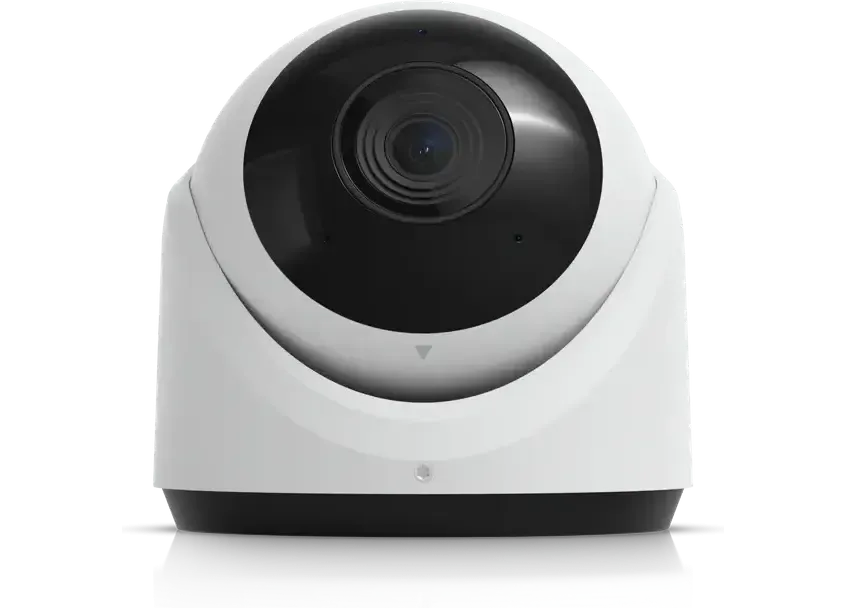
Turret — the all-rounder. Yards, shop floors, hallways
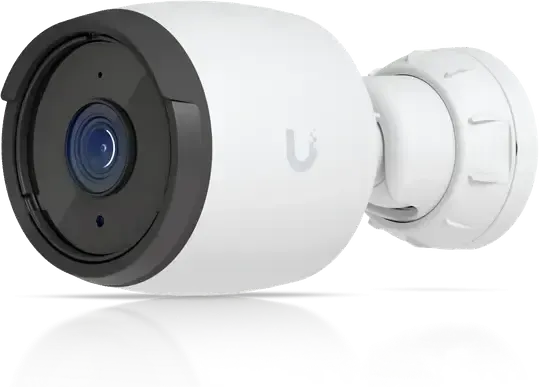
Bullet — sees a long way in one direction. Driveways, fence lines
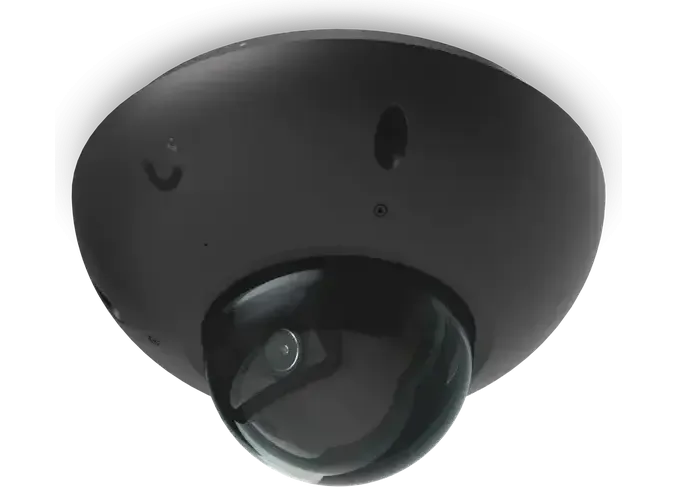
Dome — tough and hard to knock off. Public areas, low ceilings
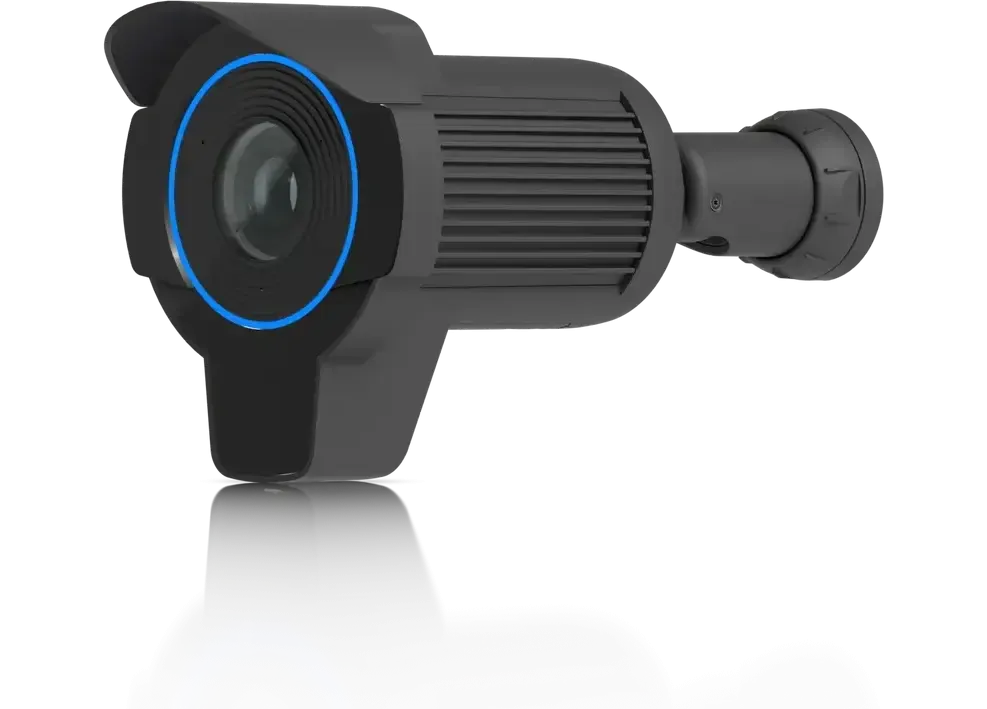
Plate reader — gates and parking lot entrances
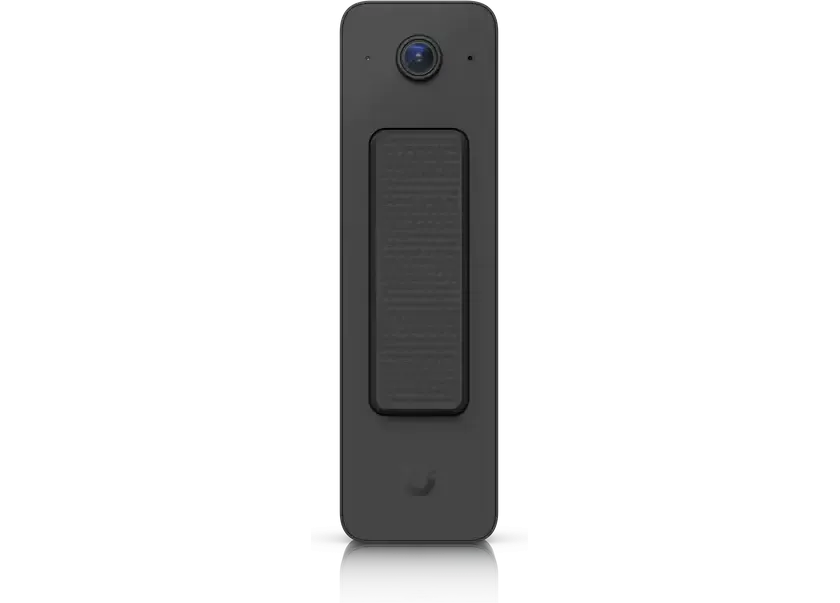
Doorbell — your front door, and you can talk through it
This is how they sit on a building
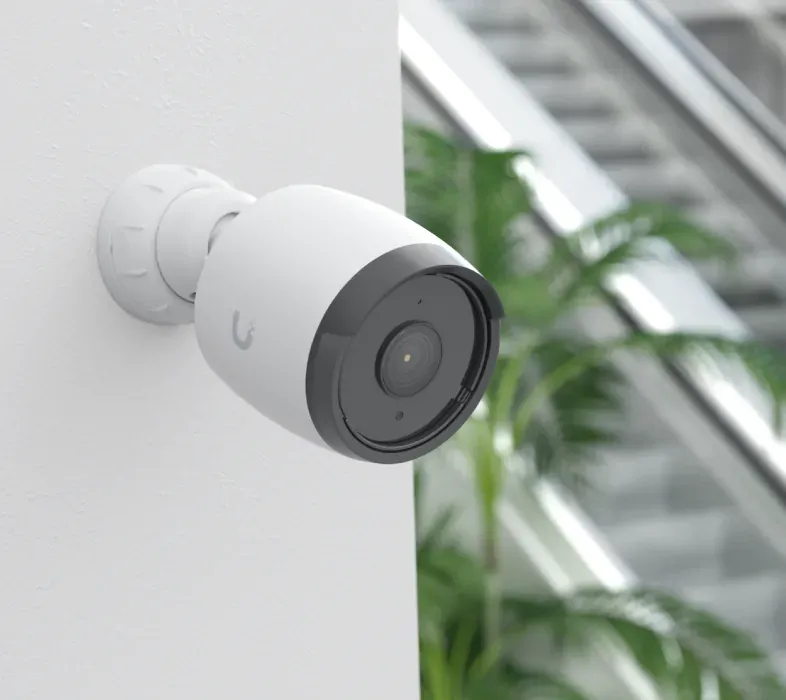
These are four of the cameras in place: a bullet on the outside corner of a wall, shot in daylight and again after dark with its infrared emitters lit; a doorbell beside a door; and a dome on a suspended ceiling indoors, seen from below. One cable carries power and video to each of them.
The cameras are one part of one system.
The cameras are one part of a larger system. The console in the clips above is the same console that runs business Wi-Fi, network switches, door entry, phone systems, digital signage, business file storage, internet backup, the firewall, battery backup, EV charging and the alarm system — one platform, one window, on the same hardware.
None of it carries a licence fee. One system takes the place of a stack of separate vendors, and the cameras are one part of it.
Business Wi-Fi
Access points are placed to fit how the building is built, and one login manages all of them, whether that is three or thirty.
Network switches
One cable carries both data and power, so a camera on a soffit needs no outlet at the far end.
Door entry
Staff open doors with a badge, a phone or a code, and access is set per person and per time of day, on hardware the business owns.
Business phone systems
The system runs desk phones, Teams or both, and the numbers and the directory stay the same either way.
Digital signage
Menus, specials and live pages run on the screens already on the wall, and they are updated from a laptop.
File storage
Shared drives sit on the same network as the people who use them, and the storage is paid for once, not again every month.
Internet backup
A second line on a different carrier takes over by itself, so the registers keep working through an outage.
Business firewall
The firewall sits between the building and the internet, and it keeps the guest network away from the card readers.
Battery backup
The batteries carry everything through a short outage, so no switch, camera or door reader restarts.
EV charging
The charging point records who plugged in and how much power they used, so the electricity becomes a line that can be accounted for.
Alarm system
The alarm watches doors, motion and breaking glass, and it also catches water leaks, heat and cold.
Questions we get asked
No. The software carries no licence fee, no per-camera charge, and no subscription to record or to view footage. The detection features have no paid tier either.
The cameras keep recording. Footage records on site, to a recorder in the building, so it doesn’t depend on the internet connection.
Yes. Remote viewing works from a phone, a tablet or a browser, over an encrypted connection.
Yes. People, vehicles, plates and faces are recognised and sorted separately, so footage can be filtered down to just one of them — and the system describes what it saw in a sentence you can search against.
Yes. Footage copies to OneDrive, Google Drive or Dropbox on a schedule, so an off-site second copy exists alongside the recorder in the building.
Recent footage stays at high quality and older footage steps down, so the same disks hold years of recording instead of weeks. An enhanced retention setting controls how long high-quality recording is kept.
Get in touch
Call (844) 422-7000. The service area covers Charleston and the Lowcountry — Mount Pleasant, North Charleston, Summerville, Bluffton, Hilton Head, Beaufort and Savannah.