The guest wi-fi cannot reach the card machines
The box between the building and the internet, doing a job the one that arrived with the service was never built for. Networks kept apart, staff on from anywhere, nothing that expires.
What the box at the edge is actually for
It is the one device every other device depends on, and the one most buildings inherited rather than chose.
Payments on their own network
Card terminals and tills sit apart from staff laptops and apart from the guest wi-fi, over the same cabling, so a problem on one side does not reach the other.
Staff on from anywhere
A private route in for people working off site, without publishing anything to the open internet.
Guest wi-fi that stops at the internet
Visitors get a line out and nothing else. Not the tills, not the cameras, not the file shares.
One place the whole network is run from
Switches, access points, cameras and door readers all answer to the same console, so it is one login rather than five.
Nothing that expires
It keeps doing the job whether or not a subscription is paid. A lapsed licence is one of the common reasons one of these gets replaced.
What crossed the line is recorded
Traffic is logged and searchable, so a question about last Tuesday has an answer rather than a theory.
The box your internet company left is not a firewall
It is a modem with a wireless radio in it, sized to get one household online. There is no way to put a card terminal on a different network from a visitor’s phone.
Most buildings never chose it. It arrived with the service and stayed, and it is still there years later carrying a business it was never specified for.
Replacing it is usually a single visit, and the cabling and the access points already in the building carry on working.
Card terminals, staff laptops, cameras and guest wi-fi each reach their own lane and, in most cases, the internet. None of them reaches another lane, which is what keeps a visitor’s phone away from the tills.
A rack unit, or a box that sits on a shelf
The choice is how much has to pass through it, and whether there is a rack to put it in.
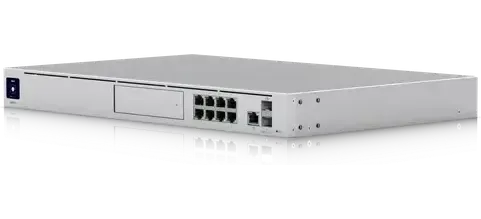
Rack-mounted, with more throughput and room for camera recording
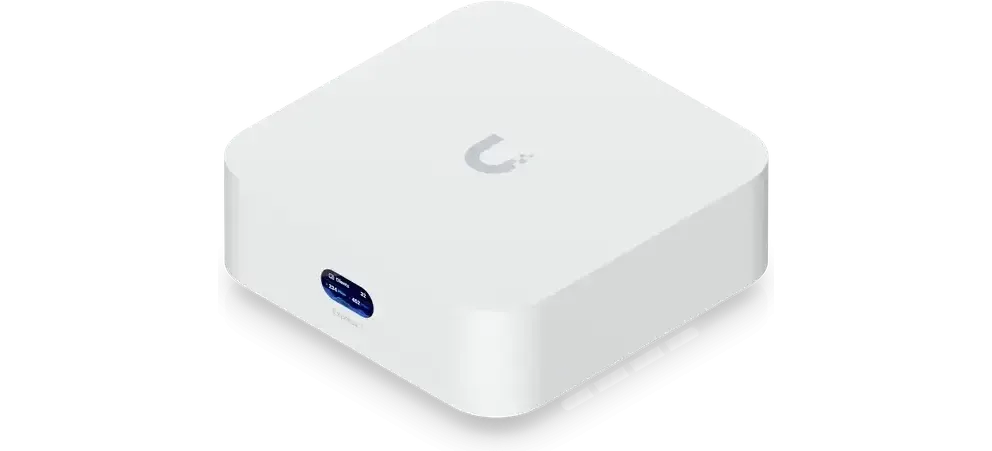
Small sites — routing, firewall and wireless in one box
How the work runs
Where the internet lands
The service coming in, what it terminates on, and what would have to move for anything to change.
The separation decided first
Which things sit apart from which — payments, staff, guests, cameras, doors — before any equipment is ordered.
Swapped over
Usually within a working day. Existing cabling and existing access points carry on unless they are the reason you called.
Handover
Remote access working for whoever needs it, and the separation tested from the guest side rather than assumed.
Questions we get asked
It is built to get one household online. It has no way to keep card terminals on a separate network from visitors’ phones, which is the main thing a business needs from this.
Yes. A private route in is part of the setup, and it does not require publishing anything to the open internet.
No. It keeps working whether or not anything is paid. Licences expiring is a common reason people replace what they have.
Not if it is sized against the line. Throughput is checked against the service you actually have before anything is quoted.
Usually. This is the box at the edge; the access points and switching behind it carry on unless they are part of what you asked for.
Start with what your internet arrives on
The service, the box it lands in, and what has to stay separate from what. The sizing follows from that.