One cable carries the data and the power
Switching that powers cameras, phones, door readers and access points down the same cable, so nothing needs a socket at the far end.
What it does for everything else
Nobody wants a switch. They want what it makes possible.
No socket at the far end
A camera on a soffit, a reader by a gate, an access point in a ceiling void — power arrives down the same cable as the data.
One cable per device, not two
Which halves what has to be pulled, and halves what has to be made good afterwards.
Devices that can be restarted from a desk
A camera that has stopped answering can be power-cycled without anybody fetching a ladder.
Room to add later
Power budget is specified with headroom, so the next four cameras do not mean a new switch.
Traffic kept apart
Cameras, payments, staff and guests can sit on separate networks over the same cabling.
Patching you can read
Ports labelled to match the outlets, so the next person to open the cabinet does not have to trace a cable.
How much has to hang off it decides the size
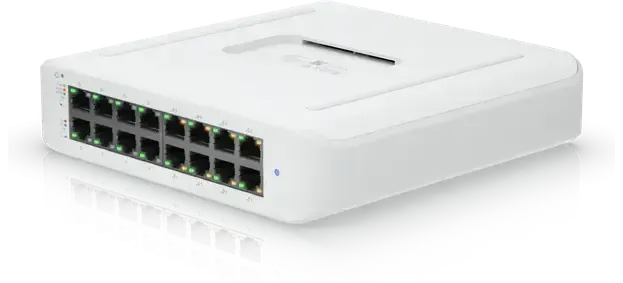
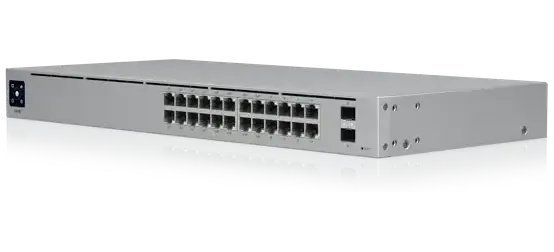
Three sizes, separated by how many devices they power and how much each of those draws.
Wall-mountable, for a small office or a cupboard
The common size — a floor of cameras, phones and access points
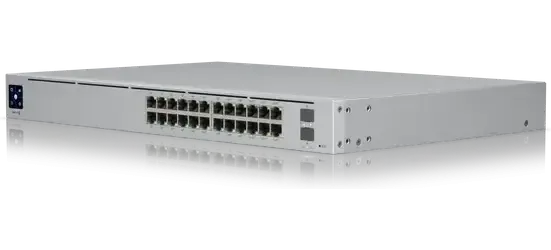
Higher power and more capable, where the draw is heavy
The power budget is what gets underestimated
Sizing is not just port count. It is port count plus what every device actually draws, plus room for what gets added next year.
A switch can have enough ports and still not enough power, which shows up as devices that restart at random once the last camera goes in.
That is worked out before anything is ordered rather than discovered on site.
The bar is the power budget rather than the port count, and it is the one that runs out first. Ports free at the front of the switch say nothing about whether the next camera will stay powered.
How the work runs
Count the devices and the draw
Every camera, phone, reader and access point, with what each one takes, plus headroom.
Mounted and uplinked
In a cabinet or on a wall, with uplinks sized so the switch is not the bottleneck.
Networks separated
Cameras, payments, staff and guests split so a problem on one does not reach the others.
Labelled and documented
Ports mapped to outlets and written down, so it can be worked on by somebody who was not there.
Questions we get asked
Power over Ethernet sends power down the same cable as the data, so cameras, phones, door readers and access points do not need a power socket where they are mounted.
Port count plus total power draw plus headroom. The power budget is the part that gets underestimated — a switch can have enough ports and still not enough watts.
Yes. Separate networks over the same cabling is standard, and it is set up as part of the install rather than left for later.
Not always. Smaller switches wall-mount, which suits a cupboard or a back office. A rack matters more for tidiness and cooling than for function.
Usually, if it is Cat5e or better and terminated properly. That is checked before anything is quoted.
Count what has to be powered
Cameras, phones, readers, access points — the count and where they go. The power budget follows from that.