(844) 422-7000

Document Data Extraction

Home/AI/Document Data Extraction
CloudCentricCharleston · the Lowcountry

Document Data Extraction

One recurring document type, read into fields and checked on one screen instead of retyped.

What this is

Every business has one document that arrives constantly and gets retyped into a system. Invoices, statements, contracts, closing packets, delivery notes, job sheets, applications.

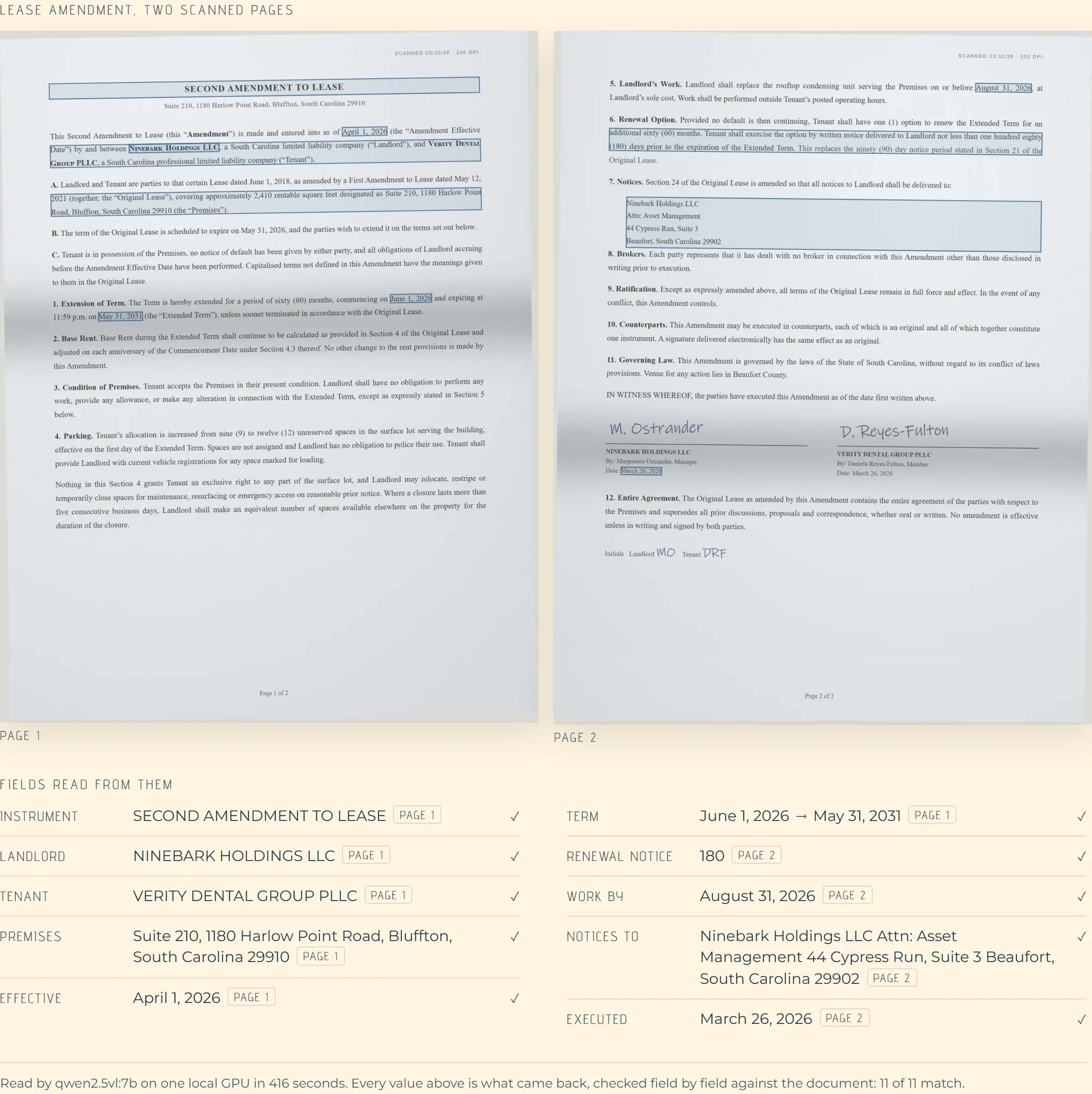
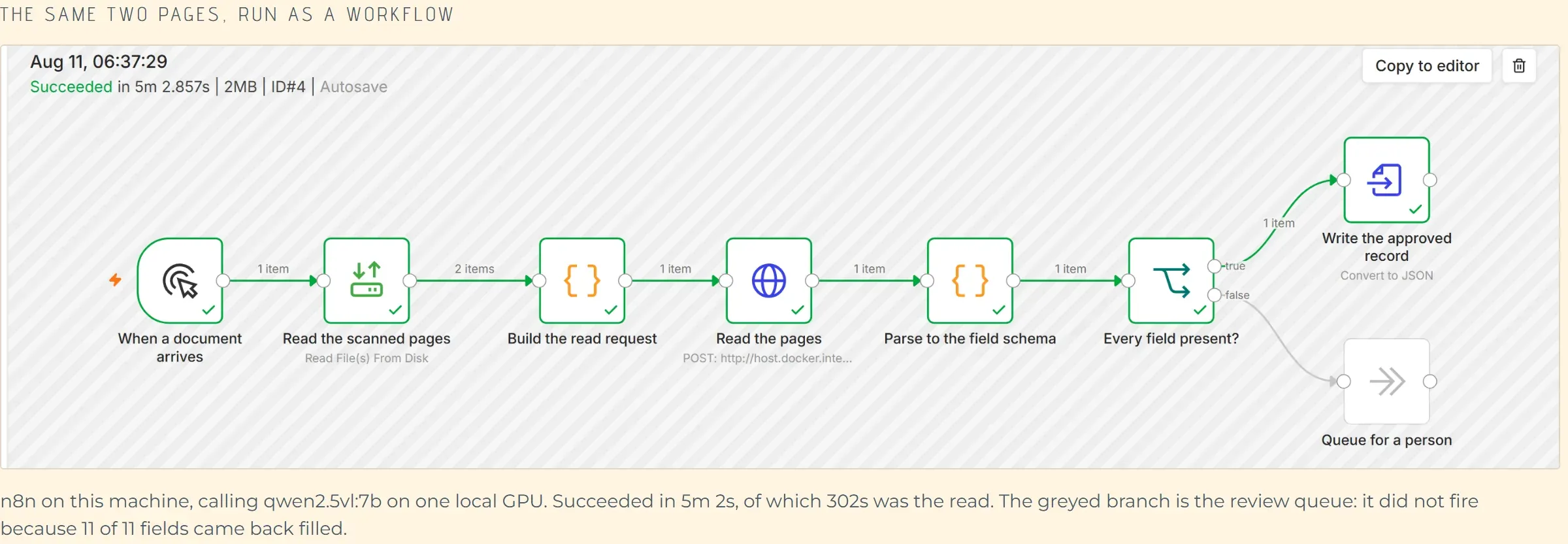
Extraction reads that document into a fixed set of fields, shows a person the result next to the original, and writes the approved record into the system that needed it.

The scope is set by the document type, which is why these projects finish. One document type is a project. Every document type is not.

The document type sets the scope. A person approves every record before it reaches a system.

What you get

What gets built

The build is the schema, the review screen and the write-back.
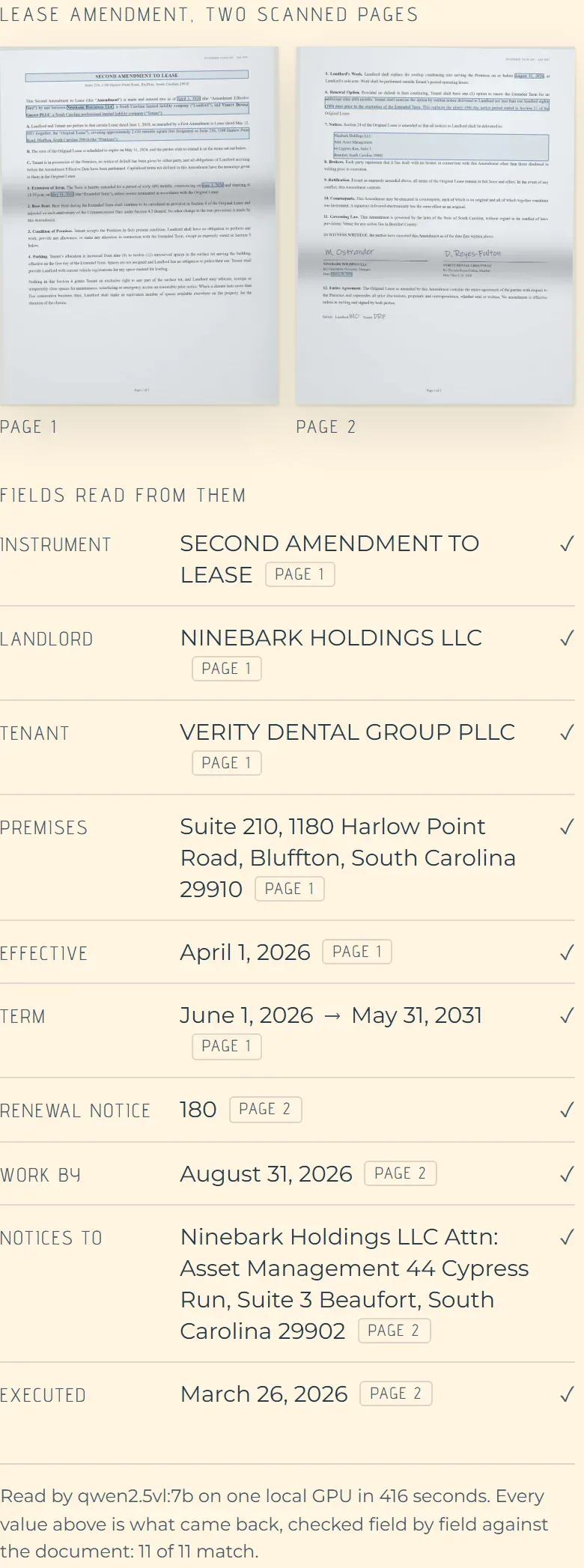
The field schema

Exactly which fields come out, what each one may contain, and what happens when one is missing.

Extraction that handles the real files

Scans, photographs, sideways pages, stamps written over the total, and the supplier who changed their template without telling anyone.

A review screen

The extracted fields beside the original page, so checking a document takes seconds and corrections are one click.

Write-back to the system of record

The approved record lands in the accounting system, the CRM or the practice system as a proper row.

A confidence threshold

Records the system is sure about move quickly; the rest are queued for a closer look.

A measured accuracy figure

Run against a set of documents whose correct answers are known, so the accuracy number is measured rather than asserted.

How it works

How the work runs

01

Collect a real sample

A few hundred of the actual documents, including the awkward ones people normally leave out.

02

Agree the fields

What comes out, and what the system should do when a field is absent or ambiguous.

03

Build and measure

Extraction is run against documents whose correct values are known, and the result is a number.

04

Put it in the workflow

The review screen goes to the people who do the job, and the approved records start landing.

In practice

Documents this gets built for

One type at a time. These are the ones that come up most.

Supplier invoices

Header values and line items into the accounting system. The awkward part is line items that break across pages and suppliers who redesign their template without warning.

Contracts and closing packets

Dates, parties, amounts and obligations pulled into a structured record so the same values are not copied by hand into three systems.

Timesheets and job sheets

Often photographed on a phone, on site, at an angle. Testing against real photographs rather than clean scans is the whole difference.

Applications and intake forms

Inbound paperwork that has to become a record before anyone can act on it, with a person approving each one.

What matters

What makes this harder than it looks

The demonstration always works. These are the things that decide whether the production system does.

The awkward documents are the whole job

Clean documents extract on the first attempt. The project is decided by the handwritten annotation, the second page nobody scanned, and the supplier whose layout changed.

Tables are harder than fields

A single value is straightforward. Line items that run across a page break, with a subtotal in the middle, are not.

A person has to stay in it

The output is a reviewed queue, not a decision. Keeping the review fast is what makes the whole thing worth having.

Accuracy has to be measured against known answers

Without a set of documents whose correct values are recorded, there is no way to tell whether a change made things better or worse.

Templates change without notice

Suppliers redesign their paperwork. The system needs to show that something moved rather than quietly extract the wrong number.

The write-back is where the risk is

Reading a document wrong costs a correction. Writing it into the accounting system twice costs an afternoon.

Who it is for

Where this pays

Accounting and bookkeeping

Supplier invoices and statements arriving faster than they can be keyed.

Legal and title work

Closing packets and contracts where the same values get copied into several systems.

Construction and trades

Delivery notes, timesheets and job sheets arriving as photographs from a phone.

Insurance and claims

Claim documentation that has to become a structured record before anything can be assessed.

Questions

Frequently asked questions

How accurate is it?

That depends on the document type and gets measured during the build against documents whose correct values are known. A quoted number before anybody has seen your documents would be made up.

Does someone still have to check the output?

Yes, and that is the design. The system produces a reviewed queue and a person approves the records, which is what keeps it safe to run.

What about handwriting?

Printed and typed text extract well. Handwriting varies enough that it gets tested against your actual documents before anything is promised.

Can it handle more than one document type?

Yes, but they are built one at a time. Each type has its own fields and its own awkward cases.

Where do the documents go?

They stay in storage your company owns. The extraction runs against them in your own cloud account.

How long before it is in use?

A single document type is normally three to six weeks, most of which is spent on the awkward documents rather than the common ones.

Also on this site

Name the document

The one that arrives constantly and gets retyped. That is the place to start.

(844) 422-7000
CloudCentric · Mount Pleasant, SC · serving Charleston and the Lowcountry(844) 422-7000