Access Point U7 Pro Outdoor (U7-Pro-Outdoor)
 Supplied and installed · Charleston & the Lowcountry
Ubiquiti UniFi · U7-Pro-Outdoor
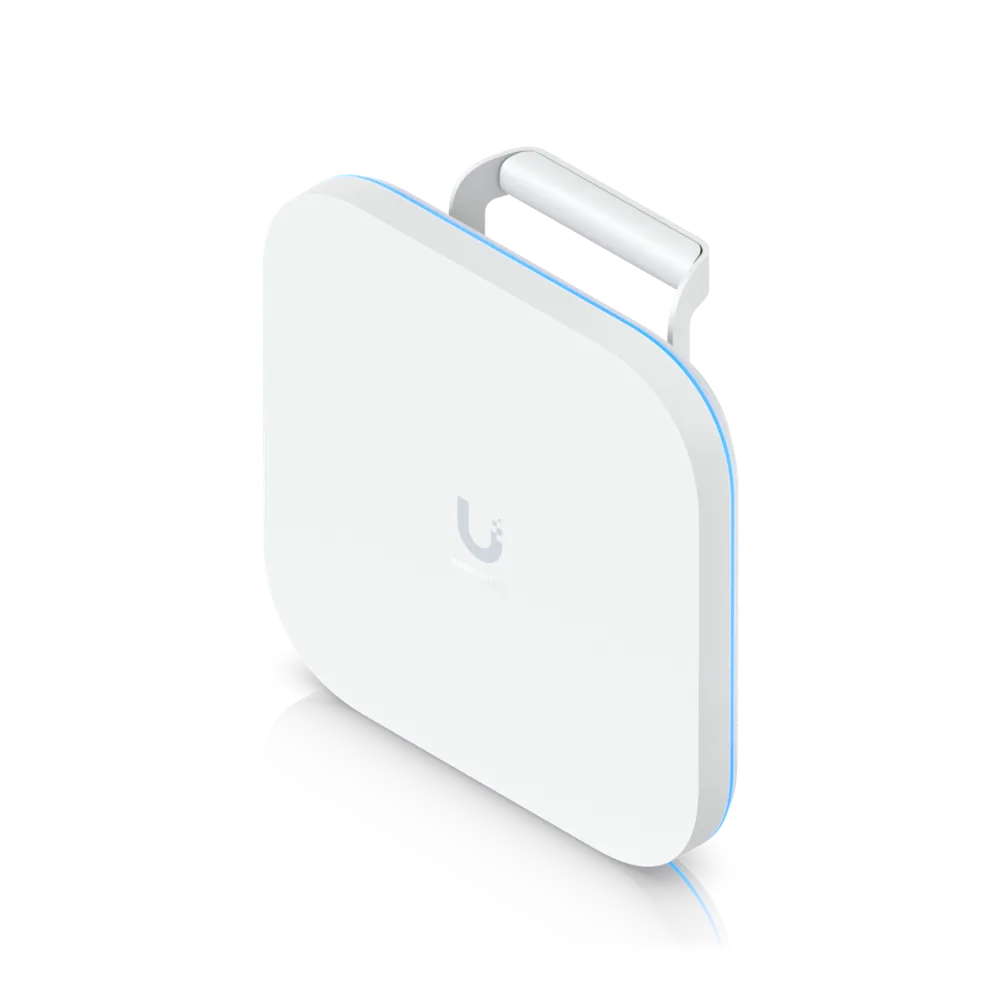
Access Point U7 Pro Outdoor
All-weather IP67 WiFi 7 AP with 6 spatial streams, extended-range AFC 6 GHz support, integrated directional super antenna, and articulation mounting bracket.
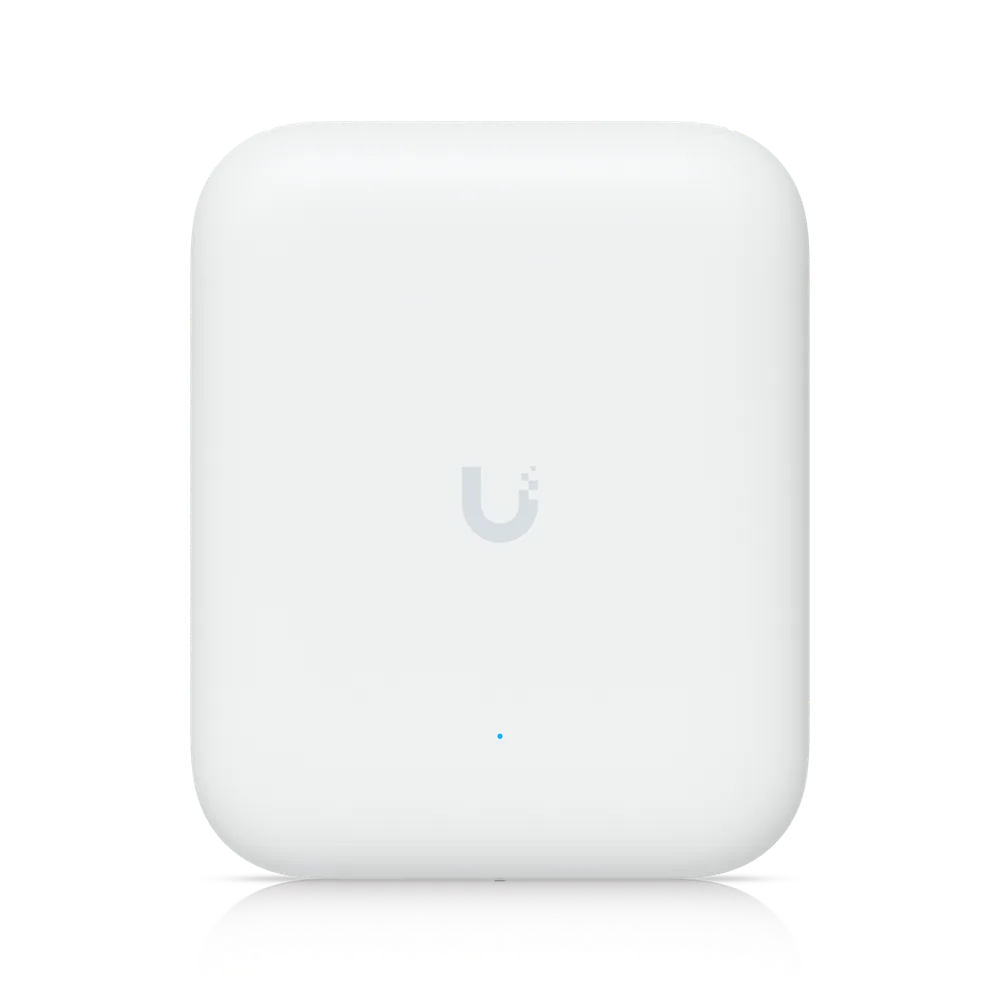
In short
 WiFi 7 with 6 GHz support
 6 spatial streams
 Long-range 6 GHz performance with AFC*
 465 m² (5,000 ft²) open space coverage with the integrated directional super antenna
 Software-switchable from internal directional to included external omni antennas
 300+ connected devices
 Powered using PoE+
 2.5 GbE uplink
Full specifications
Manufacturer data for the U7-Pro-Outdoor.
Overview
| Dimensions | Without mount: 170 x 208 x 66.5 mm (6.7 x 8.2 x 2.6") With mount: 170 x 208 x 121.8 mm (6.7 x 8.2 x 4.8") |
| WiFi Standard | WiFi 7With 6 GHz support |
| Spatial Streams | 6 |
| Coverage Area | 465 m² (5,000 ft²) |
| Max. Client Count | 300+ |
| Uplink | 2.5 GbE |
| Mounting | Wall, Pole (Mounts Included) |
| Weatherproofing | IPX6 IP67 (With cable-gland door kit) |
| Power Method | PoE+ |
Performance
| MIMO · 6 GHz | 2 x 2 (DL/UL MU-MIMO) |
| MIMO · 5 GHz | 2 x 2 (DL/UL MU-MIMO) |
| MIMO · 2.4 GHz | 2 x 2 (DL/UL MU-MIMO) |
| Max. Data Rate · 6 GHz | 5.8 Gbps (BW320) |
| Max. Data Rate · 5 GHz | 4.3 Gbps (BW240) |
| Max. Data Rate · 2.4 GHz | 688 Mbps (BW40) |
| Antenna Gain · 6 GHz | Directional internal: 10 dBi, 90° x 45° |
| Antenna Gain · 5 GHz | Directional internal: 11 dBi, 90° x 45° External omni: 8 dBi, 360° x 15° |
| Antenna Gain · 2.4 GHz | Directional internal: 8 dBi, 90° x 90° External omni: 6 dBi, 360° x 15° |
| Max. TX Power · 6 GHz | 26 dBmWith 6 GHz Extended Range mode. Available in FCC/IC region only |
| Max. TX Power · 5 GHz | 26 dBm |
| Max. TX Power · 2.4 GHz | 23 dBm |
| Max. BSSIDs | 8 per Radio |
| Supported Data Rates · 802.11be (WiFi 7) | 7.3 Mbps to 5.8 Gbps (MCS0 - MCS13 NSS1/2, EHT 20/40/80/160/240/320) |
| Supported Data Rates · 802.11ax (WiFi 6/6E) | 7.3 Mbps to 2.4 Gbps (MCS0 - MCS11 NSS1/2, HE 20/40/80/160) |
| Supported Data Rates · 802.11ac (WiFi 5) | 6.5 Mbps to 1.7 Gbps (MCS0 - MCS9 NSS1/2, VHT 20/40/80/160) |
| Supported Data Rates · 802.11n | 6.5 Mbps to 300 Mbps (MCS0 - MCS15, HT 20/40) |
Hardware
| Max. Power Consumption | 21W |
| Supported Voltage Range | 42.5–57V DC |
| Networking Interface | (1) 1/2.5 GbE RJ45 port |
| Weight | Device: 1.2 kg (2.6 lb) With mount: 1.33 kg (2.9 lb) |
| Wind Loading | 74.6 N at 200 km/h (16.8 lbf at 125 mph) |
| Pole Mount Diameter | 1–2.5" (25–63.5 mm) |
| Management | Ethernet |
| Enclosure Material | UV-stabilized polycarbonate, aluminum alloy |
| Mount Material | UV-stabilized polycarbonate |
| LEDs · System | (1) Power: White/Blue (4) Mesh signal: Blue |
| Ambient Operating Temperature | -30 to 60° C (-22 to 140° F) |
| Ambient Operating Humidity | 5 to 95% noncondensing |
| Certifications | FCC, IC |
Software
| Application Requirements · UniFi Network | Version 9.0.114 and later |
| Application Requirements · Mobile App | iOS™ version 10.20.2 and later Android™ version 10.21.7 and later |
What the install covers
A walk of the building to measure what the existing signal does, mounting positions marked against the ceiling structure, Cat6 back to a PoE switch, then channels and power tuned so the units are not fighting each other.
One system and one login whether it is three access points or thirty.
Questions we get asked
How many access points does a building this size need?
It depends on construction far more than square footage. Open drywall offices cover a lot of ground per unit; block walls, foil-backed insulation, brick, and multiple floors cut that sharply. The number comes from a walk of the building, not from a floor area.
Do these need a subscription?
No. UniFi network management runs on the gateway or a console you own. There is no per-access-point licence and no monthly platform fee to keep the Wi-Fi working.
Can these replace an existing Meraki or Aruba system?
Yes, and it is a common reason people call - those platforms stop working when the licence lapses. A replacement reuses the existing cabling in most buildings; the access points and usually the switch change.
Do I need Wi-Fi 7?
Only if the client devices can use it. Wi-Fi 7 access points are worth specifying on a new install because they will still be current in five years, but upgrading working Wi-Fi 6 hardware rarely changes what users experience.
Get a price on the U7-Pro-Outdoor
Tell us the building and what it has to cover. We quote the equipment and the installation together.
(844) 422-7000Product names, images and technical specifications are Ubiquiti Inc.'s, reproduced from the manufacturer's published product data for the equipment we supply. UniFi and Ubiquiti are trademarks of Ubiquiti Inc. CloudCentric is an independent installer and is not affiliated with Ubiquiti Inc.